EasyManua.ls Logo

Sylvania DVR90DE - Page 73

Sylvania DVR90DE
108 pages
Print Icon
To Next Page IconTo Next Page
To Previous Page IconTo Previous Page
Loading...
Editing
Editing
73
POWER
DISPLAY
CH
REC MODE CLEAR
SKIP
REC
PAUSE
SETUP
REPEAT
ZOOM
ENTER
RETURN
REC
MONITOR
OPEN/CLOSE
TIMER
PROG.
1
2
3
4
5
6
7
8
9
0
k
A
K
{ B
L
FWD
g
STOP
C
PLAY
B
h
HG
CM SKIP
REV
MENU
PLAY LIST
TOP MENU/
ORIGINAL
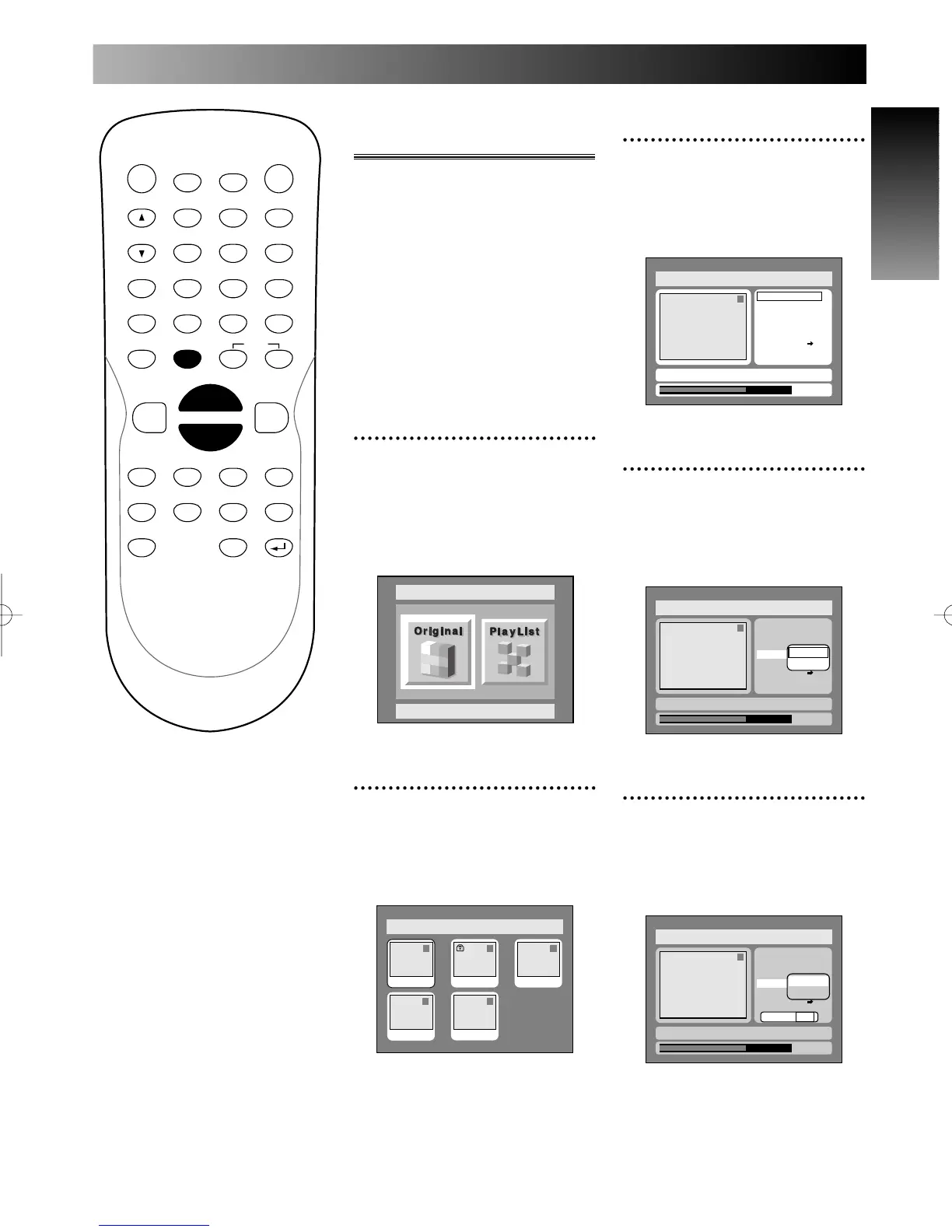
Setting or clearing chap-
ter markers
You can put chapter markers in
each title. Once a chapter is
marked, you can use it for the
chapter search feature.
You can put a chapter marker
anywhere you want.
When the number of chapter
markers in the original list comes
to 999 in total, you cannot add
chapter markers.
1
Select Edit from DISC
menu using K / L buttons,
then press ENTER button.
DISC menu will appear.
Screen:
2
Select Original using { / B
buttons, then press ENTER
button.
Original list will appear.
Disc > Original
1 1 32
54
JAN/1 1:00AM
JAN/1 1:00AM
JAN/1 1:00AM JAN/1 1:00AM
JAN/1 1:00AM
Disc
Original
3
Select a desired title using K
/ L / { / B buttons, then
press ENTER button.
Original menu will appear.
4
Select Chapter Mark using
K / L buttons, then press
ENTER button.
Option window will appear.

5
Select Add using K / L
buttons, then press ENTER
button.
Option window will appear.

Disc > Original
1
0:01:25
Title Delete
Scene Delete
Edit Title Name
Chapter Mark
Index Picture
Protect OFF
Yes No
JAN/ 1 1:00AM CH12 XP
ON
Add
Delete
Disc > Original
1
0:01:25
Title Delete
Scene Delete
Edit Title Name
Chapter Mark
Index Picture
Protect OFF
JAN/ 1 1:00AM CH12 XP
ON
Add
Delete
Disc > Original
1
Title Delete
Scene Delete
Edit Title Name
Chapter Mark
Index Picture Set
Protect OFF
JAN/ 1 1:00AM CH12 XP
0:01:25
ON
E6500UD.QX 03.12.8 19:07 Page 73

Table of Contents

Related product manuals