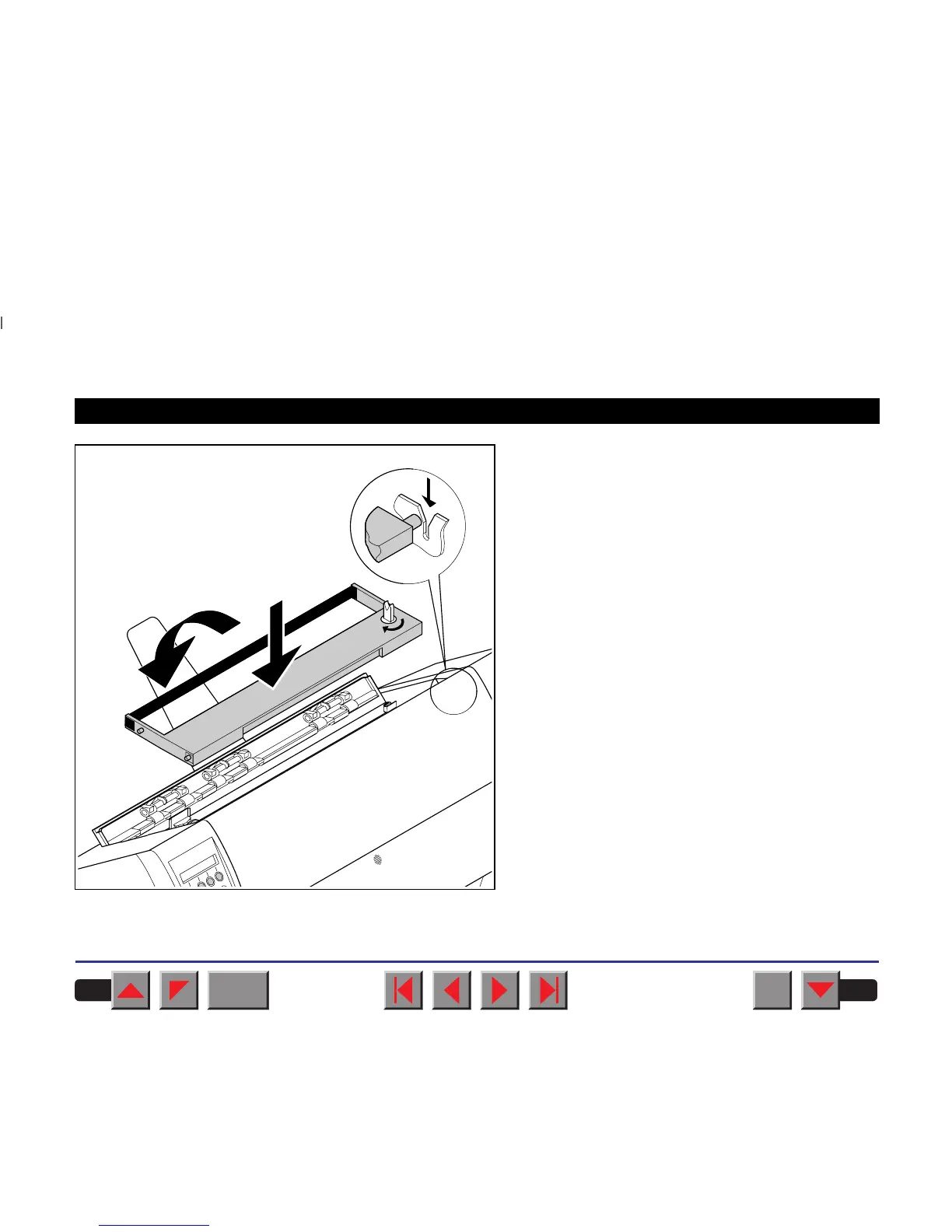
Slightly tilt the ribbon cassette forwards in such a
way that it is parallel to the housing top and thread in
the ribbon in front of the print head. Locate the two
projections in the left and right guide rails of the prin-
ter and gently press down on both sides until it clicks
into place. In this way, the cartridge is automatically
positioned correctly.
BACK
QUIT
?
PRINT
Reference manual Changing the ribbon cassette
22














 To Next Page