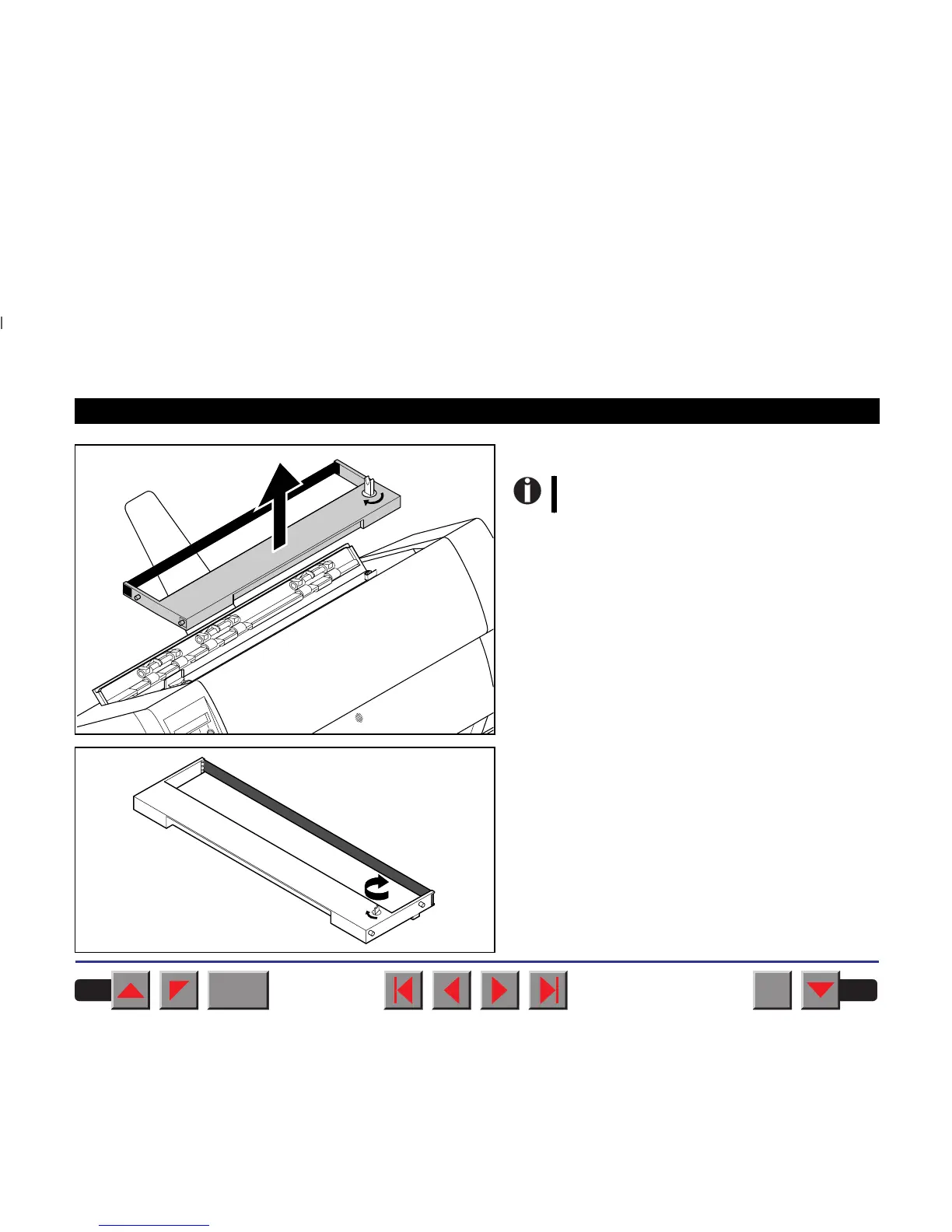
Remove the used cassette.
Turn the coloured ribbon feed knob at the right of the
new ribbon cassette in the direction of the arrow in
order to take up slack of the ribbon.
We recommend use of genuine ribbon
cassettes only.
BACK
QUIT
?
PRINT
Reference manual Changing the ribbon cassette
21














 To Next Page