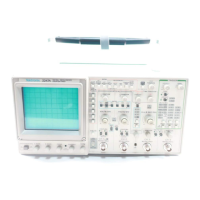
2230 Service
To id e n tify any co m po nent
m ounte d on a c irc u it board and
to locate th a t c om pon e n t in th e
a p p ro p riate schem atic diagram
Locate the Circuit Board Illustration.
a. Identify the particular circuit board that the component is
located on by using the Circuit Board Location
illustration (Figure 9-5) to determine the Assembly
Number.
— N
—^
2.
Determine the Circuit Numbe
a. Compare the circuit board
the desired component by ;
tion.
b. In the manual locate and pull out tabbed page whose title
corresponds with the Assembly Number of the circuit
board. Circuit board assembly numbers and board
nomenclature are printed on the back side of the tabs
(facing the rear of the manual).
b. Scanthetableadjacenttotf
find the Circuit Number of
c. Determine the S c h e m a tic I
component is lo c a ted .
P U L L O U T PAGE
T A B S FO R C IR C U IT
B O A R D IL L U S T R A T IO N
- • - . . . .
« . i c a t* C *J« J «S
1 ^
0 ♦ - -
D
O 0 * o
»•»
i • * ■ € ? ) •
•
e
• • • *
A S S E M B L Y N U M B E R
A N D C IR C U IT
B O A R D N A M E
IL L U S T R A T IO N FC
IN S TR U M EN T C IR C l
B O AR D LO C ATIO I
5.
______________________________________
L__L
Locate the Component on the Circuit Board
a. In the manual, locate and pull out the tabbed page whose
title and Assembly Number correspond with the desired
circuit board. This information is on the back side of the
tabs.
4. Determine the Circuit Board Illustration and Component
Location
a. From the schematic diagram, determine the Asseml
Number of the circuit board on which the component
mounted. This information is boxed and located in a cor r
of the heavy line that distinguishes the board outline.
b. Using the Circuit Number and grid coordinates, locate the
component on the Circuit Board Illustration.
c. In the circuit board location illustration, determine the
location of the circuit board in the instrument.
d. Find the circuit board in the instrument and compare it
with its illustration in the manual to locate the desired
component on the board.
b. Scan the Component Location Table for the Assemt
Number just determined and (find the Circuit Number oft
desired component.
c. Under the 80ARD LOCATIION column, read the gr
coordinates for the desired component.
Figure 9-3. Locating components on schematic diagrams and


 To Next Page
 Loading...