Get Acquainted w
ith the Instrument
8. Save / Recall M enu. P ush to save and
recall setups, waveforms, and screen
images to inte
rnal memory, a USB flash
drive, or a mounted network drive.
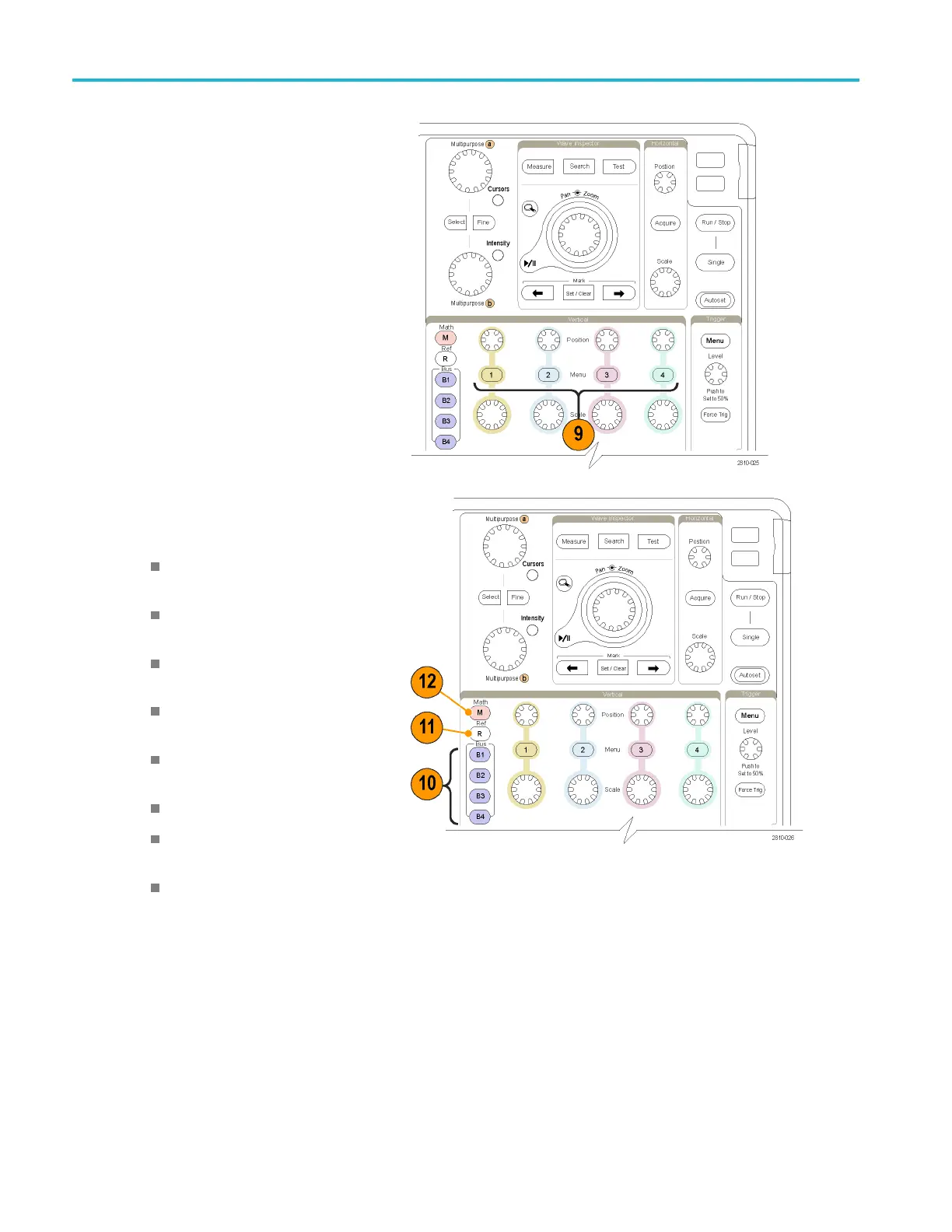
9. Channel 1, 2,3,or4Menu. Push
to set vertical parameters for input
waveforms a
nd to display or remove
the corresponding waveform from the
display.
10. B1, B2, B3
,orB4. Push to define and
display a bus if you have the appropriate
module application keys.
DPO4AERO supports MIL-STD-1553
buses.
DPO4AUT
O supports CAN and LIN
buses.
DPO4AUTOMAX supports CAN, LIN,
and FlexRay buses.
DPO4EMBD supports I
2
C and SPI
buses
.
DPO4E
NET supports Ethernet
buses.
DPO4USB supports USB 2.0 buses.
DPO4COMP supports RS-232,
RS-422, RS-485, and UART buses.
DPO4AUDIO supports I
2
S, Left
Just
ified (LJ), Right Justified (RJ),
and TDM buses.
Als
o, push the B1, B2, B3,orB4 button
to display or remove the corresponding
bus from the display.
34 MSO4000B and DPO 4000B Series Oscilloscopes User Manual


 To Next Page
 Loading...