button to enter its parameter program-
ming submenu.
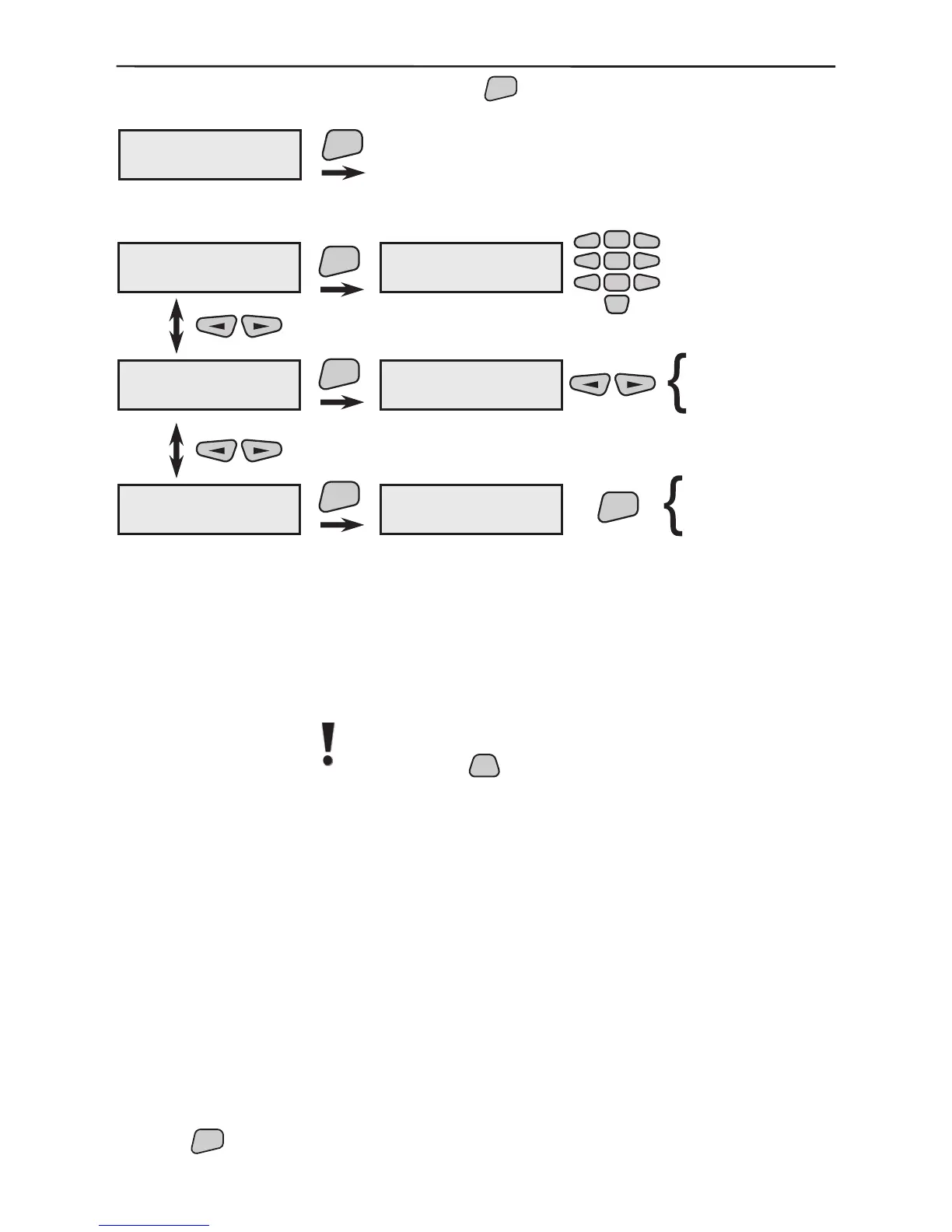
Three submenus can be programmed here.
The name of the wireless device can be freely edited in this
menu. Use the keypad to select the letters to write the new
name. A cursor is positioned under the letter to be edited. After
the new letter is selected, the cursor automatically moves on to
the next letter to be edited. A table with the available symbols is
provided in §1.3.4, page 8.
Attention: In this mode you can switch over the avali-
able Latin and Cyrillic symbols and letters by single
pressing the
button.
The menu provides the opportunity for the device to be disa-
bled or enabled. A disabled device is indicated by the letter
D
in the eld of its current status; the system operation shall not
be interfered with by its performance, but shall respond in case
of a message.
Example for a disabled device: -D-.
The menu provides an opportunity for complete deletion of the
device from the system memory and for enrolling a new one
in its place. Double conrmation is required for the request to
delete the device.
The position of every deleted device stays empty. If there are
some empty positions, and a new device had to be enrolled it
would be recorded into rst empty position in the system mem-
ory. For example, if positions 7 and 15 are free the rst new
device would be recorded in position 7.
Use the



 To Next Page