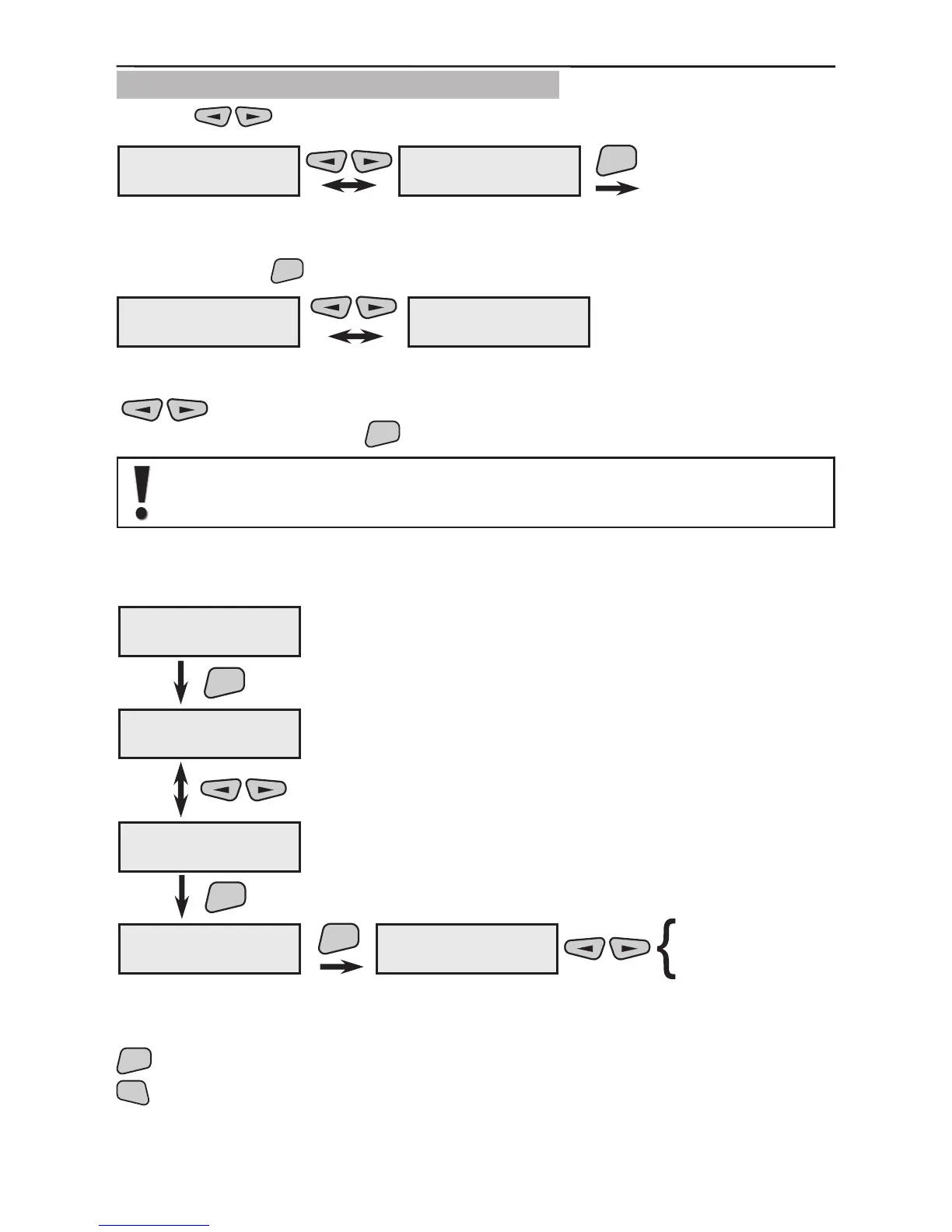
3.1.9 Programming of Wire Detectors
Use the buttons to select the next menu from the 2)Program Device:
This is the menu for scrolling through and programming the parameters of all available
in the system wire detectors. Two programming submenus are possible from this screen
after pressing the
button.
The 1)Add WireDevice menu is used to add wire detectors to the system. Use the
buttons to select a free device from the list (a number without an attributed
device) and conrm using the
button.
By default all devices have been preset as wireless type. Respectively, all
wire sensors need to be congured as wire type.
Once a given detector is specied to be of a wire type, it will automatically be renamed
as WIR which will become a common denomination for all wire sensors.
After the sensor type is determined as wire, the selection is conrmed by pressing the
button. To return to the main menu for programming wire sensors double press the
2)Program Device
9)Wire Devices
ENT
2)Program Device
1)Common Prog.
9)Wire Devices
1)Add WireDevice
9)Wire Devices
2)Program W.Dev.
9)Wire Devices
1)Add WireDevice
ENT
01PIR ---#012345
PIR01
13xxxx---#000000
Device13 name
ENT
ENT
wire
wireless
Device13 name
1)Device Type
1)Device Type
wireless



 To Next Page