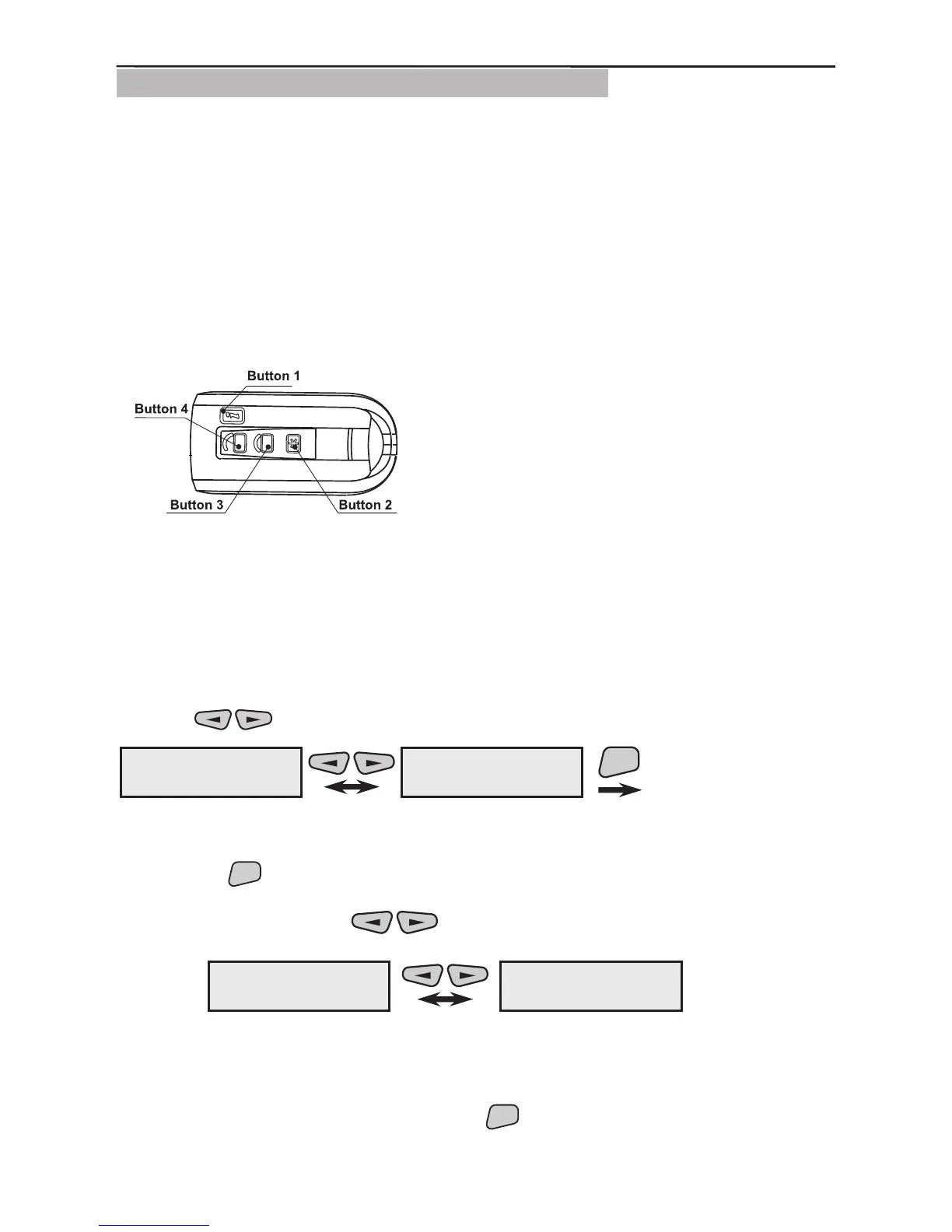
3.1.5 Programming of RC102 TE Remote Control
The AVA Wireless System can be controlled (armed/disarmed or have various types of
alarm functions) through RC 102 TE Remote Control. The remote control has four but-
tons with attributed default functions but can be further programmed from the control
panel. Each function means a specic type of activity:
Arming function.
Disarming function
Panic type alarm response by the selected button.
Medical type alarm response by the selected button.
Fire type alarm response by the selected button.
Every button has been programmed to functions (Arming or Disarming) which can be
activated by the press of the button. In order to monitor the status of the system via the
information button on the remote control, it must remain as “not programmed” in the
system. For more information about programming the remote control see RC 102 TE
Operation Manual.
The programming of functions is described in §3.2, page 32. Also see the example how
to group devices and programme Arming/Disarming functions in §3.4, page 40.
Use the
buttons to select the next menu from the 2)Program Device:
This is the menu for scrolling through and programming the parameters of all available
in the system remote controls. Two types of actions are possible from this screen after
pressing the
button.
1. The various enrolled and recorded in the system remote controls can be scrolled
through with the help of the
buttons.
Example:
The rst remote control (REM01) in this example is recorded as the fth system device
(05REM) and the second (REM02) as the sixth (06REM). The names of the devices
have been edited according to their location within the system.
2. From the screen of each device press the
Arm f-n
DisArm f-n
Panic
Medical
Fire CallPoint
Figure 18. RC102 TE Buttons.
By default the buttons are programmed as follows:
Button 1 - ARMS groups 1, 2 and 3.
Button 2 - DISARMS groups 1, 2 and 3.
Button 3 - ARMS all groups in the system.
Button 4 - DISARMS all groups in the system.



 To Next Page