EasyManua.ls Logo

Teletek electronics AVA - Page 27

Teletek electronics AVA
64 pages
Print Icon
To Next Page IconTo Next Page
To Previous Page IconTo Previous Page
Loading...
3. Programming 27
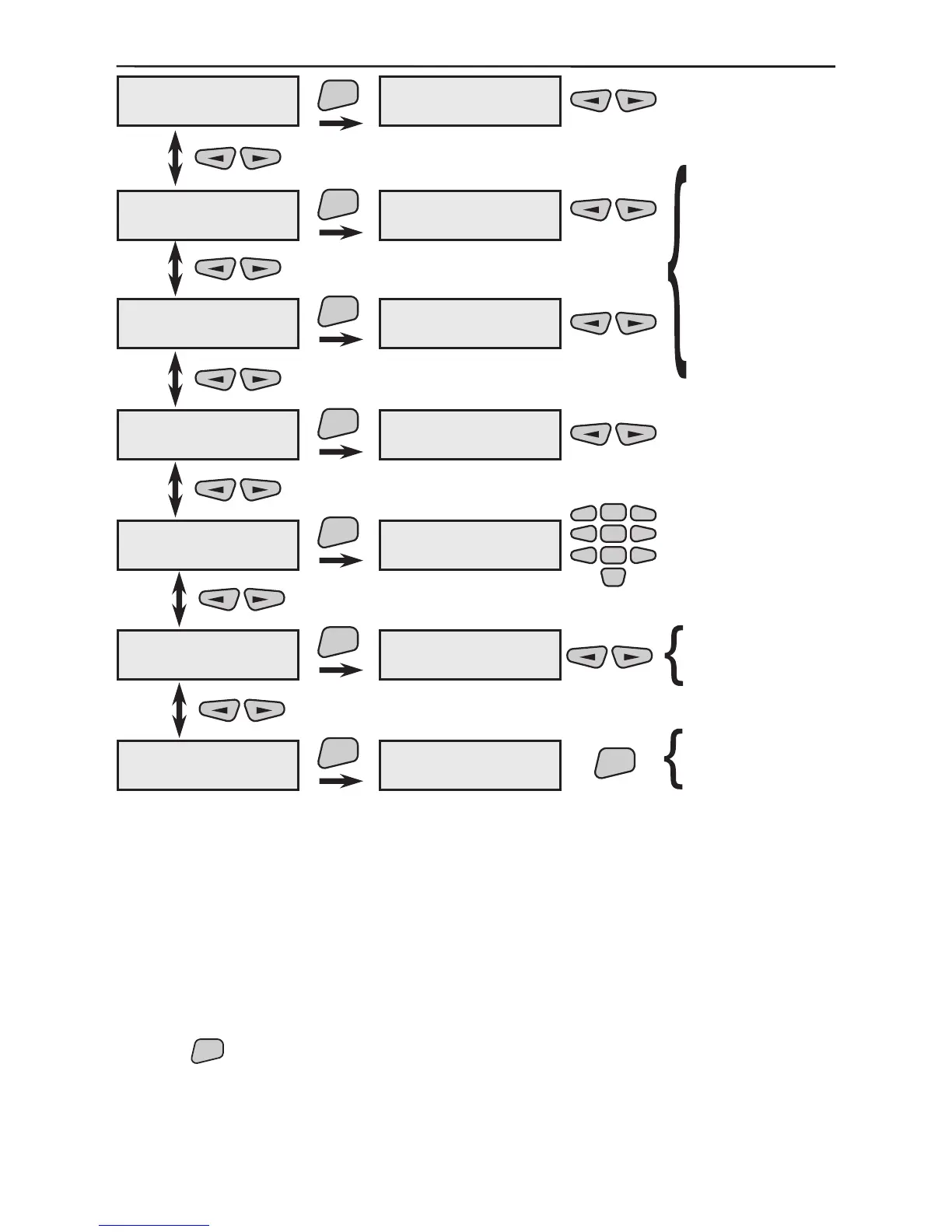
Programme the function to be activated by pressing button 1.
Programme the function to be activated by pressing button 2.
Programme the function to be activated by pressing button 3.
Programme the function to be activated by pressing button 4.
The performance is as described in §3.1.2.
Use the

ENT
button to conrm all entered data and changes.
REM01
1)button 1
REM01
2)button 2
ENT
ENT
2)button 2
not programmed
REM01
3)button 3
1)button 1
not programmed
ENT
3)button 3
not programmed
REM01
4)button 4
ENT
4)button 4
not programmed
REM01
5)Change name
ENT
5)Change name
REM01
Arm f-n 1
Arm f-n 2
Arm f-n 3
Arm f-n 4
Arm f-n 5
Arm f-n 6
DisArm f-n 1
DisArm f-n 2
DisArm f-n 3
DisArm f-n 4
DisArm f-n 5
DisArm f-n 6
Panic
Medical
Fire CallPoint
-
2
5
8
0
1
3
4
6
79
ENT
are you sure?
REM01
6)Enable/Disable
ENT
REM01
ENABLED
REM01
7)Remove
ENT
REM01
remove?
enable?
disable?
3)button 3
5)Change name
6)Enable/Disable
7)Remove
4)button 4
1)button 1
2)button 2

Table of Contents

Other manuals for Teletek electronics AVA

Related product manuals