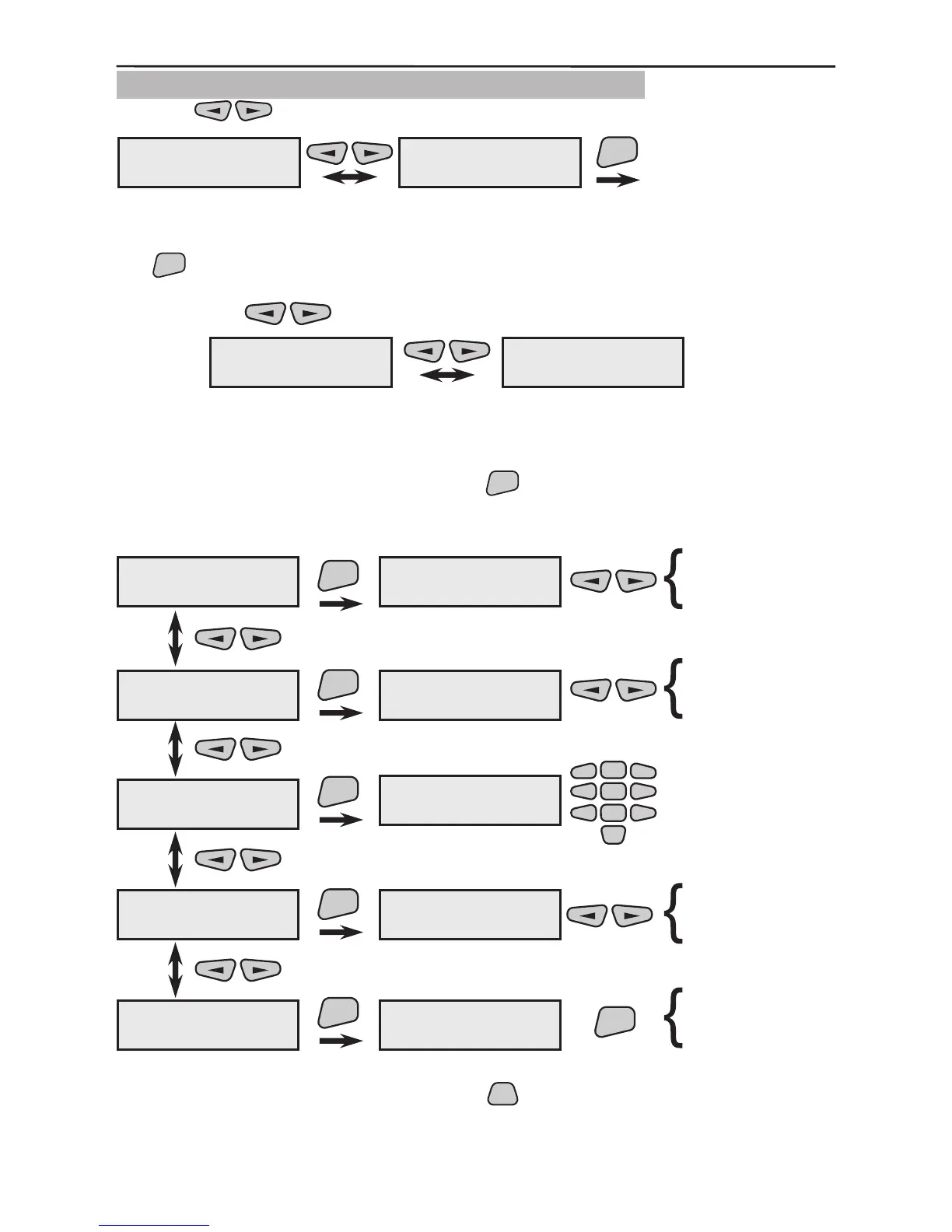
3.1.6 Programming of SR200R Outdoor Siren
Use the buttons to select the next menu from the 2)Program Device:
This is the menu for scrolling through and programming the parameters of all available
in the system sirens. Two types of actions are possible from this screen after pressing
the
button.
1. The various enrolled and recorded in the system sirens can be scrolled through with
the help of the
buttons.
Example:
The rst siren (SIR01) in this example has been recorded as the seventh system device
(07SIR) and the second (SIR02) as the eighth (08SIR). The names of the devices have
been edited according to their location within the system.
2. From the screen of each device press the
button to enter its parameter program-
ming submenu. For clarity we shall use SIR01 as a device name.
All active parameters in the system are marked with the “*” symbol and the
inactive - with the “-” symbol. Press the
button of the keypad to change the
parameter status of the respective submenu.
2)Program Device
6)Siren
ENT
2)Program Device
1)Common Prog.
07SIR ---#456789
SIR01
08SIR ---#987654
SIR02
SIR01
1)Audible Events
SIR01
2)Cut-Off time
ENT
ENT
2)Cut-Off time
1 minute
SIR01
3)Change name
1)Audible Events
- Alarm
ENT
SIR01
4)Enable/Disable
ENT
SIR01
5)Remove
ENT
- FIRE
- Tamper
- Panic
- Module Lost
- Medical
- sqwk.on fArm
- sqwk.on pArm
0
3)Change name
SIR01
-
2
5
8
1
3
4
6
79
ENT
are you sure?
SIR01
ENABLED
SIR01
remove?
enable?
disable?
2 minute
3 minute
4 minute



 To Next Page