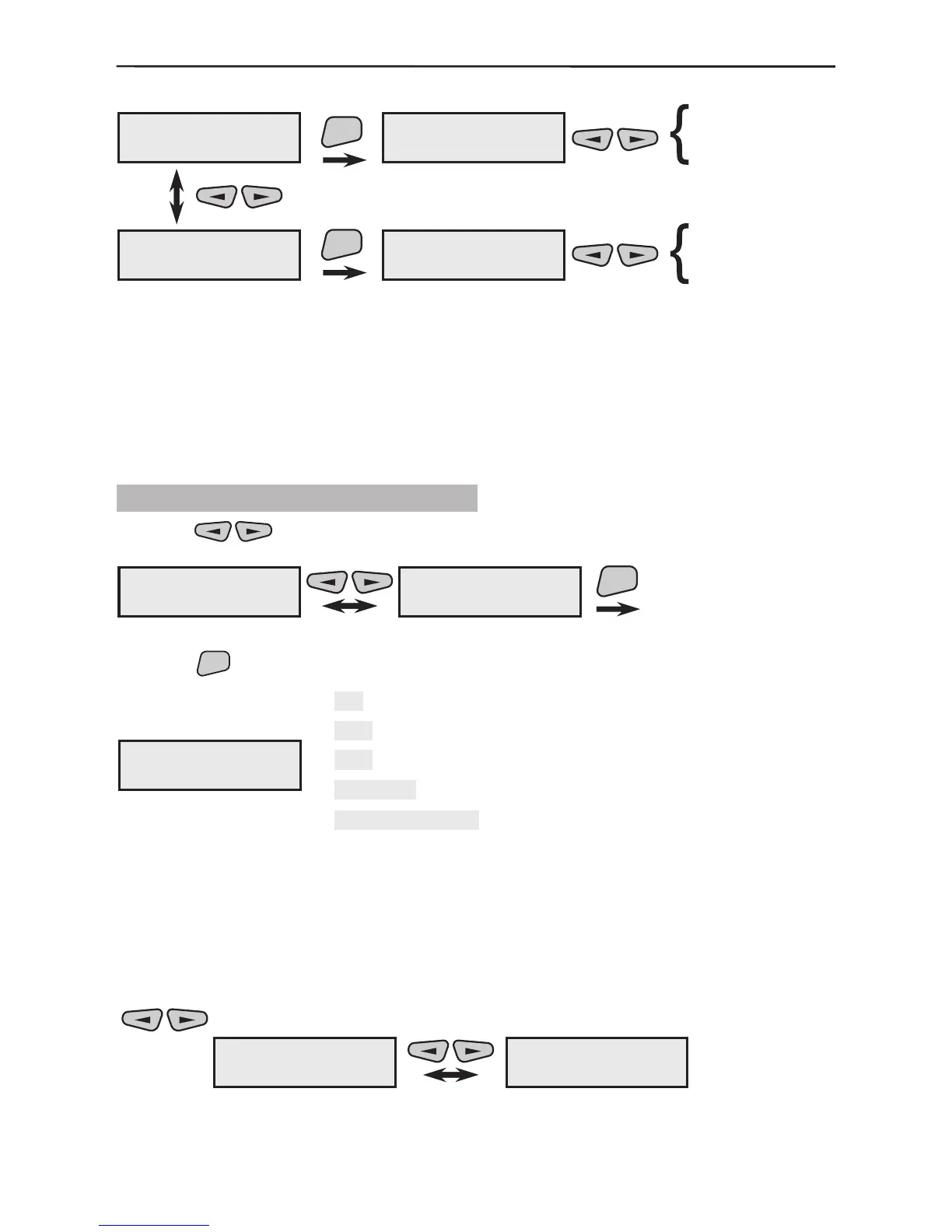
Two submenus can be programmed here.
Programme three parameters to specify what the wireless de-
vice LEDs should indicate. By default all three parameters are
active.
Programme the time for sending test messages to the main control
panel from each wireless device and how many repetitions should
be performed during the set period of time.
3.1.2 Common Detector Parameters
Use the buttons to select the next menu from the 2)Program Device:
After the
button is pressed LCD displays:
This is the submenu for programming the parameters of the rst enrolled and recorded
in the system device. The screen displays information about the number, the type and
unique house address of the device. Each device in the system has a submenu for
programming its parameters.
Two types of actions are possible from this screen:
1. All enrolled and recorded in the system devices can be scrolled through with the
buttons.
Example:
The rst enrolled device in the example is an infrared detector (01PIR) and the second is
a siren (02SIR). The devices have service names which can be edited.
1)Common Prog.
1)LED config
1)Common Prog.
2)Communication
ENT
ENT
1)LED config
* open
2)Communication
5min/1s/10times
* open
*ÒÕ/RX
* programming
5min/1s/10times
10min/2s/5times
20min/5s/5times
60min/2s/5times
2)Program Device
1)Common Prog.
2)Program Device
2)All Devices
ENT
dNXXX ---#000000
DevicedN name
dN
XXX
---
#000000
DevicedN name
-,
-
-
-,
- Device serial number
Device name given from the system
Current status of the device
House address of the device
Device name
which could be edited by the installer
1)LED config
2)Communication
01PIR ---#012345
Device01 name
02SIR ---#054321
Device02 name


 To Next Page