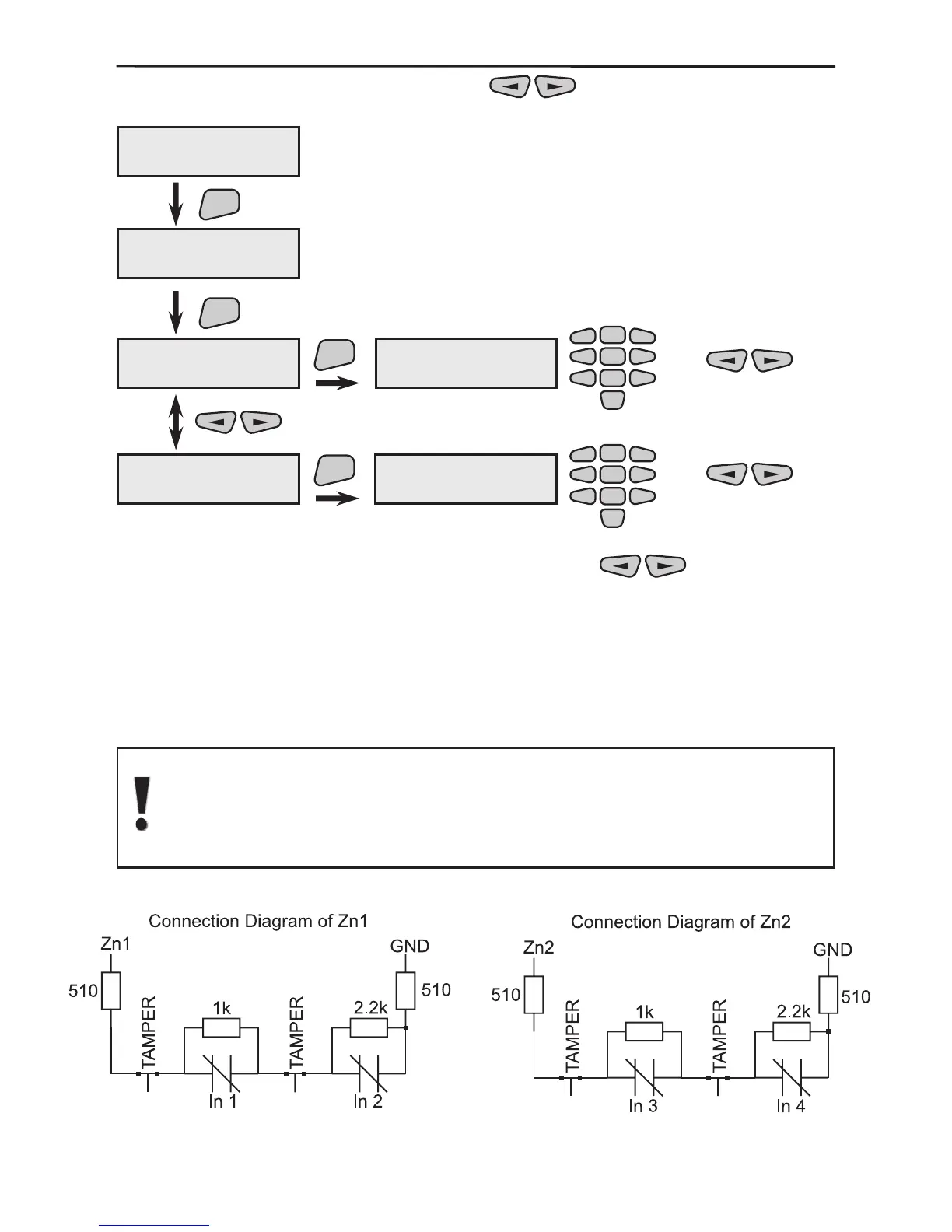
In the 9)Wire Devices menu use the buttons to select the second
2)Programm W.Dev. sub menu.
The group and the wire input, from which information will be provided, can be pro-
grammed in the 2)Program W.Dev. menu. Use the
buttons to scroll
through all system wire devices. A group and a wire input is individually assigned to each
wire device.
The performance is as described in §3.1.3.
The wire input number is selected in this menu.
As each of the wire inputs supports double zoning, it should be
specied which wire detector will pass information to which wire
input.
Sensor 1 input is connected to terminal Z1 and R 1K is used.
Sensor 2 input is connected to terminal Z1 and R 2, 2K is used.
Sensor 3 input is connected to terminal Z2 and R 1K is used.
Sensor 4 input is connected to terminal Z2 and R 2, 2K is used.



 To Next Page