Addressable Fire Panel IRIS - Installation and Programming Manual 19
3. PROGRAMMING
3.0 Basic knowledge for operating with LCD touch-screen display
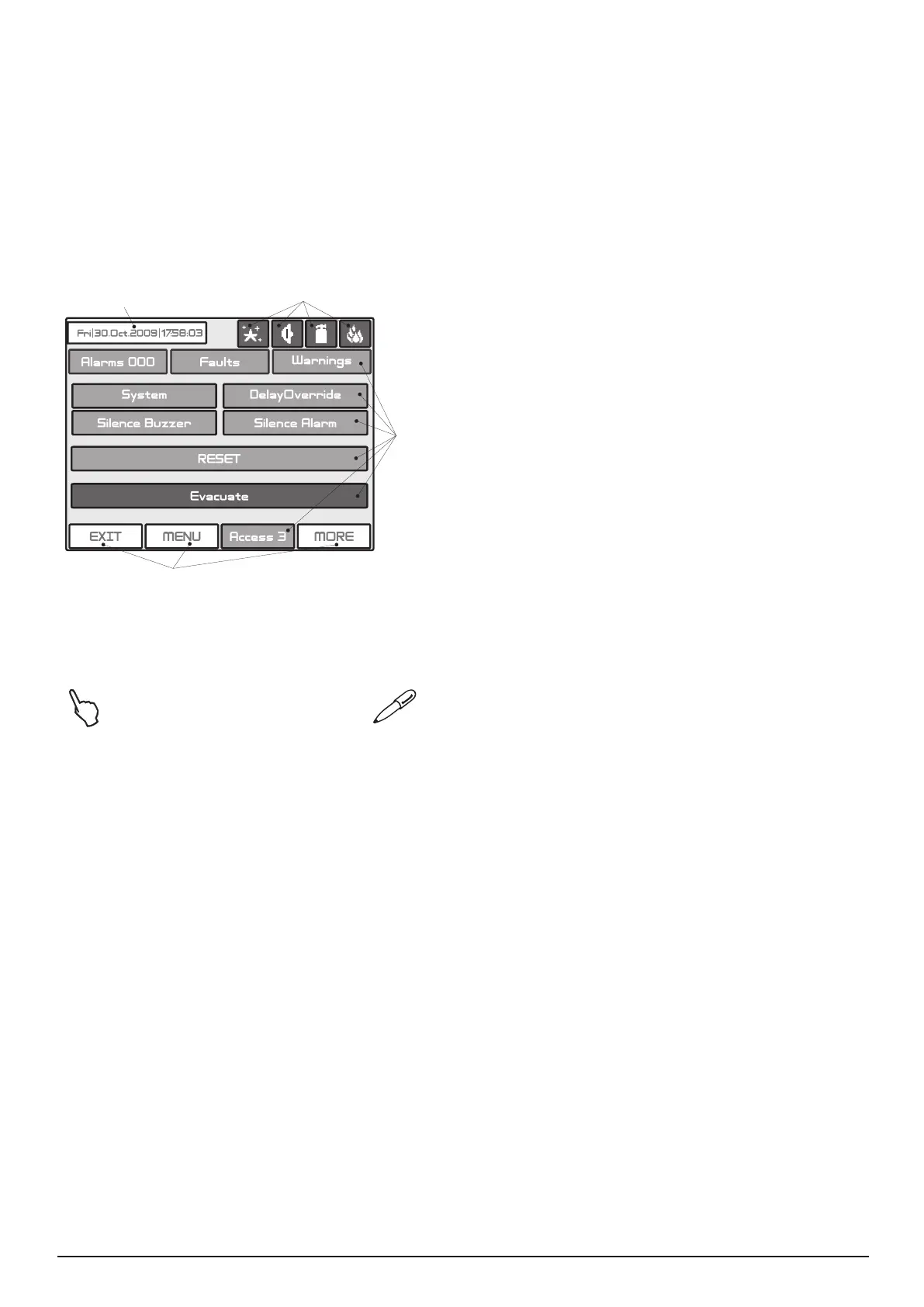
The touch-screen display of the re panel IRIS provides easy moving down the programming menus and
entering of system parameters. The access to the programming menus is done with light pressing of the
desired button. You can use also and a special pen for touch-screen display.
According to the chosen menu and/or the access level there are active and inactive buttons on the screen.
Choosing an active button leads to changing of the screen - you can move to a list of additional or submenus
for programming, or you can enter new parameters in the system.
3.0.1
• Active Button - Pressing the button you can perform
different operations: stop the sirens, reset the system
parameters or move to other programming menus.
• Inactive Buttons - The buttons do not respond
when pressed. The parameters denition elds are
also inactive. They just provide information of the
parameter type.
The status of the buttons can alternatively
change (active-inactive) according the programming
menu and access level.
• Panel Status Icons - The icons give information
about the status of the re panel and the programmed
working mode. The icons are inactive if pressed. The
different re panel states are indicated with different
colour of the icon. The icons and their state are
described in item 5.2, page. 50.
• Used symbols
- Press the pointed button - Use a special pen for touch-screen display.
3.0.2
When turned on, the panel always conducts a procedure of loading the parameters, which usually takes
about 30 sec. There is no access to the menus of the panel during that procedure.
Upon the initial start up, the panel does not hold any congurations. Initialization may take several minutes.
The initialization time needed depends on the number of periphery and loop devices. After the panel has
been turned on, it performs a procedure for detecting newly installed periphery and loop devices - see also
The APPENDIX E on page 58.
3.0.3
The re panel IRIS can support different languages of the programming menus. The factory default setting of
the language is in English. You can change the language after the initial power-up as enter in sequence:
Access 1 → 3333 → OK → System → Programming → Panel → Languages →
→ Choose a language → Apply
After choosing the Apply button, you can return to the main screen by choosing the MENU button.
Date and time
information
Panel Status Icons
Active
Buttons
Inactive
Buttons



 To Next Page