20 Addressable Fire Panel IRIS - Installation and Programming Manual
3.1 Access Codes
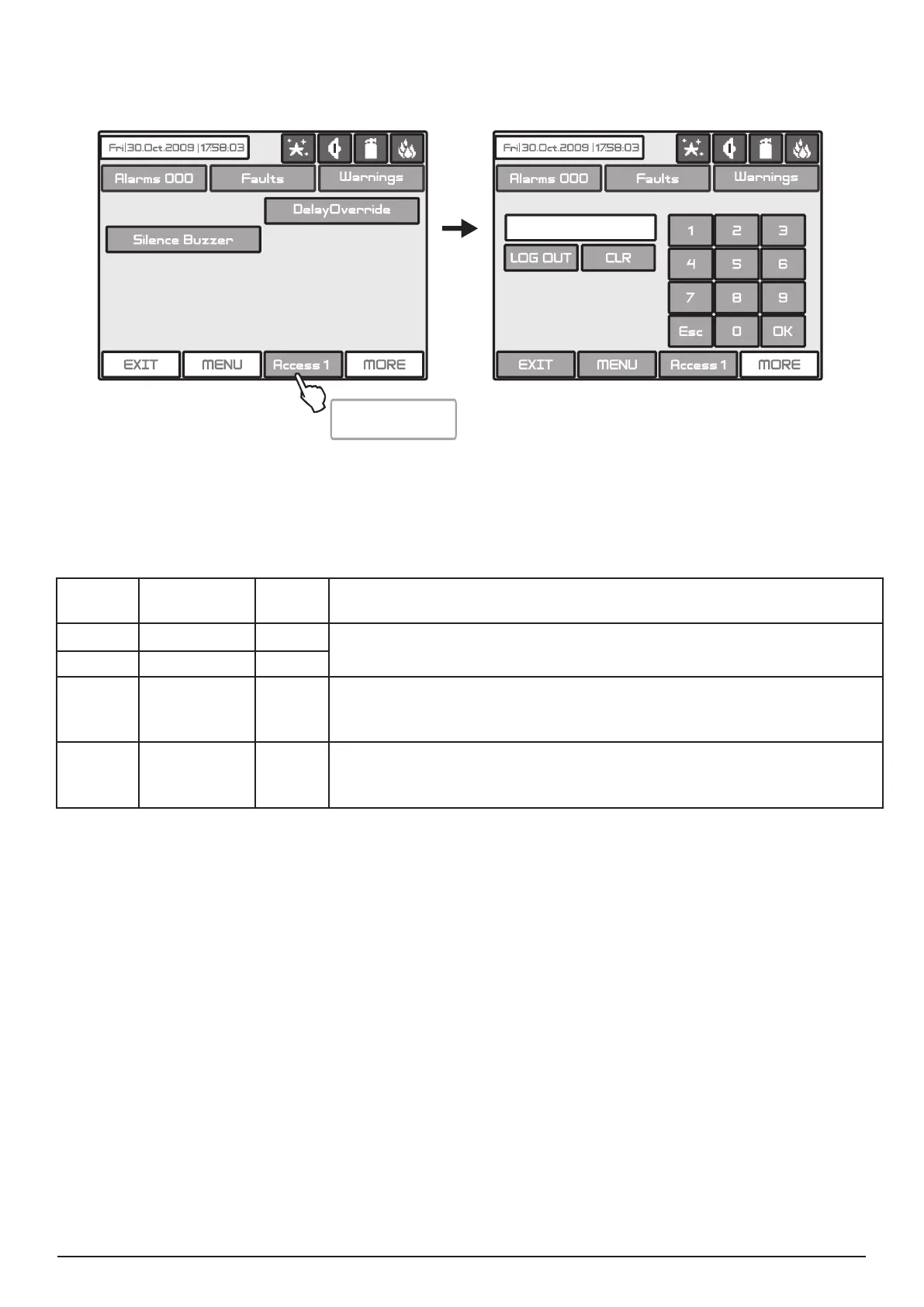
To access the Programming and Maintenance Menus is necessary to enter a valid access code.
Fig. Screens 1.
There are 4 access codes programmed by default. The Installer/User can enter 3 access levels in the system.
The introduced code combinations are visualized with “*“ symbol.
Code
Number
Code
Combination
Access
Level
Functions
1 0000 1
Only Silence Buzzer and Delay Override buttons are active.
It is not allowed to enter the Programming and Maintenance Menus.
2 1111 1
3 2222 2
System, Delay Override, Silence Buzzer, Silence Alarm, RESET
and Evacuate buttons are active.
It is allowed to enter only a few Maintenance Menus.
4 3333 3
System, Delay Override, Silence Buzzer, Silence Alarm, RESET
and Evacuate buttons are active.
It is allowed to enter both the Programming and Maintenance Menus
The entered code combination is conrmed by pressing the OK button. You can delete the entered digits by
pressing the CLR button. Exit from the access level is by pressing the LOG OUT or Esc button. The other
active buttons are general for all the menus and submenus and have the following functions:
EXIT - Step back to the previous menu or submenu;
MENU - Moves back to the Main Screen of the related access level.
All access codes could be viewed and edited in the “Access Codes“ submenu based in “Panels“ menu, see
also item 3.7.1, page 36.
Enter the access
code menu



 To Next Page