38 Addressable Fire Panel IRIS - Installation and Programming Manual
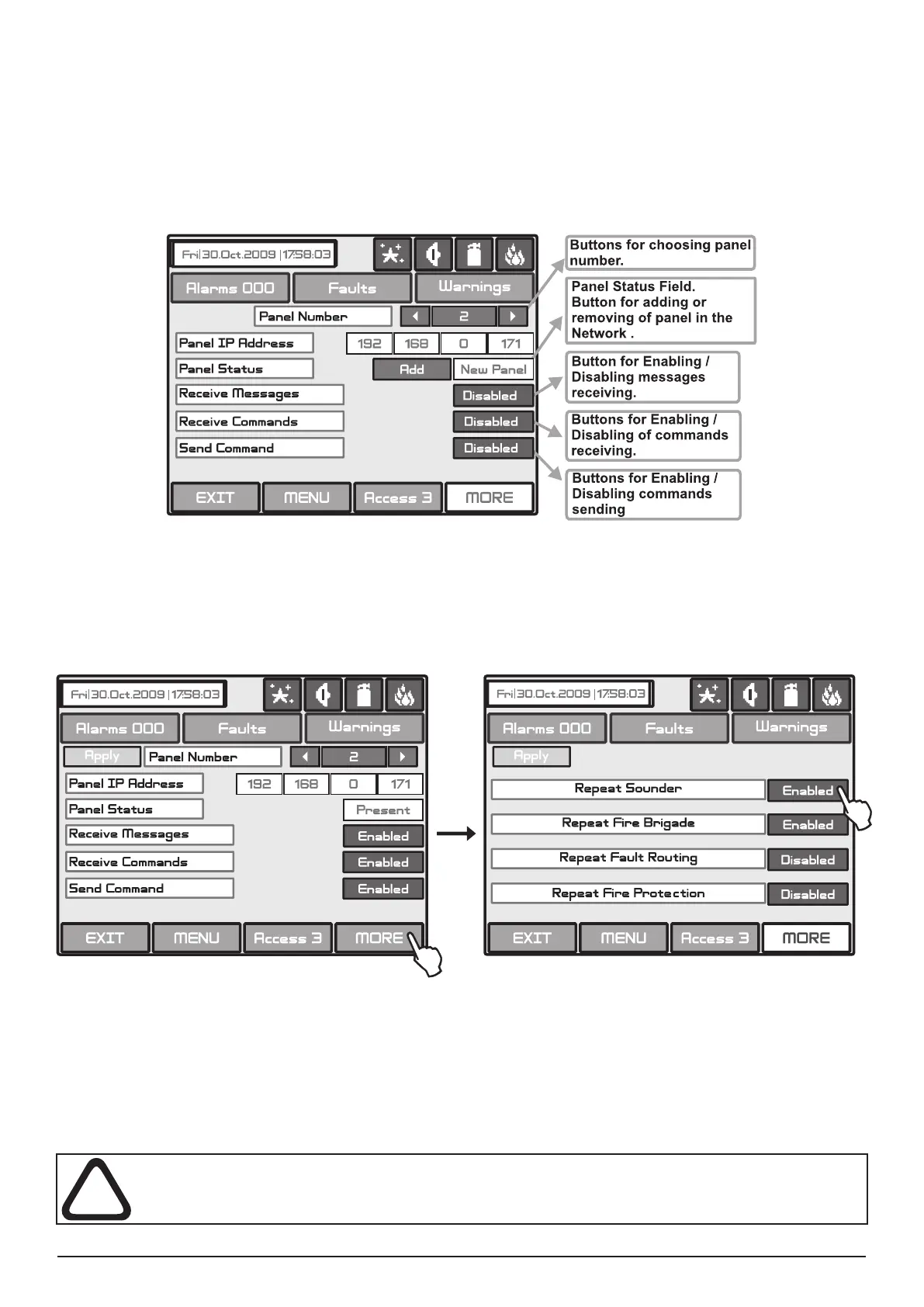
After Enabling the Network, every panel starts looking for other panels in the network. If a new panel is found
in the system it is added to the panels list. The list can be viewed by using the pointers and the IP-numbers
of the found panels are displayed. If the panel will be included in the Network it must be saved by ADD com-
mand on the screen. Then the status of the panel from New Panel will turn to Present. The panels can “look
at“ each other and if any of them is lost its status will change to Fault. From this menu can be chosen also
what information would be received from the respective panel: messages and/or commands.
Fig. Screen 22 - General view of the Panels Menu.
If the messages receiving is Enabled, the Installer / User should describe also the input action as choose the
MORE button - Fig. Screen 22A. Every message can be enabled or disabled.
Fig. Screen 22A.
The messages have the following meanings:
• Repeat Sounder - Follows the Sounder output status of the remote panel including the delays.
• Repeat Fire Brigade - Follows the Fire Brigade output status of the remote panel including the delays.
• Repeat Fault Routing - Follows the Fault Routing output status of the remote panel including the delays.
• Repeat Fire Protection - Follows the Fire Protection output status of the remote panel including the de-
lays.
All changed parameters are conrmed and saved by pressing the APPLY button in the
upper left corner of the screen.



 To Next Page