24 Addressable Fire Panel IRIS - Installation and Programming Manual
3.3.1.3 Adding a new periphery device to the panel
Upon detecting a new periphery device (which is missing in the conguration), the following message will be
displayed: “NEW PERIPHERY DEVICES FOUND”, and the number of the detected devices will be indicated.
Choose the SAVE button to add the new periphery devices to the panel conguration. If a device is not re-
sponding you can remove it as choosing the REMOVE button.
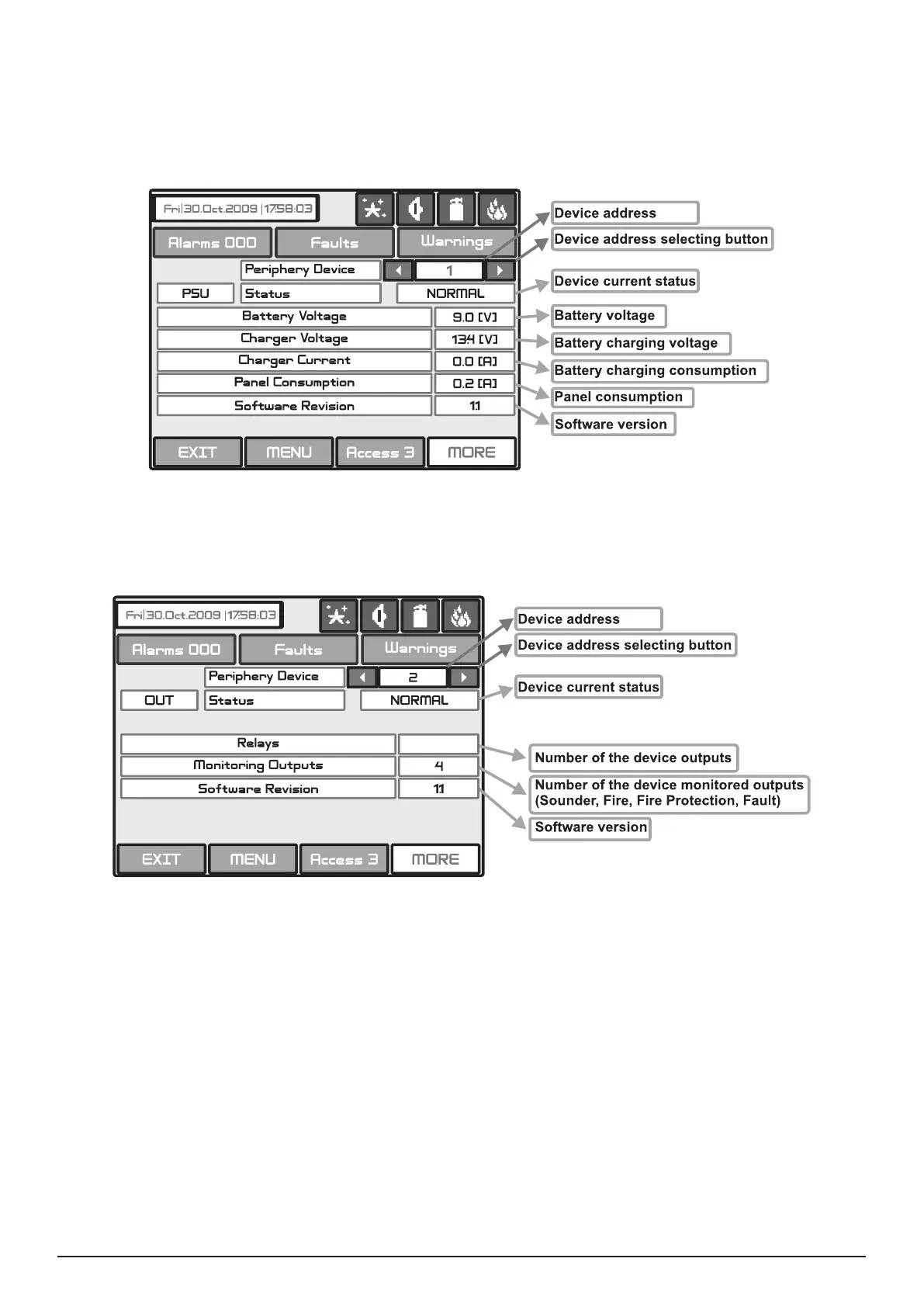
Fig. Screen 5 PSU Parameters (Power source)
4
Fig. Screen 6 – OUT (I/O module + 4 Relay Expander Module)



 To Next Page