44 Addressable Fire Panel IRIS - Installation and Programming Manual
Choose “Fire Br. Delay” button from “Output Delay” Menu - Fig. Screen 31 to enter the submenu for re
output delay introduction (the screen is the same as those for sounder delay introduction).
A delay can be added before the sounders are turned on (re output). This provides the possibility of check-
ing the authenticity of the alarm before the sounders are turned on (an ofcial visits the site and inspects for
re).
The delay can be: ON, OFF or Schedule. In Schedule mode the initial hour and minutes (the time when the
delay is activated) and the end hour and minutes (the time when the delay is deactivated) are introduced. The
times are set for every day of the week. During turned on “Delay” the LED is active.
Choose “Fire Pr. Delay” button from “Output Delay” Menu - Fig. Screen 31 to enter the submenu for re pro-
tection delay introduction (the screen is the same as those for sounder delay introduction).
A delay can be added before the re protection system is turned on. This provides the possibility of check-
ing the authenticity of the alarm before the sounders are turned on (an ofcial visits the site and inspects for
re).
The delay can be: ON, OFF or Schedule. In Schedule mode the initial hour and minutes (the time when the
delay is activated) and the end hour and minutes (the time when the delay is deactivated) are introduced. The
times are set for every day of the week. During turned on “Delay” the LED is active.
All changed parameters are conrmed and saved by pressing the APPLY button in the upper left cor-
ner of the screen.
4.6 LOG-le view
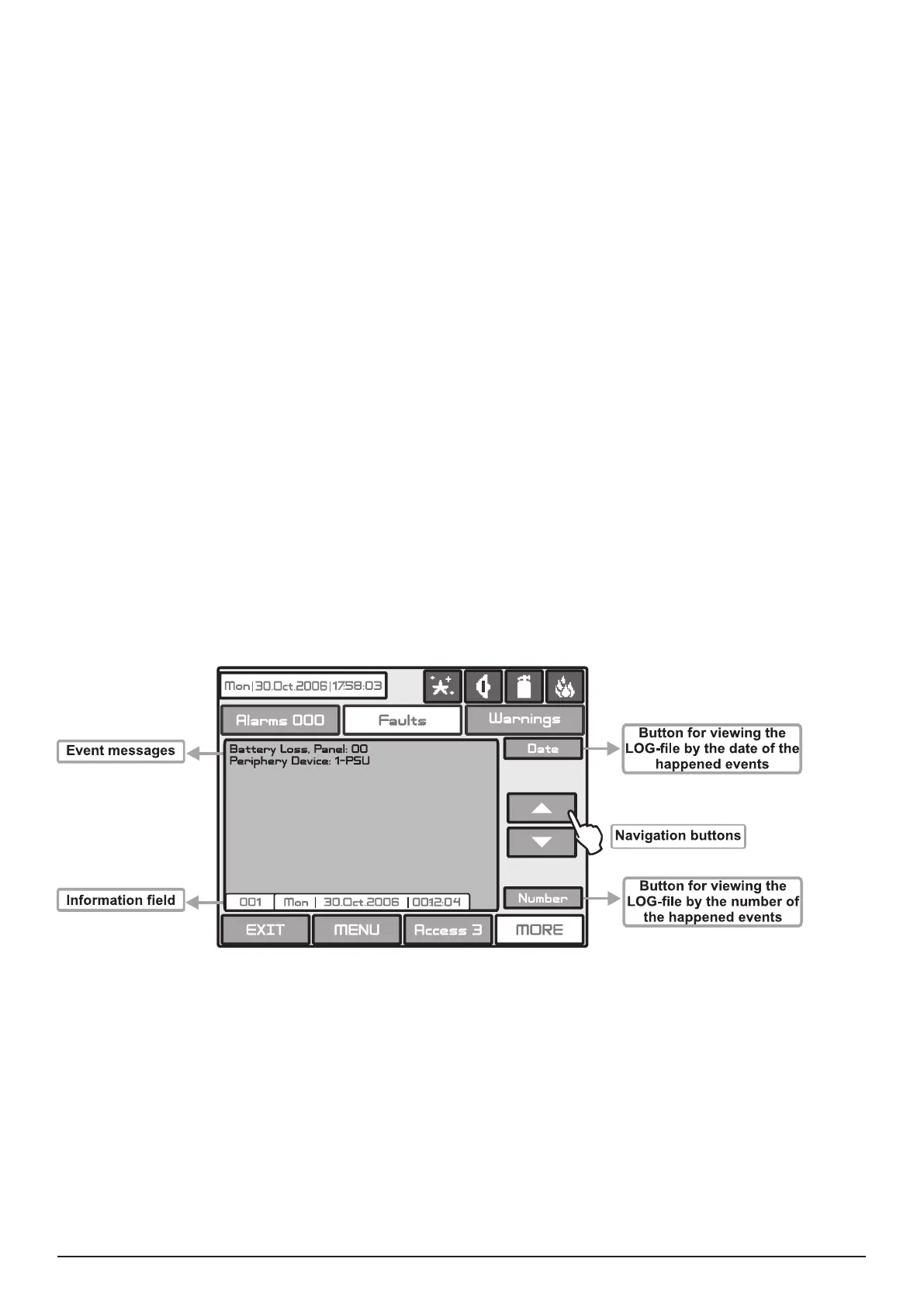
Choose “View Log” from the Maintenance Menu to enter in a screen for viewing the happened events in the
system. The addressable re panel IRIS light can show maximum 10 000 events, which could be viewed by
date or number - Fig. Screen 33.
Fig. Screen 33.



 To Next Page