Addressable Fire Panel IRIS - Installation and Programming Manual 39
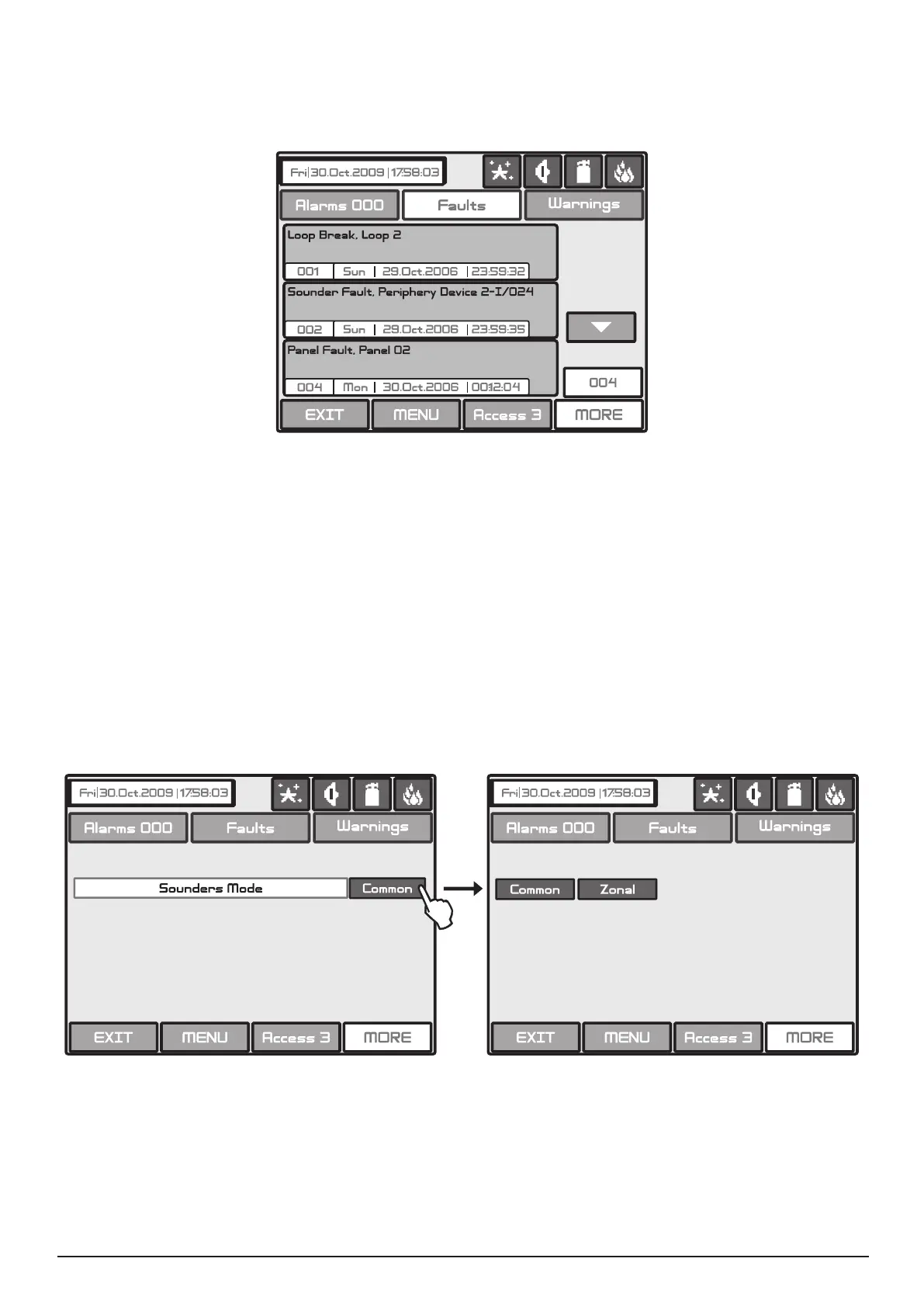
If a panel from the Network is lost the other panels will generate a message “Panel Fault“ - Fig. Screen 23.
If there is doubling of IP and network numbers, the panels with doubled numbers generate a Fault message.
You can access to the Fault messages by pressing the Button Fault from the Panels menu.
Fig. Screen 23.
By pressing the button Earth Fault from the Panel menu (see Fig. Screen 19), a screen for enabling/ disa-
bling the earth fault indication is displayed. Press the “Apply” button to introduce changes.
Choose button Sounders Mode from Panel menu to enter in this submenu - see Fig. Screen 19. The Installer
has a possibility to choose the Sounders mode - Common or Zonal. For this purpose on a separate screen
are displayed buttons, as:
• Common - All sounders will be activated with no sense of zone to which they are connected.
• Zonal - Only the sounder of the zones with alarm condition will be activated.
Fig. Screen 24 - Choosing a Sounders Mode.
All changed parameters are conrmed and saved by pressing the APPLY button in the upper left cor-
ner of the screen.



 To Next Page