Addressable Fire Panel IRIS - Installation and Programming Manual 43
4.5 Output Delay Introduction
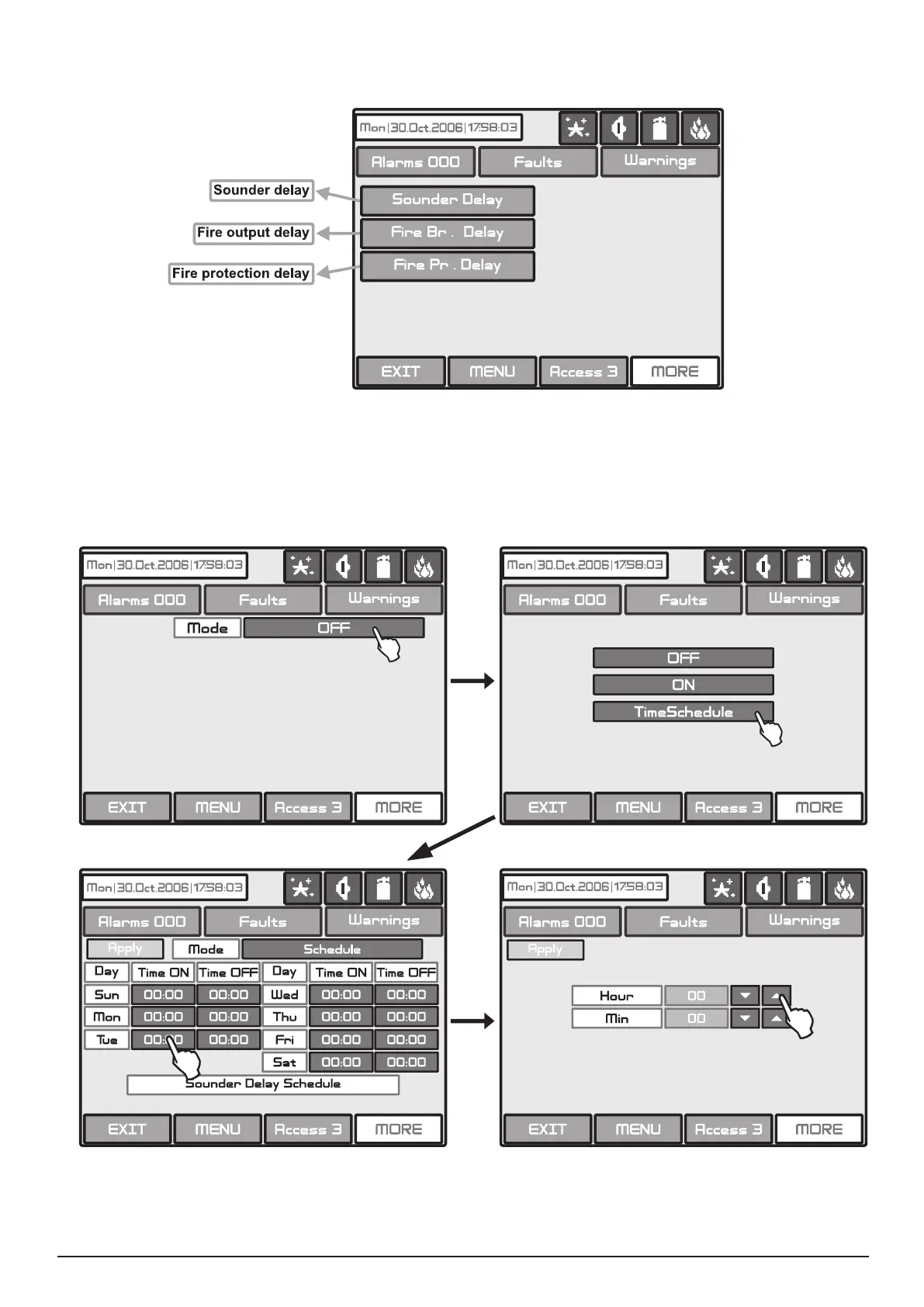
Choose the button “Output Delay” from the Maintenance Menu to set the output delay – Fig. Screen 31.
Fig. Screen 31
Choose “Sounder Delay” button from “Output Delay” Menu - Fig. Screen 31 to enter the submenu for sound-
er delay introduction - Fig. Screen 32.
A delay can be added before the sounders are turned on. This provides the possibility of checking the authen-
ticity of the alarm before the sounders are turned on (an ofcial visits the site and inspects for re).
Fig. Screen 32 - Sounders Delay Introducing.
In Schedule mode the initial hour and minutes (the time when the delay is activated) and the end hour and
minutes (the time when the delay is deactivated) are introduced. The times are set for every day of the week.
During turned on “Delay” the LED is active.



 To Next Page