112
GPON ONT
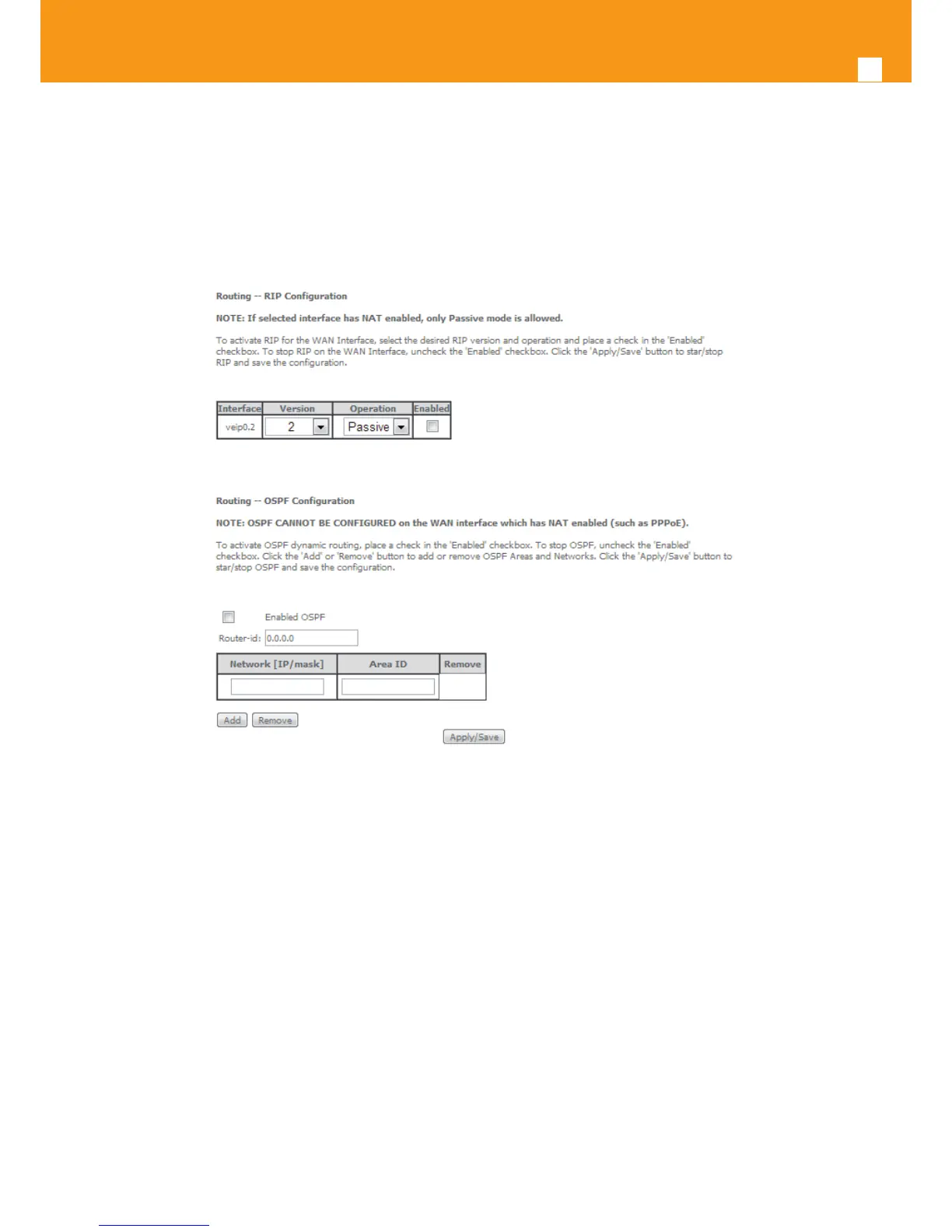
For the congured OSPF a selection box under the Remove column allows the removal of OSPF conguration.
In order to remove an OSPF conguration from the table:
STEP 1. For the OSPF conguration to remove, select the checkbox under the remove column;
STEP 2. Use the Remove button; the selected OSPF conguration is removed from the table
Figure 5-129: Advanced Setup, Routing- RIP and OSPF Conguration window


 To Next Page