88
GPON ONT
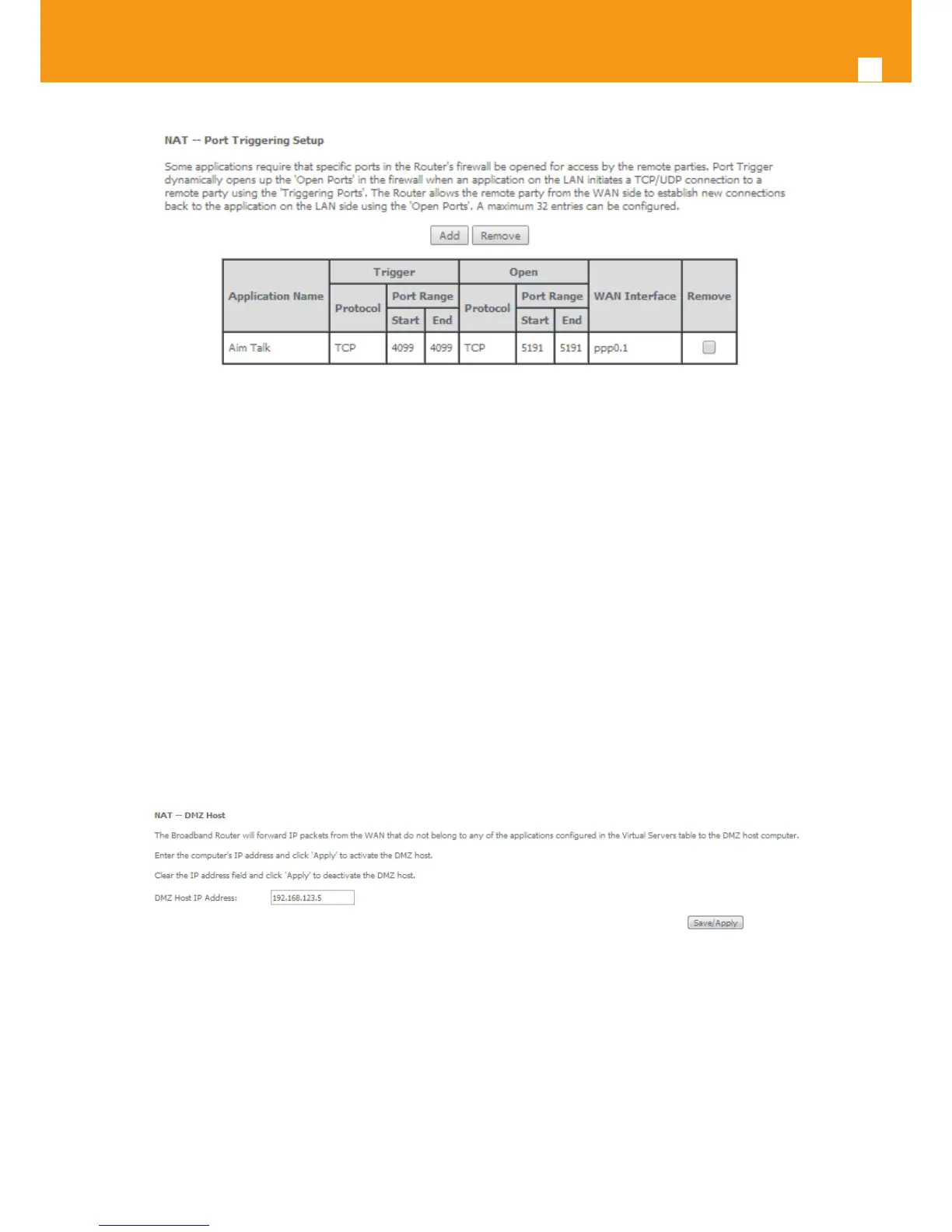
Figure 5-86: Advanced Setup/NAT-Port Triggering Setup window -Current conguration
5.6.4.3 DMZ Host
Selection of Advanced Setup submenu NAT, item DMZ Host, a NAT-DMZ Host Setup window is displayed in the main window Figure 5-87, allowing
the DMZ Host conguration by Providing the DMZ Host IP address. A short on line help text is provided in the setup window.
A DMZ Host is a host exposed to the internet. All incoming IP packets from the WAN network side, if not belong to any Service or application
congured on the NAT- Virtual server or Port Triggering (for the apllcation) are forwarded to the DMZ Host. DMZ Host must have a static IP address
assigned to it.
To nalize the conguration use the Save/ Apply button.
Figure 5-87: Advanced Setup/NAT-DMZ Host Setup window


 To Next Page