EN
87
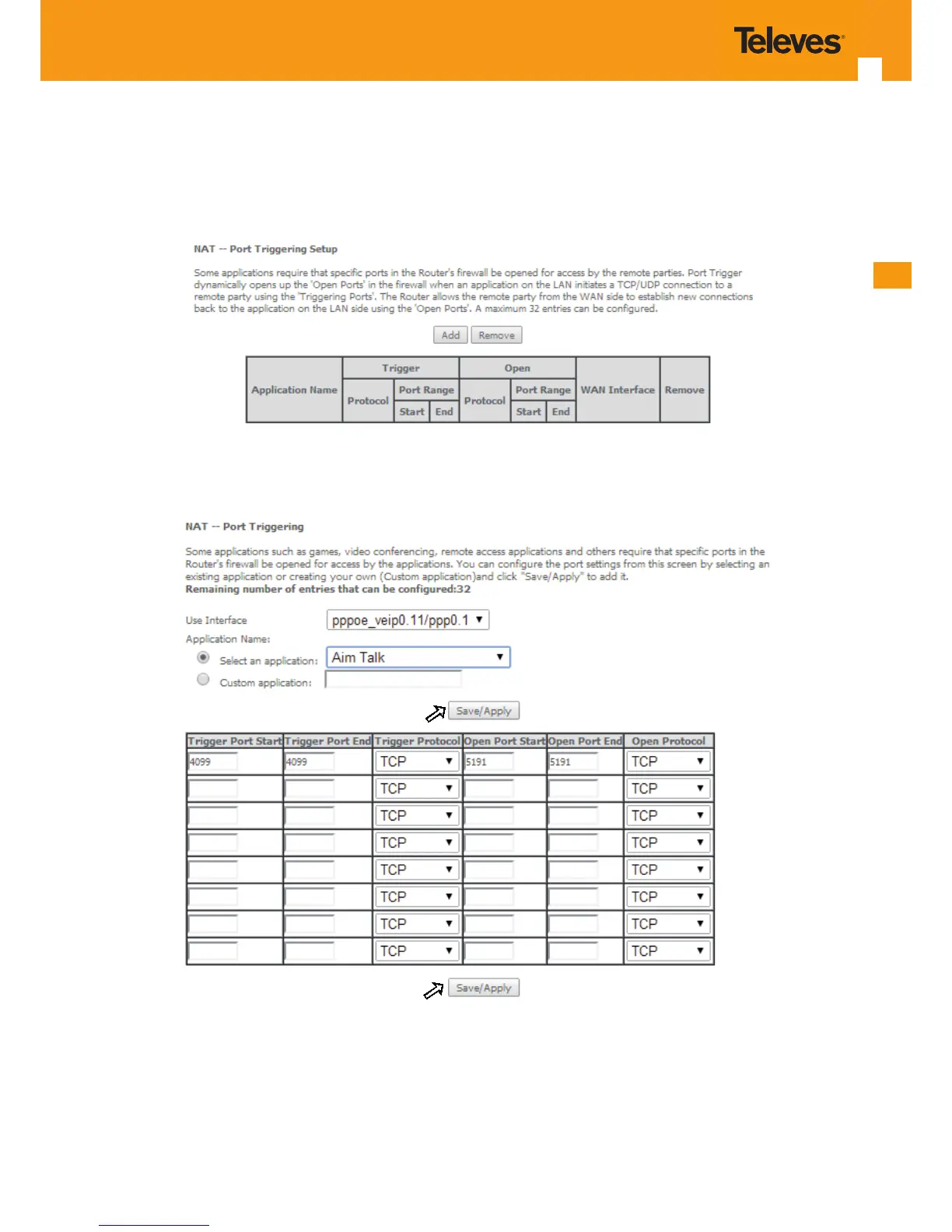
To apply and save this conguration use the Apply/Save button, bellow Figure 5-85-1.
The port triggering table will be updated with the chosen application predened port Triggering conguration, Figure 5-84.
To nalize the conguration use the Apply/Save button below the table, Figure 85-2. The next displayed window is the initial window, showing the
current NAT - Port Triggering conguration, Figure 5-86.
Figure 5-84: Advanced Setup/NAT-Port Triggering Setup window



 To Next Page