90
GPON ONT
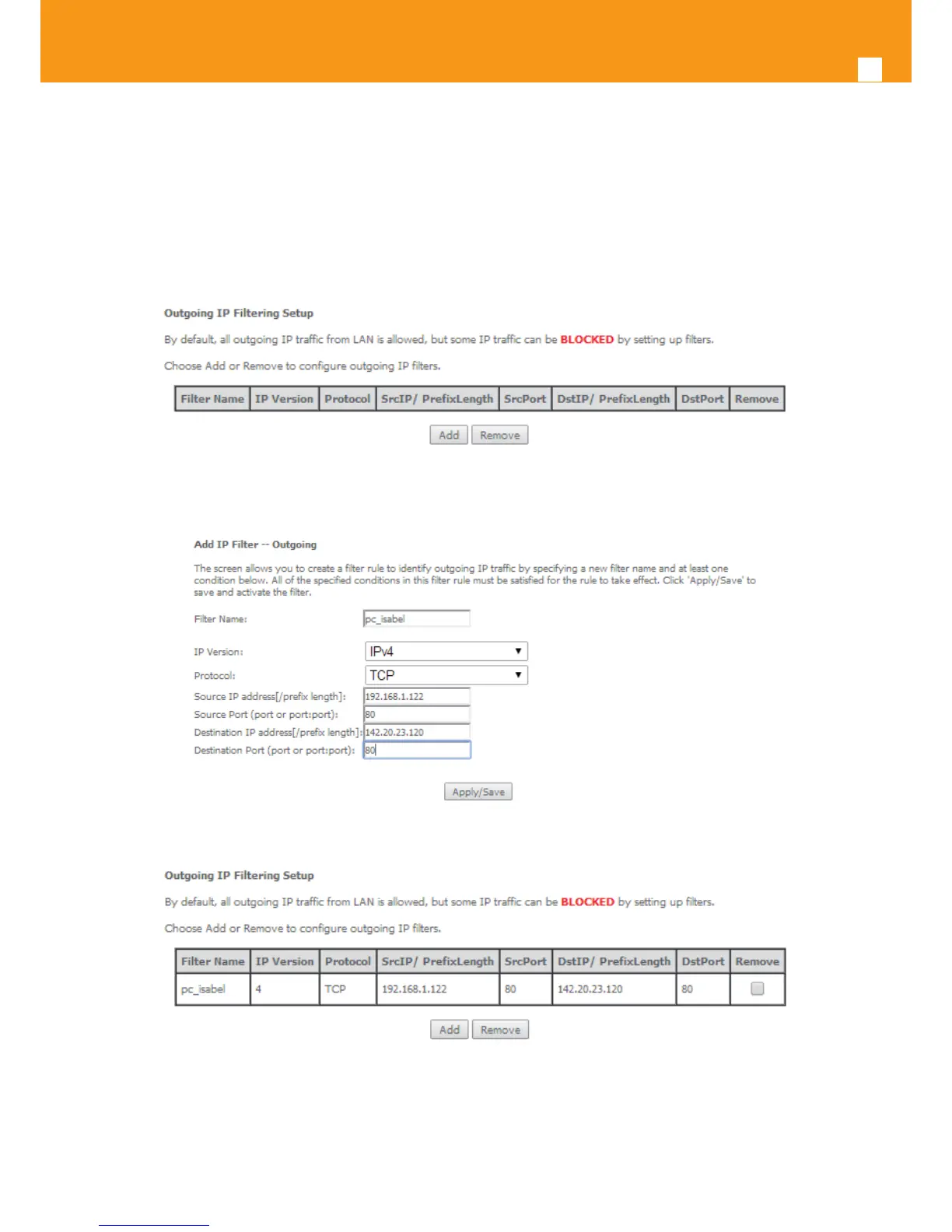
STEP 5. Enter the Source Port;
STEP 6. Enter the Destination IP address;
STEP 7. Enter the Destination Port;
To nalize the conguration use the Apply/Save button. The next displayed window is the initial window, showing the current Outgoing IP Filter-
ing conguration, Figure 5-91.
Figure 5-89: Advanced Setup, Security - Outgoing IP ltering Setup window
Figure 5-90:Advanced Setup, Security - Outgoing IP ltering Setup –Add Filter window
Figure 5-91: Advanced Setup, Security - Outgoing IP ltering Setup window –Current Conguration



 To Next Page