TLV-300E/TAV-900A Professional Digital TV Receiver User’s Manual
1.3.2 Function Buttons
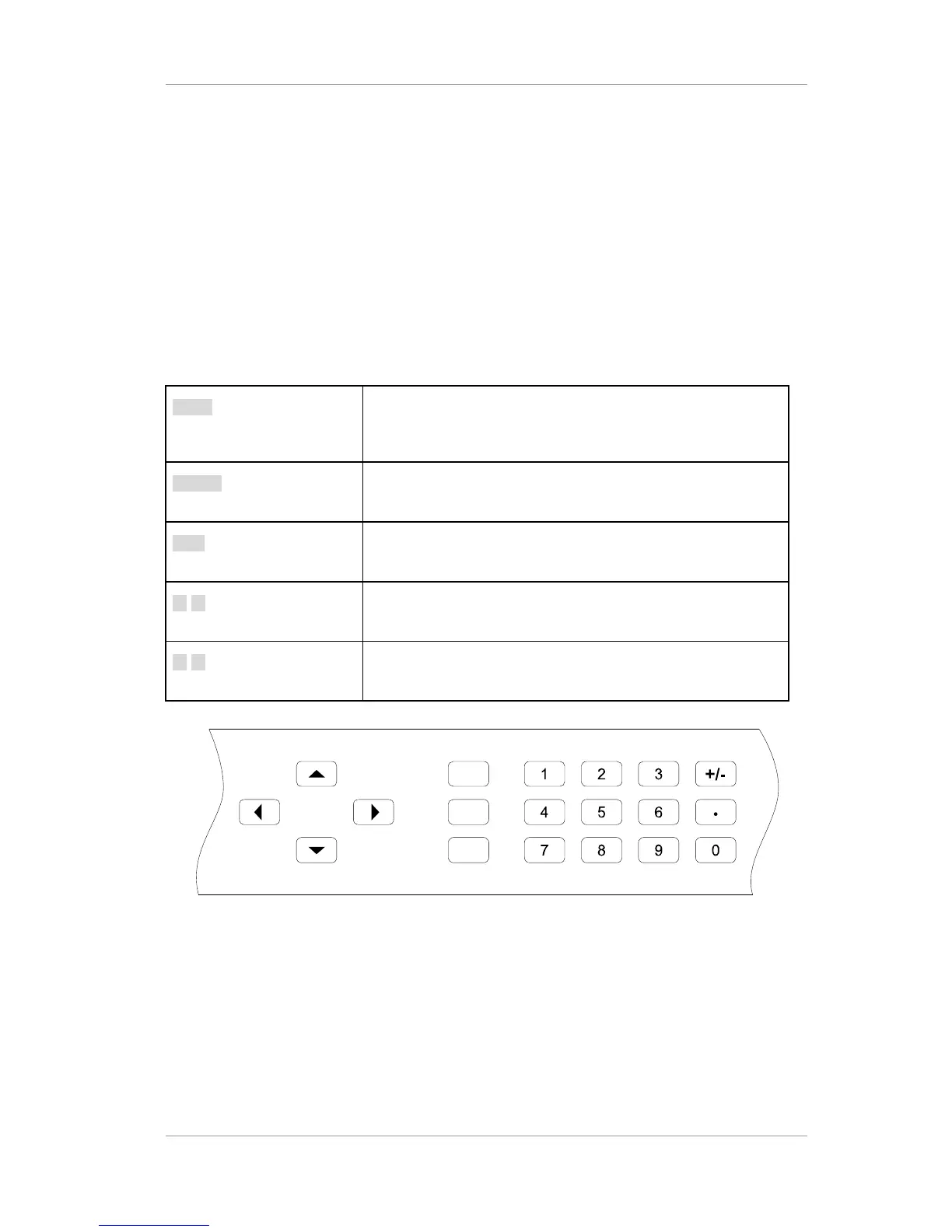
Front panel has buttons for easy control, which enable complete and simple control of the receiver.
The entire operation of the receiver can be carried out directly using the front panel buttons with the
alphanumeric display. Therefore, the user can easily control and change the settings. The four
direction buttons scroll through the different options within the menus or submenus. The
ENTER/SLCT and EXIT buttons are used to select through the menu options.
Table 5 Buttons in the front panel
LOCK Used to lock front buttons. If once pushed, users can not push
the front buttons. And If pushed again, the lock status of front
buttons is canceled.
ENTER Used to make selections in the menu system and go to the
sub-menu.
EXIT Used to exit the current menu level and return to the previous
one.
◄ ► Allow you to scroll through the different options within sub-
menus, or to move the cursor.
▲ ▼ Allow you to go to next/previous sub-menu within the menu, or
to change the parameter.


 To Next Page