TLV-300E/TAV-900A Professional Digital TV Receiver User’s Manual
1.3.1 Alphanumeric Display
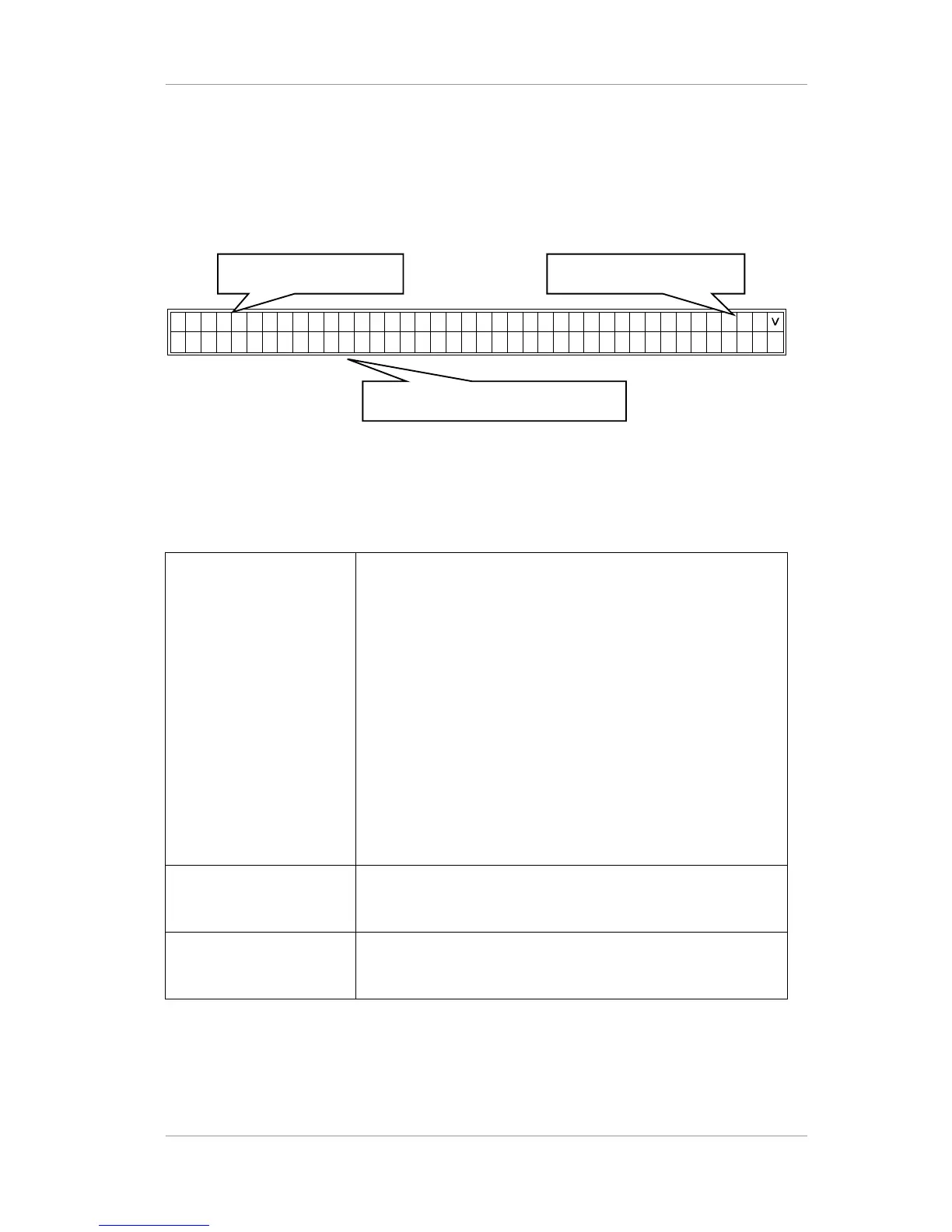
The status display provides clear viewing of status and menu configuration with 2 lines by 40
characters. It is used to control the TLV-300E directly from the front panel.
Figure 3 Alphanumeric Display
Table 4 Regions in the alphanumeric display
1. Lock State
In this upper line of the display, R1:L shows that RF input-1 is in
LOCK state, and R2:- means RF input-2 is in UNLOCK state.
B1:-, B2:-, B3:-, B4:-, and B5:- means BNC input-1~5 is in
UNLOCK state.
In the bottom line of the display, RF-IN1:LOCK 8VSB 32.9dB
0.00x10⁻⁸ shows that lock state, modulation system, SNR and
BER value of RF input-1.
User can view the status information of RF-IN2, BNC1~5 by
scolling left/right using <,> arrow buttons.
User can change the INPUT STATUS format into MAIN STATUS
or SUB STATUS using the ^ arrow button.
In the MAIN STATUS, the upper line of the display-MAIN:RF-IN1
shows that MAIN channel is taking input signal from RF-IN1
2. Applicable Button It displays available function buttons for current menu
[ex: ENTER/SLCT (select button); <, >, ^, v (arrow button)]
3. Menu Entries / Status
Bar
It displays sub menus, parameter, or status
Version 2.0 10
1. Lock State 2. Applicable Button
Buttons
3. Menu Entries/ Status Bar


 To Next Page