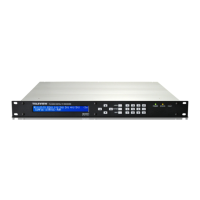
TLV-300E/TAV-900A Professional Digital TV Receiver User’s Manual
No ”AUTO SELECTION” at SOURCE menu
No output control for BNC ALM Port (always stay in LOW status)
No SNMP agent trap is defined
Even though there is no TS Monitoring function, these below functions will be operating.
TS LOCK / UNLOCK status for each TS port.
Front STATUS/FAULT LED
2. Even though you have a low level product, you could change the level from
CONFIG/SYSTEM/LICESE NUMBER.
3.4 SAVE PROFILE MENU
The SAVE-PROFILE menu can save current configuration as a profile with multiple index numbers.
You could save maximum 30 configurations. Change the index number using up/down buttons or
numeric buttons. Select EXEC to save profile. Example)
3.5 RECALL PROFILE MENU
The RECALL-PROFILE menu allows you to recall the saved configuration profile. To recall the
profile, point the cursor to the desired position using Left/Right buttons and input the desired index
number using up/down buttons or numeric buttons. Select EXEC to recall.
3.6 AUTO SEARCH MENU
The AUTO SEARCH menu allows you to search automatically about all Input sources. (BNC-1~5,
RF-IN1 8VSB, 64QAM, 256QAM etc…)
3.7 DEFAULT MENU
The DEFAULT menu allows you to restore the receiver’s setting as a Factory Default Setting.
Select EXEC to run it. The chart below shows the default value for the CONFIG menu entries.
Version 2.0 49


 To Next Page