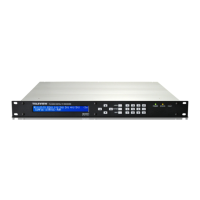
TLV-300E/TAV-900A Professional Digital TV Receiver User’s Manual
BNC
OUT(AES/ASI/SMPTE310M)
/BNC-3
Choose BNC OUT(AES/ASI/SMPTE310M)-3 connector to
deliver MAIN-ASI, MAIN-310M, MAIN-AES3 or SUB-AES3.
BNC
OUT(AES/ASI/SMPTE310M)
/BNC-4
Choose BNC OUT(AES/ASI/SMPTE310M)-4 connector to
deliver MAIN-ASI, MAIN-310M, MAIN-AES3 or SUB-AES3.
3.2.7 CONFIG/SYSTEM sub-menu
The SYSTEM sub-menu allows you to configure basic setting of the receiver. There are LOCAL
TIME OFFSET, UPGRADE FIRMWARE and LICENSE NUMBER sub-menus in the SYSTEM sub-
menu.
Table 20 CONFIG/SYSTEM submenu architecture
CONFIG
SYSTEM Configure system environment. Entries consist of STATUS
FORMAT, LOCAL TIME OFFSET, UPGRADE FIRMWARE and
LICENSE NUMBER.
SYSTEM/LOCAL TIME
OFFSET
Choose local time offset.
SYSTEM/UPGRADE
FIRMWARE
Upgrade the firmware of the receiver.
SYSTEM/LICENSE
NUMBER
Set license level for the receiver. For Factory Only
LOCAL TIME OFFSET: The TIME OFFSET sub-menu allows you to set local time offset. To set the time-
offset, point the cursor to the desired time position using Left/Right buttons and increase or decrease the time
using up/down buttons. The offset range is from – 11.5 to 12 and it can be increased by +/- 0.5. Select SAVE
to apply it.
UPGRADE FIRMWARE: The UPGRADE FIRMWARE sub-menu allows you to upgrade firmware to newer
version (see more details on Chapter 4: How to upgrade firmware).
LICENSE NUMBER: The LICENSE NUMBER sub-menu allows you to change the License Number of the
receiver (32bytes). The user can check or change the License Number of the receiver. Point the cursor to the
Version 2.0 38


 To Next Page