Operation
2-1
2 Operation
2.1 Turning the indicator on
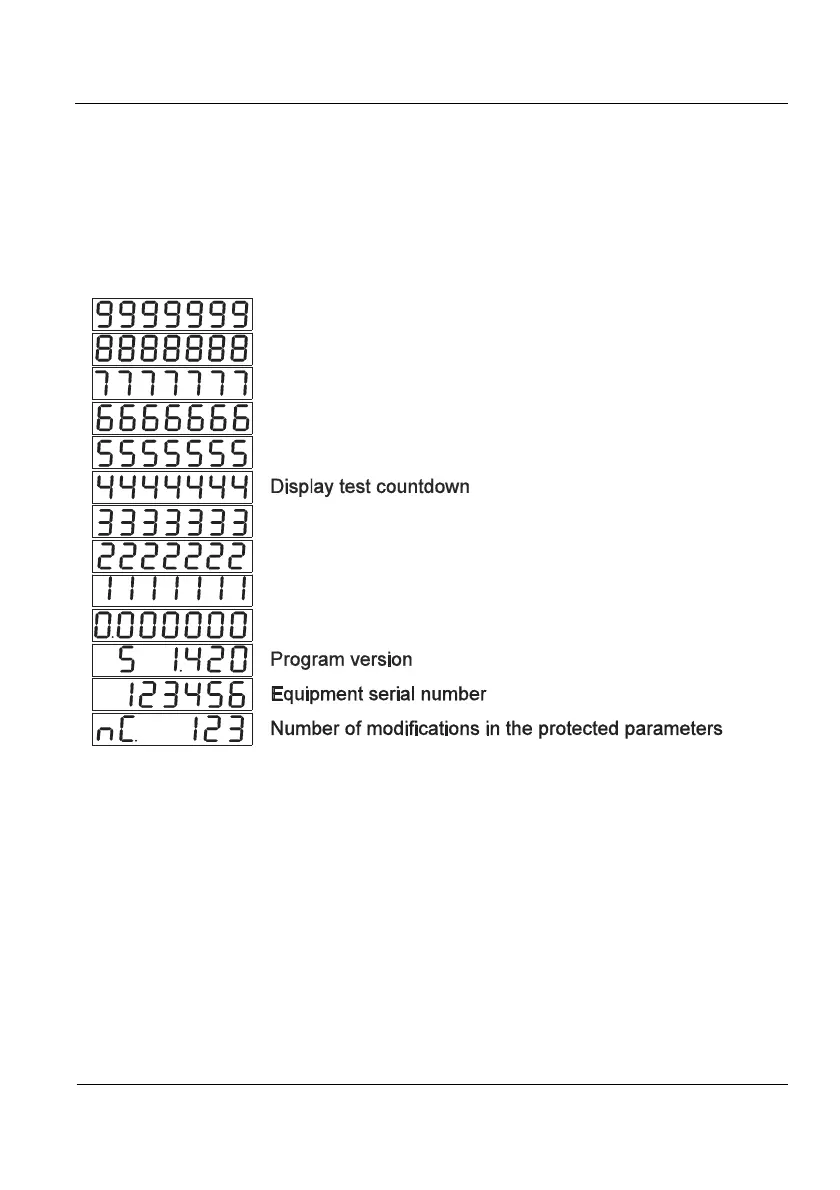
To turn the indicator on, you must connect the equipment to the power supply and activate the
rear switch. The switch on sequence will first display a display test countdown sequence, then
the software version, the equipment serial number, and finally the number of performed
calibrations.
Figure 2.1.1 Switch on sequence
It would be better to stabilize the equipment for a while before using it, especially
before a calibration. In this case it is advisable to wait for 30 minutes. The equipment may be
permanently connected in order to avoid warm up time and potential condensations in case of
significant changes in the outside temperature.
2.2 Entering Values
To use some of the equipment functions, it is necessary to introduce numerical values.
Use the arrow keys to introduce these values. Use right and left arrow keys to position onto the
digit to be modified, and the up and down arrow keys to increase or decrease its value.
2.3 Normal Weighing
When loading the platform, the measured weight is displayed on the display.



 To Next Page