Operation
2-4
Figure 2.8.1 shows a ticket example.
Ticket No. 2
1 - 100.0 kg
2 - 200.0 kg
3 - 300.0 kg
4 - 400.0 kg
5 - 500.0 kg
Total: 1500.0 kg
Figure 2.8.1 Ticket example
2.9 Setpoint
(Accessible only after having installed the digital output accessory)
Pressing the Exit and Tare keys at the same time you access the menu where you can
introduce the weight with which the selected output operates.
Operation:
EXIT
T
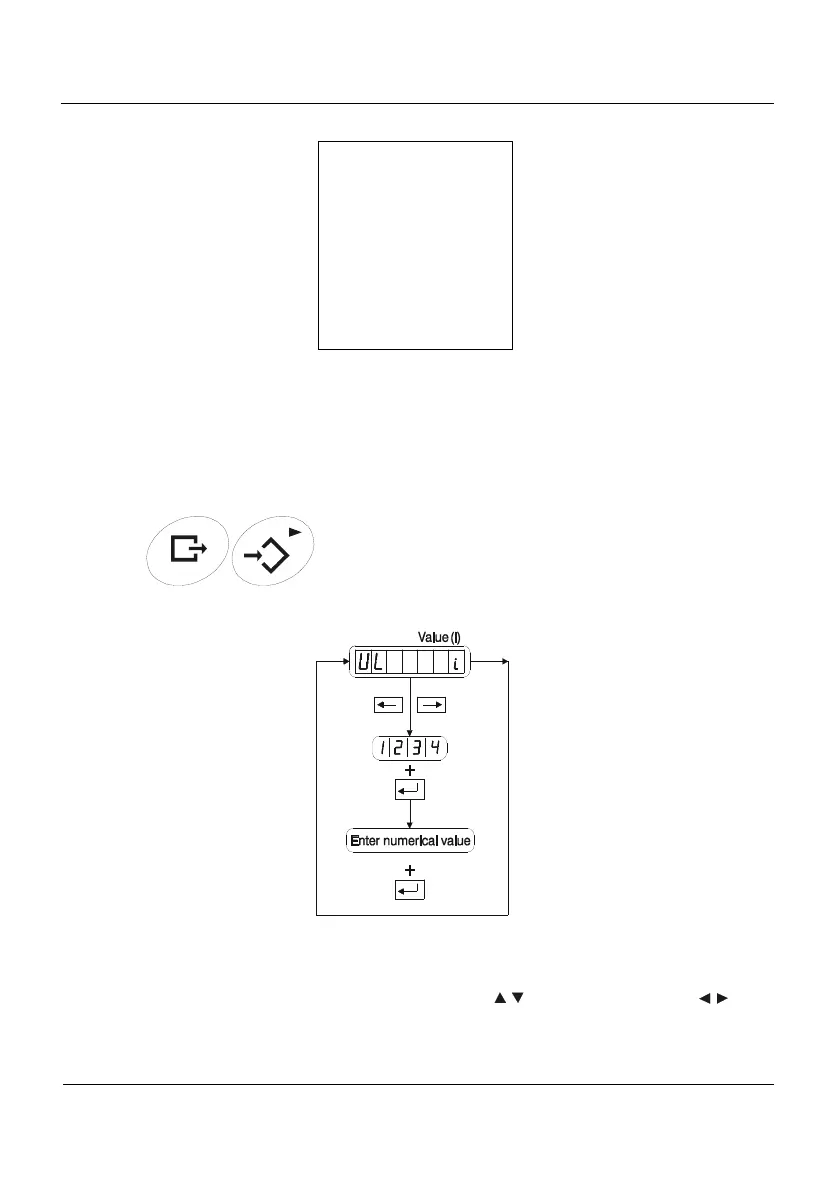
Inside the Value level we can find the parameters that are shown in the figure:
Figura 2.9.1 Setpoint
Use the key arrows to move through the menus. Press the Enter and Exit keys to
change the level. If you want to modify a selected parameter, press the Enter key and
introduce the new value with the up and down arrow keys (
) or choose and option ( ),
as appropiate. Press Enter to accept. Press Exit if you want to exit the menu without making
any changes.



 To Next Page