Configuration and Calibration
3-26
off print total
c
i
t
t
h
n
_
a
e
i
d
c
c
t
el _
c
tdi
_
s
( ). If a negative value has to be introduced it can only be done with the first left digit. The
negative sign appears after the number 9.
When we want to manually introduce the zero value in an indicator with a software
version previous to 1.3XX then the last digit has to be truncated.
ATTENTION
The value of zero and span coefficients is obtained by
means of the impression of the parameters (see 3.12.3)
3.11 Animal-weigher/Check-weigher application
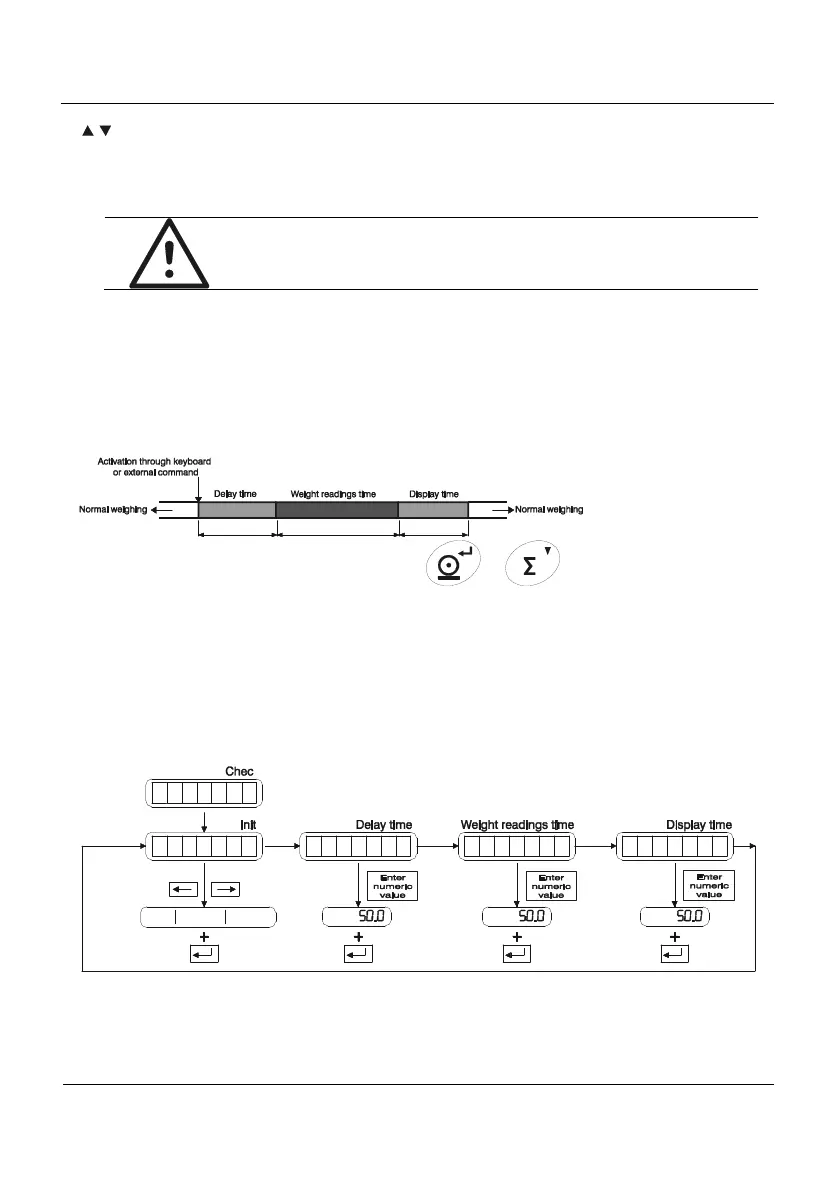
The animal-weigher/check-weigher application lets us make a three steps weighing
process:
- Delay step
- Weight readings step (weighing gathering)
- Display and printing of results step
t_d
lt_
t_di
WEIGHING GATHERING
The process starts on pressing the key
or (or by means of an
equivalent digital input or RS-232 command), depending on if a normal weighing with ticket
printing or a totalization weighing process is desired. Once the process is activated the first
step is a delay one, that is maintained for the programmed time t_del, in which the indicator
does not weight. Once ended, the second step starts and will last for the programmed time
t_acc, in which the indicator gathers weight readings (that are not displayed), to finally make a
weight average of all the weight gathering period, that is printed or totalized. That average is
displayed in the third step for the programmed time t_dis.
Within the animal-weigher/check-weigher application level, parameters showed in
Figure 3.11.1 can be found:
Figure 3.11.1 – Animal-weigher/Check-weigher application



 To Next Page