Configuration and Calibration
3-24
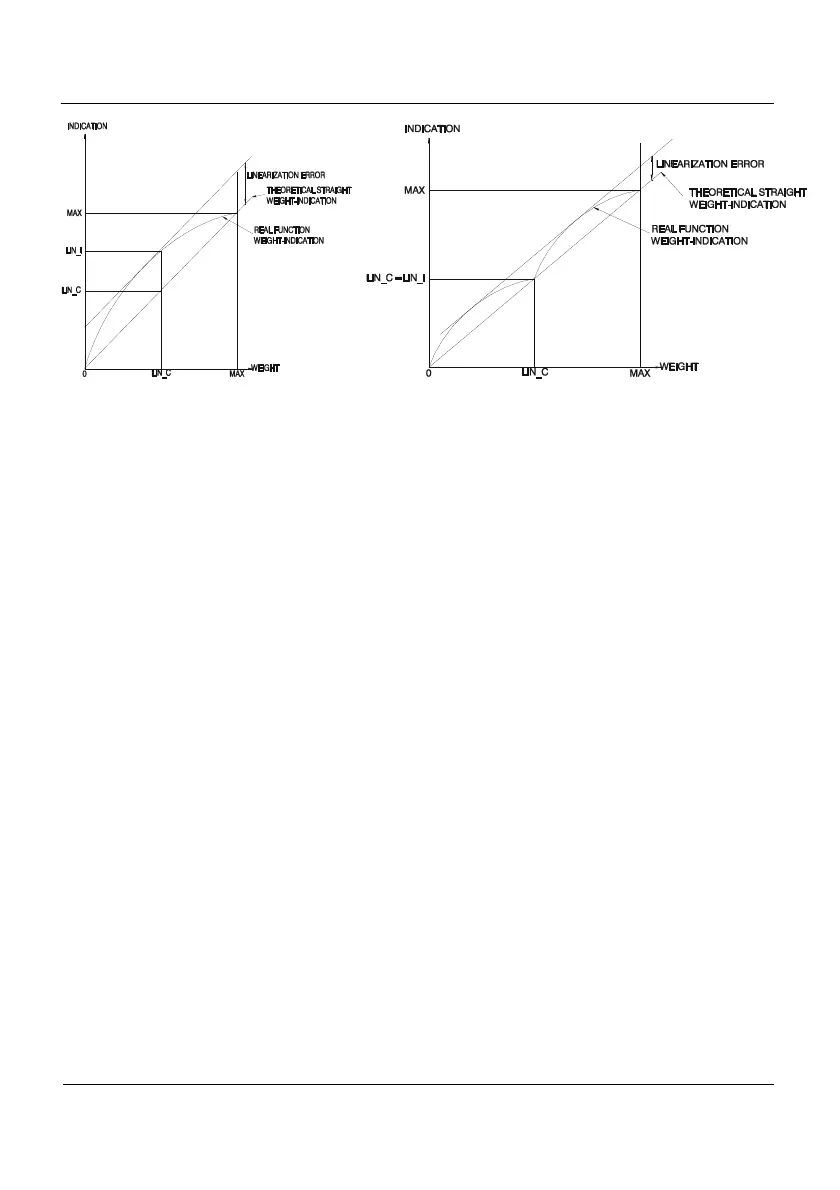
Figure 3.9.4.1 Linearity adjustment performance before and afterwards, respectively.
This is the procedure:
1-Select Reset in the LIN parameter in order to assess the system linearity without
any pre-existing correction. The LIN parameter is deactivated and any previous
correction is deleted.
2-Place a known load in a point of the range where there is a significant linearity
error. Note down the indication value.
3-Select ON in the LIN parameter and then you gain access to LIN_C and LIN_I
parameters.
4-Key in the load value in the LIN_C parameter and press Enter to confirm.
5-Key in the indication value in the LIN_I parameter and press Enter to confirm.
6-The correction has been made.
7-This procedure can be repeated without clearing the previous correction (continue
from point 2).
This adjustment calculates an internal algorithm which will be applied whenever the
LIN parameter is ON, even if the indicator is redefined or recalibrated. That is why it is
important to deactivate it or delete it if its application is not important anymore.
However, whenever a span adjustment is made (SPAN parameter), in the moment of
validating the calculated coefficient a message notifies us that the LIN parameter is activated,
where appropriate.



 To Next Page