EN User manual THERA-Trainer bemo
15
Article no. A007-661_Rev 2.0 - Last edited: 2020-06-02
Risk of injury due to pressure-sensitive areas of skins.
Make sure that pressure-sensitive areas of the skin are adequately padded or protected (e.g. by footwear,
padding in foot rests).
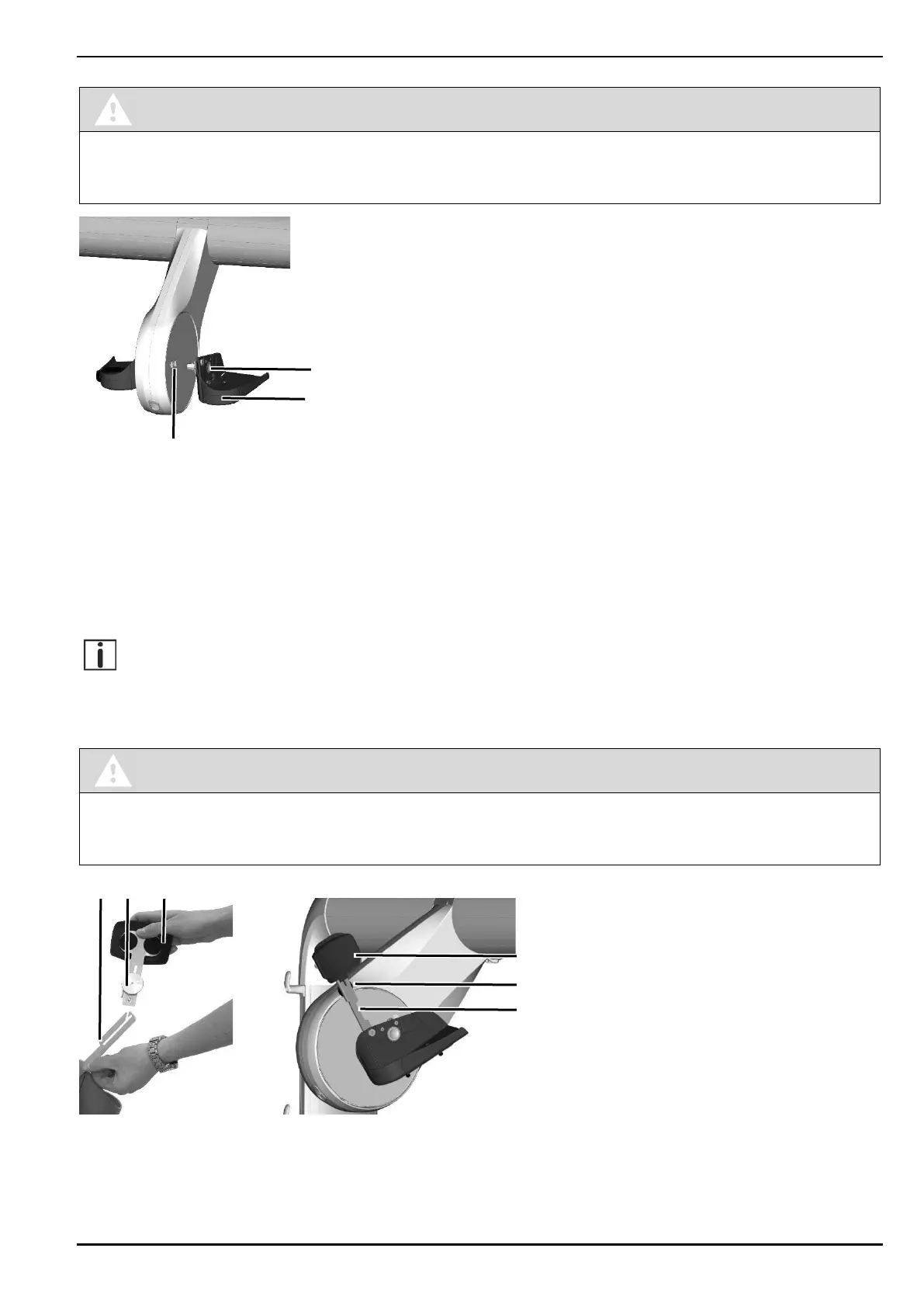
Press control knob 1.
Slide foot rest 2 into securing system 3 up to the stop. Securing system includes two positions with different
ranges of motion:
‒ Radius of movement – position 1 = 55 mm
‒ Radius of movement – position 2 = 85 mm
Release control knob.
Make sure that control knob latches.
The securing system consists of a hexagon. Turn the crank of the foot rest so that the hexagon is aligned
with the receptacle. The THERA-Trainer displays the selected position of the radius of movement in the
control and display unit.
10.2.2. Leg support
Risk of injury due to missing padding!
If no leg support is being used:
Fold securing system of leg support behind foot rest (secured by magnet).
Fold up securing system 1 of leg support by foot rest.
Loosen knurled head screw 2.
Insert leg support 3 the right way around into slot of securing system.
Tighten knurled head screw.
2
2


 To Next Page