EN User manual THERA-Trainer bemo
41
Article no. A007-661_Rev 2.0 - Last edited: 2020-06-02
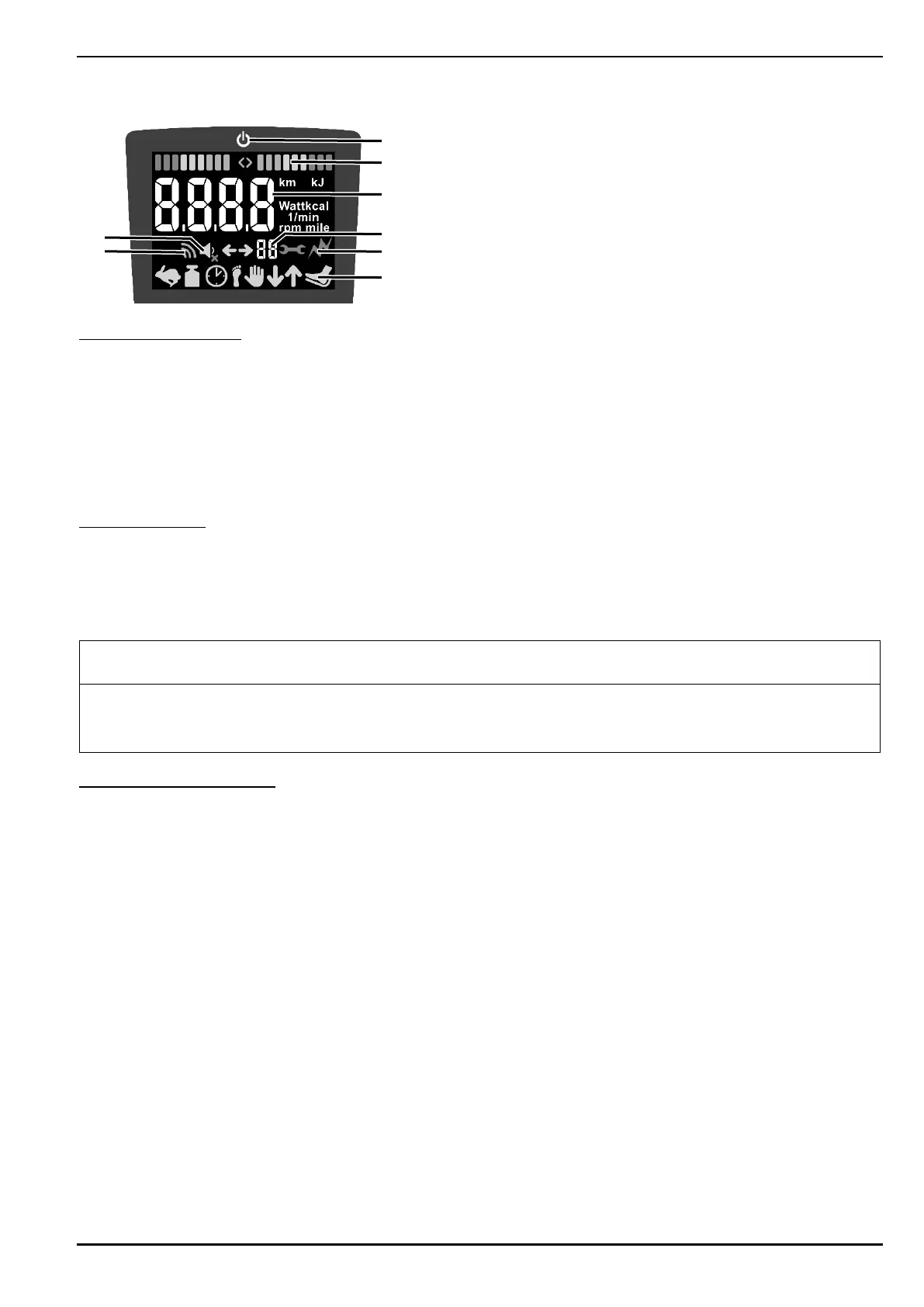
18.1.3. Show
(1) Stand-by mode display
(2) Symmetry display
(3) Training parameters display
(4) Radius of movement display
(5) Spasticity ON/OFF display
(6) Status bar display
(7) Wireless connection ON/OFF display
(8) Key sound ON/OFF display
Stand-by mode display:
‒ If no button of the THERA-Trainer has been pressed for more than 5 minutes:
o
The screen light on control and display unit switches off.
o
Red LED lights up.
o
If T.assist is available, the status lights switch off.
Press any button to switch the THERA-Trainer to operating mode.
‒ After a self-test, the THERA-Trainer is ready for use.
Symmetry display:
‒ Symmetry display:
o
Divided into three colour areas (green, yellow, red).
o
One bar means 5% asymmetry.
o
Direction triangle indicates the side that must be more active.
Symmetry display shows incorrect values:
If foot rests or upper body training accessories are pulled during training.
If different movement ranges are set.
Training parameters display:
‒ During a training session, the training parameters display automatically alternates every 5 seconds.
The following training parameters are displayed:
o
Number of revolutions (rpm)
o
Power (watt)
o
Energy consumption (kJ)
o
Distance (km/miles)
o
Remaining training time (min.)
Press START button: automatic switch of training parameters disabled.
‒ The currently shown training parameter is permanently displayed (unit of the training parameter
flashes).
2
3
4
5


 To Next Page