EN User manual THERA-Trainer bemo
17
Article no. A007-661_Rev 2.0 - Last edited: 2020-06-02
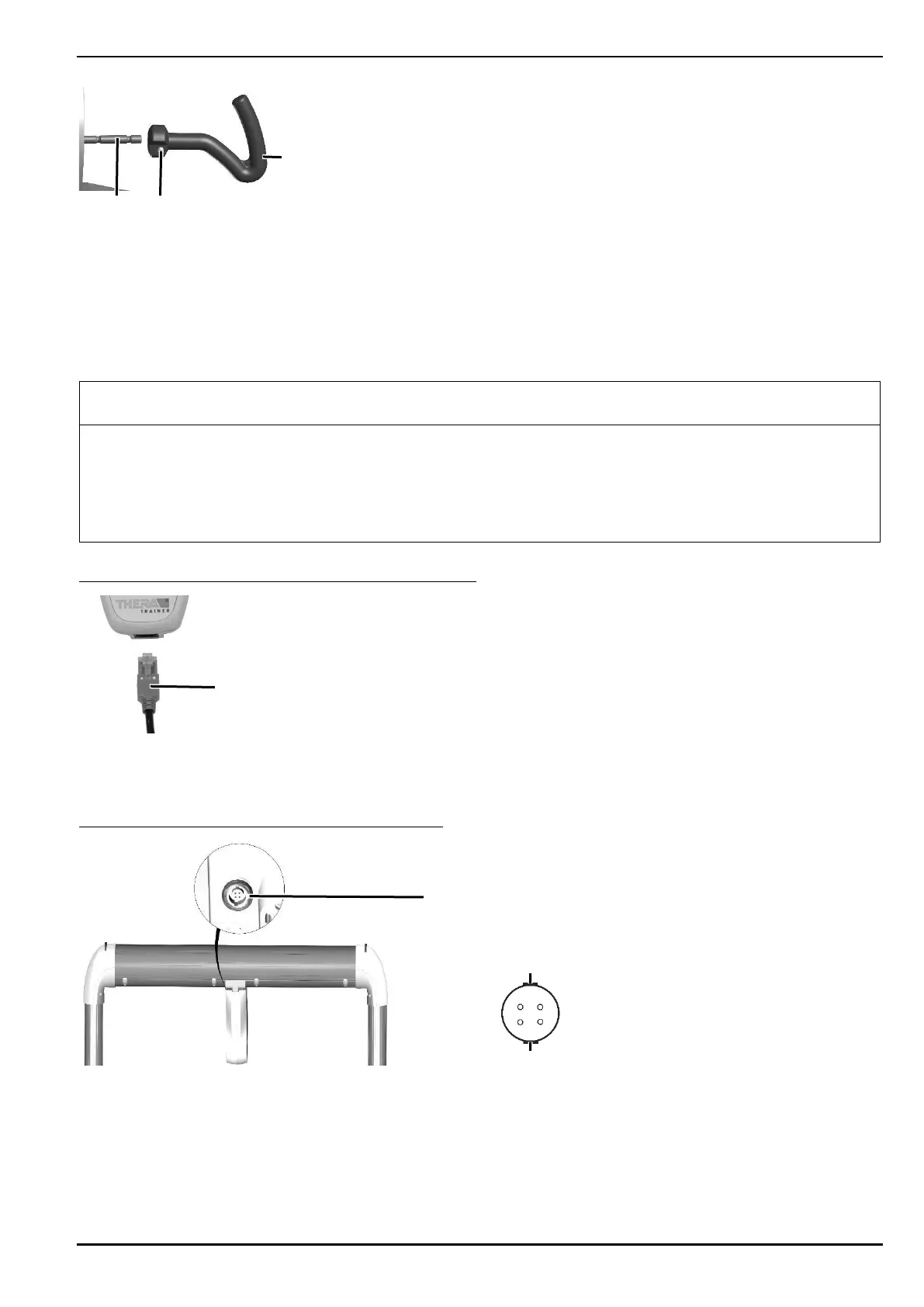
Press locking bolt 2.
Slide the therapy grips/arm rests 1 to the upper body training adapter 3 up to the stop.
Release locking bolt.
Make sure that locking bolt latches.
10.2.5. Control and display unit
Damage due to incorrect installation!
Make sure that the circular connector is plugged in correctly when connecting the unit.
Note position of plug.
Make sure that during operation of the THERA-Trainer only the control and display unit bemo 2.7" wireless
with article no. A006-172 is connected.
Connecting the spiral cable to the control and display unit:
Plug spiral cable 1 into control and display unit.
Control and display unit is correctly connected when plug connector has clicked into place.
Connecting the spiral cable to THERA-Trainer bemo:
Connect circular connector to socket 1.
Note position of plug.
‒ Note plug guide 2.
‒ Arrow/marking on circular connector points upwards.


 To Next Page