EN User manual THERA-Trainer bemo
43
Article no. A007-661_Rev 2.0 - Last edited: 2020-06-02
18.2. Submenu
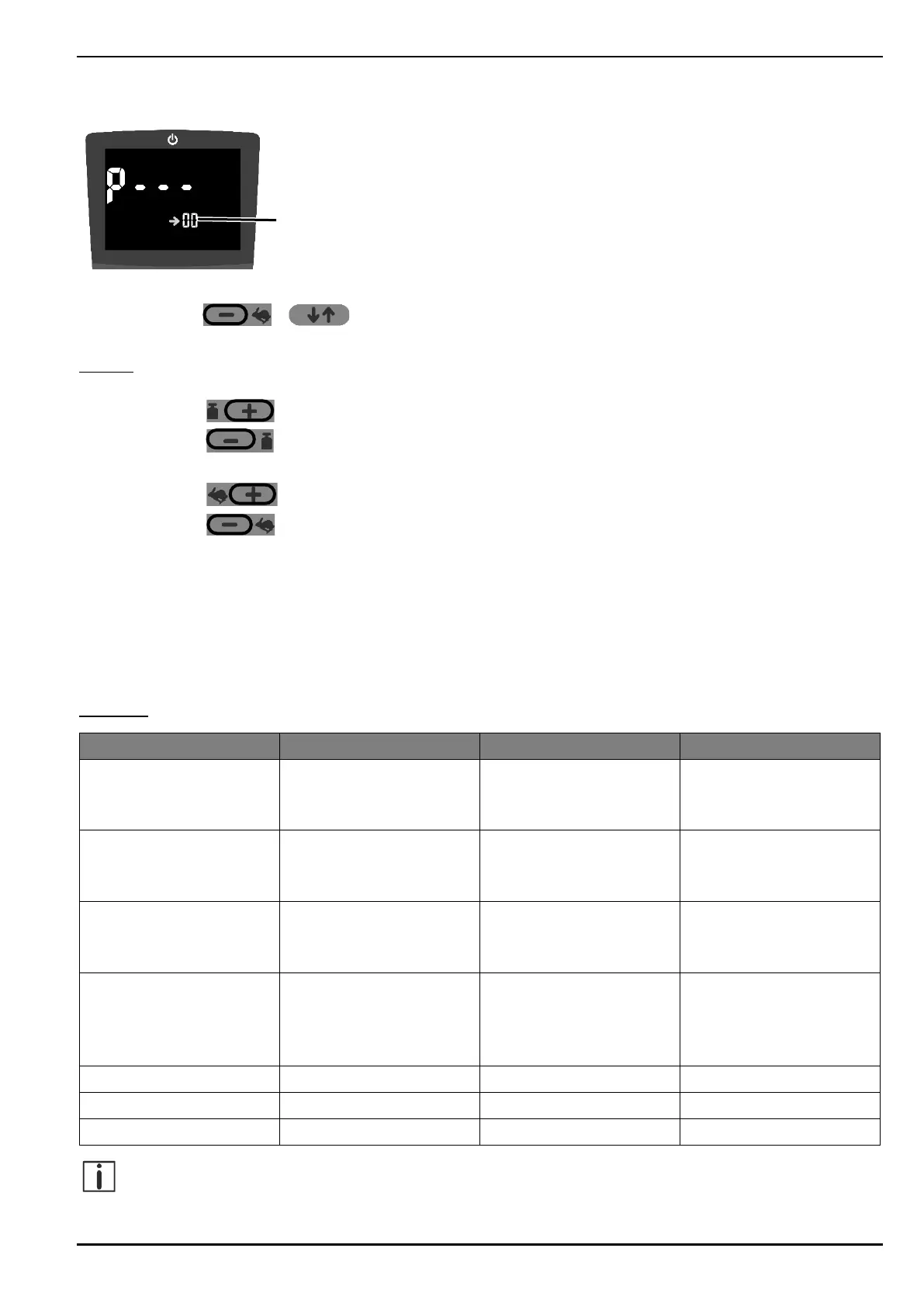
To open the sub menu:
Press buttons + at the same time until the control and display unit shows the above display.
‒ Small two-digit number 1 shows selected parameter ID.
Control:
1. Select the parameter ID
Press the key to select the next higher parameter ID.
Press the key to select the next lower parameter ID.
2. Set parameters
Press the key to increase the parameter setting.
Press the key to reduce the parameter setting.
3. Apply settings
Press START button.
‒ Sub menu is closed. The THERA-Trainer is in START mode.
4. Reject settings
Press STOP button.
‒ Sub menu is closed. The THERA-Trainer is in START mode.
Overview:
Maximum drive
power leg exerciser
(passive)
Maximum drive
power upper body
exerciser (passive)
1 = fine
2 = medium
3 = rough
1 = forward
2 = backward
3 = alternating
4 = following
Make sure that the joint forces (see chapter 17.6) correspond to the individual needs of the patient,
depending on the setting of the maximum drive power.


 To Next Page