User manual THERA-Trainer bemo EN
20
Article no. A007-661_Rev 2.0 - Last edited: 2020-06-02
10.3. Start-up
Starting up the THERA-Trainer:
Connect power plug to socket.
Operating system boots up. After the operating system has booted up, the THERA-Trainer is ready for operation.
Make sure that the audio-visual signal is working when T.assist is available (see chapter 17.3.5).
‒ Status light indicates green status.
Make sure that the control and display unit does not display an error message.
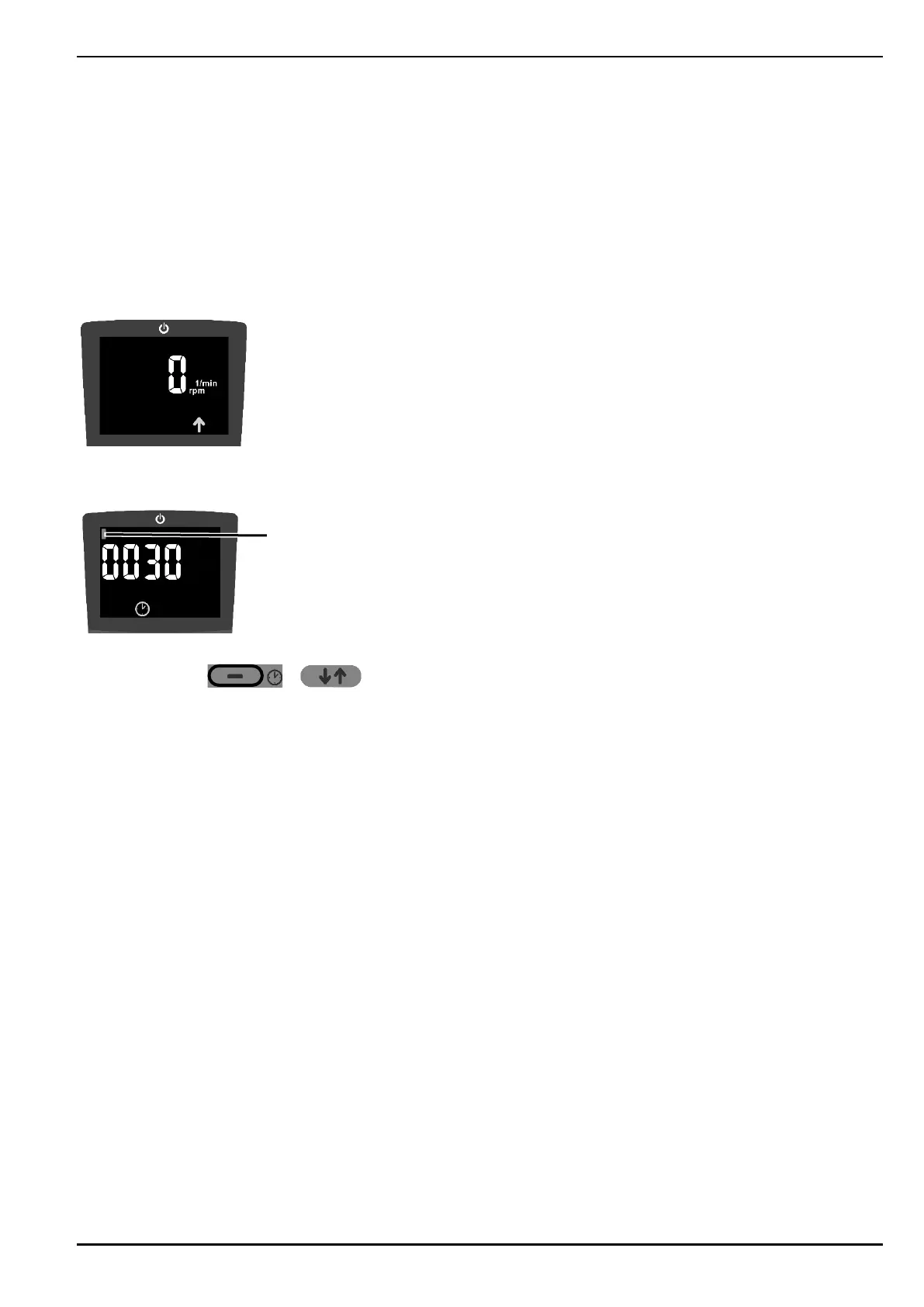
The control and display unit displays the following state:
10.4. Operating hours
Do the following to display the operating hours:
Press buttons + at the same time until the control and display unit shows operating
hours.
‒ The screen displays a bar 1 for every 10,000 operating hours.
‒ The sample graphic shows 10,030 operating hours.
‒ Display in hours.
Do the following to leave the operating hours display:
‒ Press any button.
‒ The display automatically disappears after approx. 30 seconds.


 To Next Page