Time Electronics User Manual
5051 Plus and 7051 Plus Multifunction Calibrators v2.1
xx51+ Multifunction Calibrators Page 17 of 64
7.2.1. Setting the Output Value
Please note, at all times, pressing the
Zero Output button will set the output terminals to 0V.
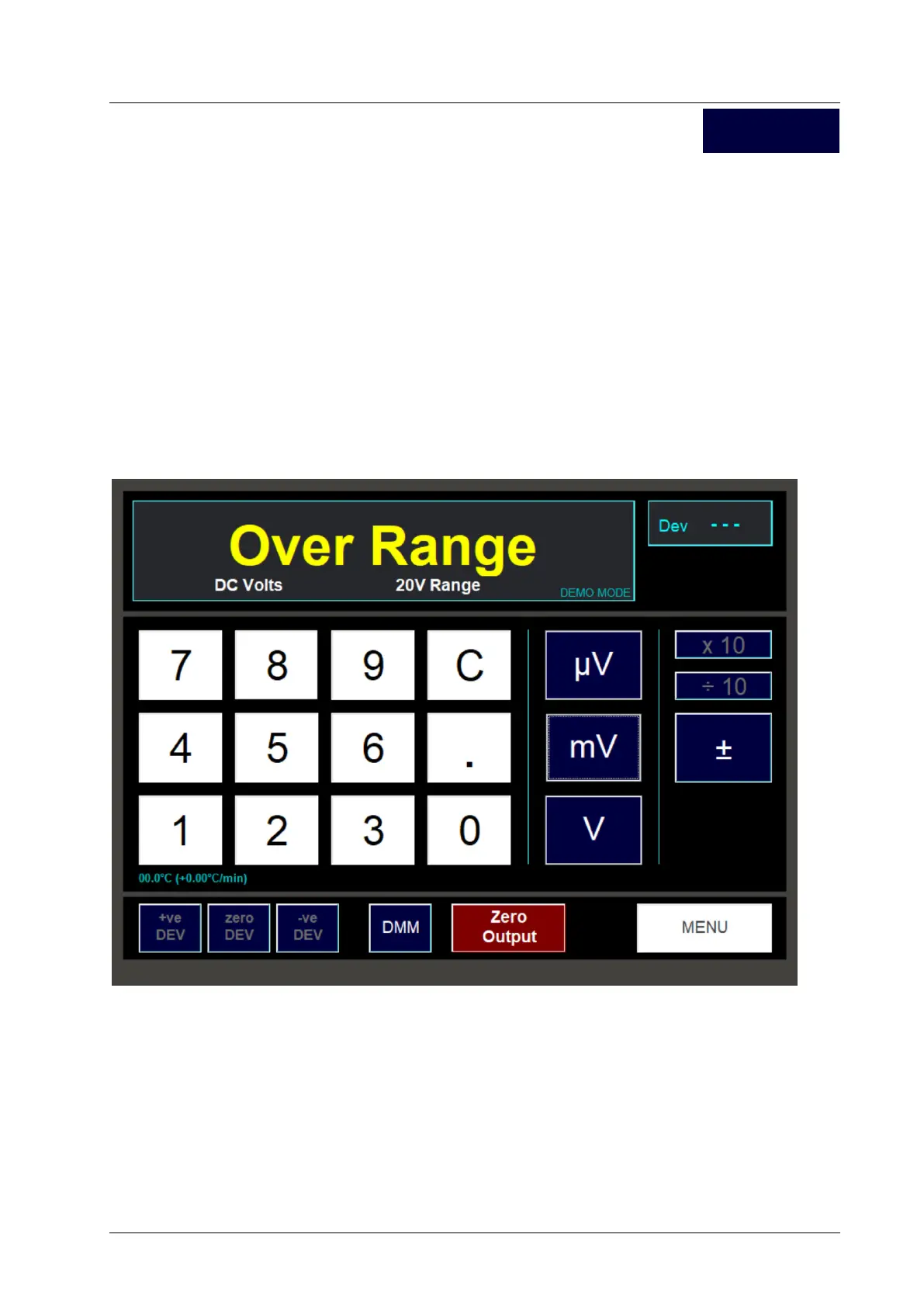
A conventional numeric keypad is used for setting the output. Enter the value required using the digit
buttons. Alter the polarity of the value using the +/- button. During entry, use the C button to delete
the last digit entered, or hold down the C button for a second to delete all the entered digits.
Finally press one of the unit buttons, i.e. µV, mV or V. The selected output value will now be present
on the output terminals.
Note, the unit will automatically select the appropriate range according to the output value entered.
The changeover point is 10% above the nominal full scale for DC ranges, and 1% for AC ranges, e.g.
the 2V DC range extends to 2.2V, any selection above 2.2V and less than 22V will automatically
switch to the 20V range.
The maximum output selectable in DCV mode is +/-1050V. If you enter a value greater than this, the
following message will appear for a few seconds and the output will not be set:
DC V



 To Next Page