Time Electronics User Manual
5051 Plus and 7051 Plus Multifunction Calibrators v2.1
xx51+ Multifunction Calibrators Page 49 of 64
7.9.7. GHz Sweep
The GHZ output is 10MHz to 2.2GHz – 1V PK to PK
7.9.7.1. Setting the Output
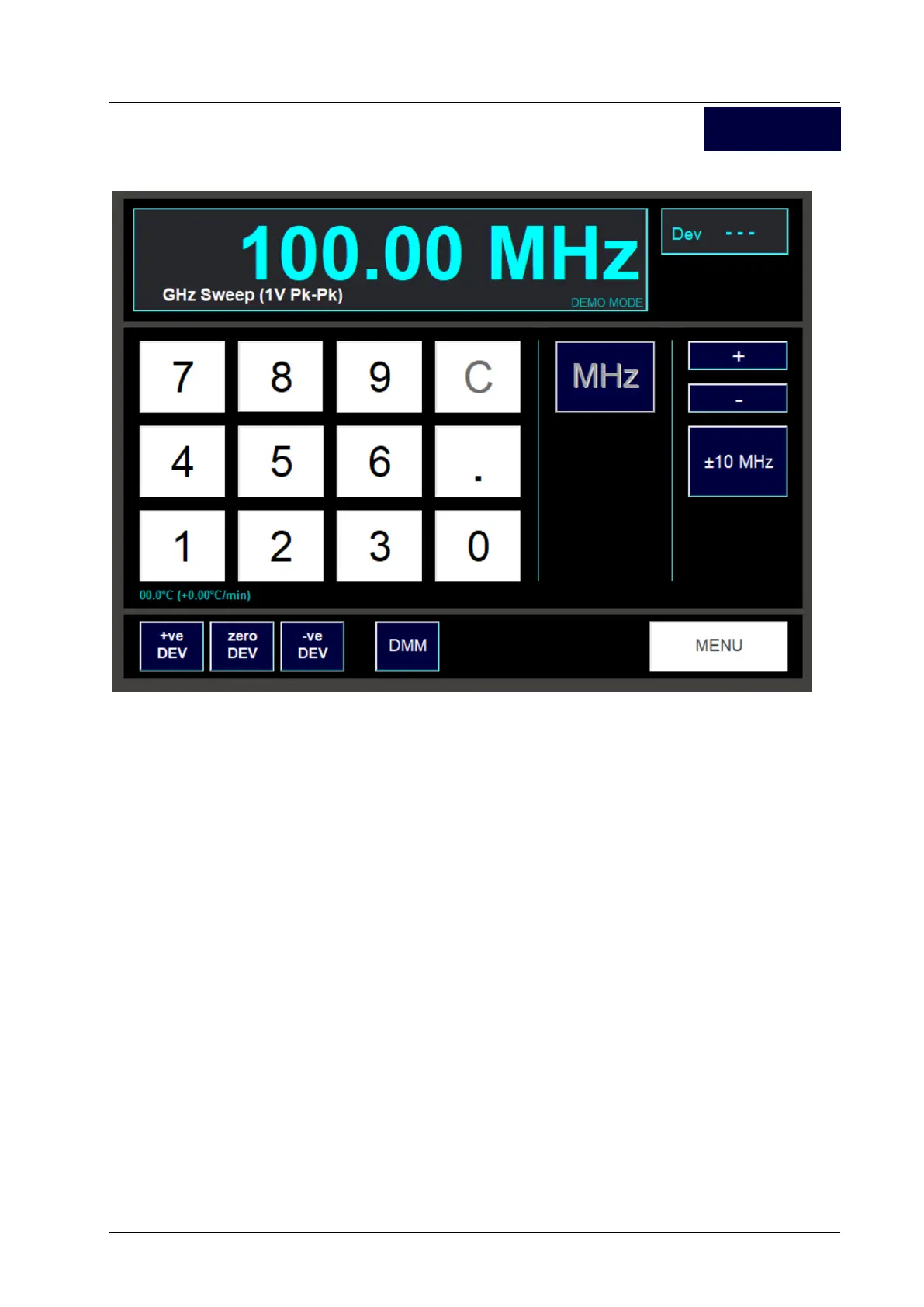
A conventional numeric keypad is used for setting the frequency. Enter the value required using the
digit buttons. During entry, use the C button to delete the last digit entered, or hold down the C button
for a second to delete all the entered digits.
Finally press the MHz button. The selected output frequency will now be present on the output
terminals. The signal will output on the ‘N-Type’ connector on the front panel.
The readout at the top of the screen displays the frequency. The amplitude is set at 1V PK to PK.
7.9.7.2. Frequency sweep
This is controlled by three sets of buttons.
The increment/decrement amount is selected by pressing the “+/- 1, 10, 100MHz” button.
The frequency can then be ‘sweeped’ +ve or –ve by pressing the “+” or “–“ buttons.
7.9.7.3. Exiting the Frequency Screen
Press the Menu screen to return to the Frequency function selection screen.
GHz Sweep



 To Next Page