Time Electronics User Manual
5051 Plus and 7051 Plus Multifunction Calibrators v2.1
xx51+ Multifunction Calibrators Page 20 of 64
7.2.4. Varying the Output Level
Once an output level has been set, it may be varied in the following ways:
• Its polarity can be toggled using the +/- button
• Its value can be multiplied by 10 or divided by 10 using the x10 and /10 buttons (if required,
the range will change automatically)
• Pressing the Zero Output button will set the output to zero volts
• Entering a new output level using the numeric keypad. The output will remain unchanged
until a unit button is pressed
• Using deviation to vary the output level by up to +/-10%, described below
7.2.5. Using Deviation
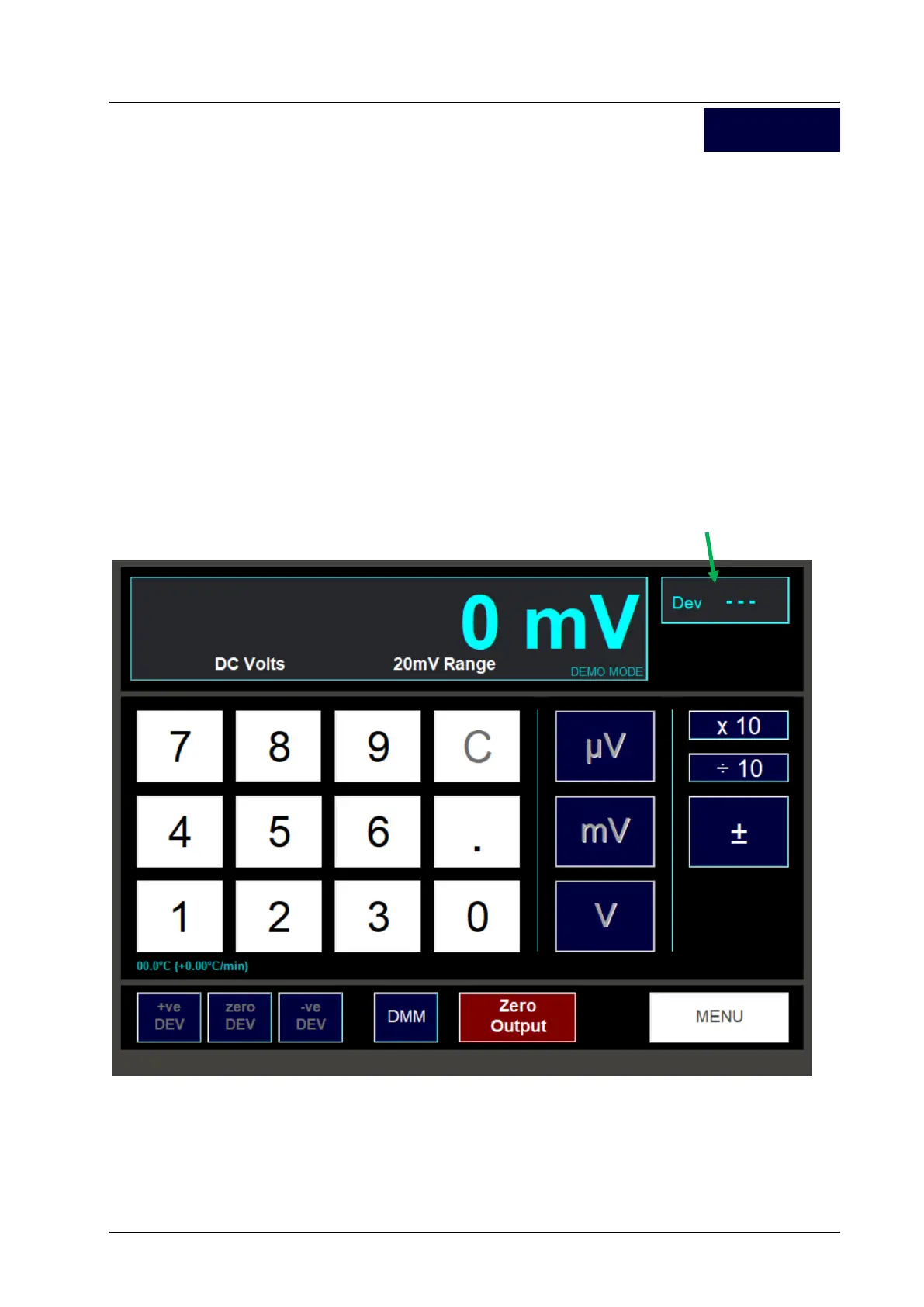
The top right sub window shows the amount of deviation that has been applied to the output. If no
deviation has been applied, zero deviation is indicated in this window by 3 dashed lines.
Note, you can only set a deviation if the output level is non-zero.
DC V



 To Next Page