Time Electronics User Manual
5051 Plus and 7051 Plus Multifunction Calibrators v2.1
xx51+ Multifunction Calibrators Page 42 of 64
7.9.1. Amplitude
The Amplitude function is suitable for driving high impedance inputs. It allows outputs between 5mV
and 220V. The output waveform may be either DC or a 1kHz square wave.
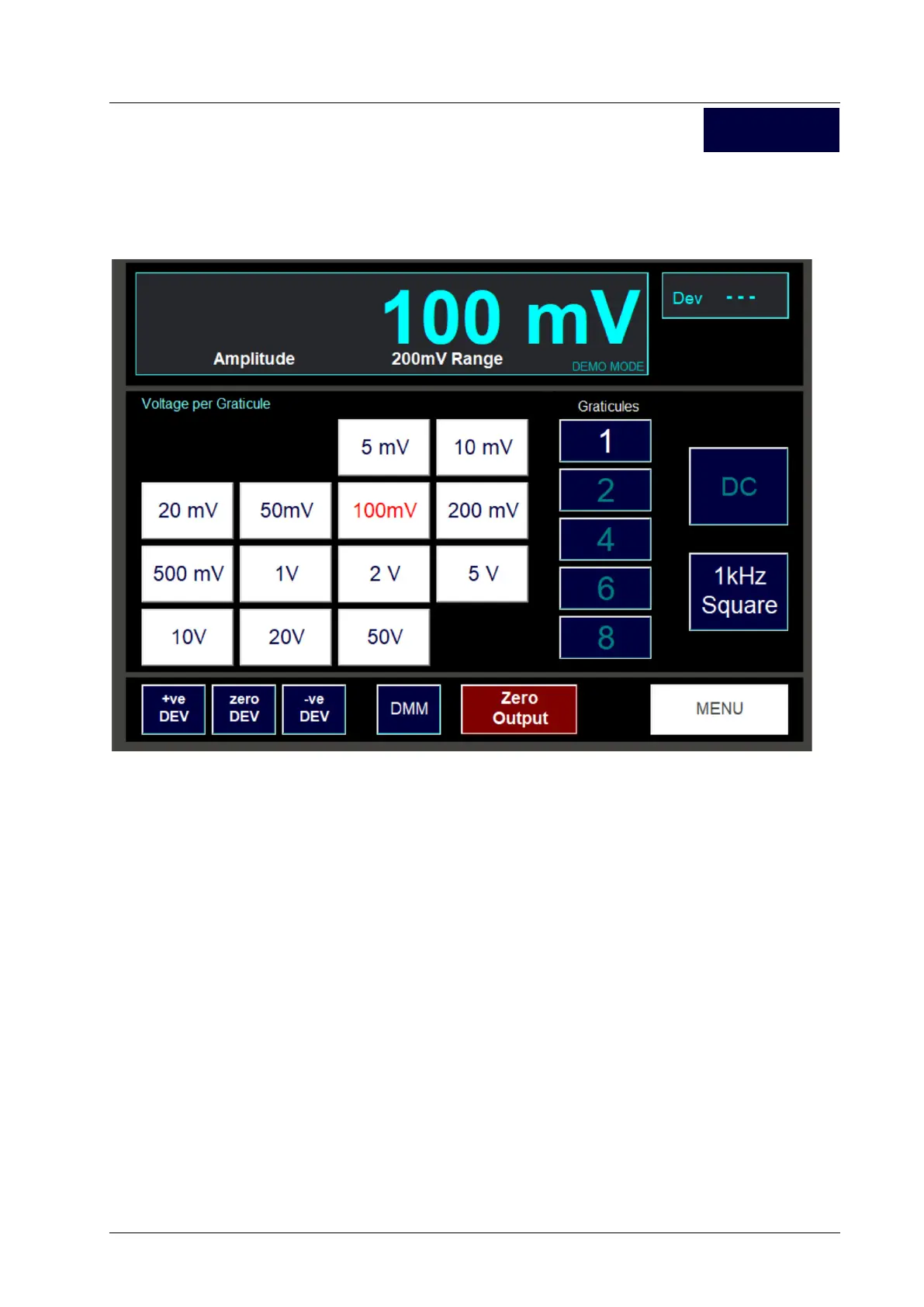
The screen for Amplitude is shown here:
7.9.1.1. Setting an Output
To set an output, decide the number of Y-axis graticules on the oscilloscope under test that you wish
the output signal to occupy. Press the Graticules button required. Now set the voltage per graticule
by pressing the required Voltage per Graticule button. Total output is:
Output Voltage = Voltage per Graticule x Graticules
Note: Only buttons that will give an output in the allowed range 5mV to 200V will be displayed. For
example, if the 1 graticule button is selected, then the 1mV and 2mV per graticule buttons will not be
shown. Similarly, if the 50V per graticule button is selected, then the 6 and 8 graticules buttons will
not be shown.
The output value may be deviated in the normal way using the Dev + and Dev – buttons.
7.9.1.2. Setting the Output Waveform
Voltage outputs may either be a DC signal or a square wave of frequency 1kHz where the voltage
selected is the pk-pk output. Press the DC and 1kHz buttons to select the waveform.
7.9.1.3. Exiting the Amplitude Screen
Pressing the Menu button will return to the Oscilloscope function selection screen.
Amplitude



 To Next Page