Time Electronics User Manual
5051 Plus and 7051 Plus Multifunction Calibrators v2.1
xx51+ Multifunction Calibrators Page 54 of 64
8. EasyCal Software
EasyCal Software is supplied as standard with the xx51Plus. It is pre-loaded on the control centre PC
and configured for use upon start up.
Full details of how to use the software are provided in the separate EasyCal manual.
Summary of the EasyCal programs:
The complete suite of programs comprises of:
EasyEdit
• System Setup
• Specification of general laboratory information.
• Specification of laboratory environmental conditions.
• Specification of default information for Calibration Certificates.
• Instruments - allows instruments/items for calibration to be created and/or edited.
• Procedures - allows calibration procedures to be created and/or edited
CalRun - the actual calibration process with an intuitive, graphical user-interface.
PrintCert - recalls and prints calibration certificates from the Results database. A standard
certificate format is supplied. Produces traceable certificates to ISO 9000, UKAS or other
international standards. With Crystal Reports (optional) the user has the option to change or
redesign the certificate
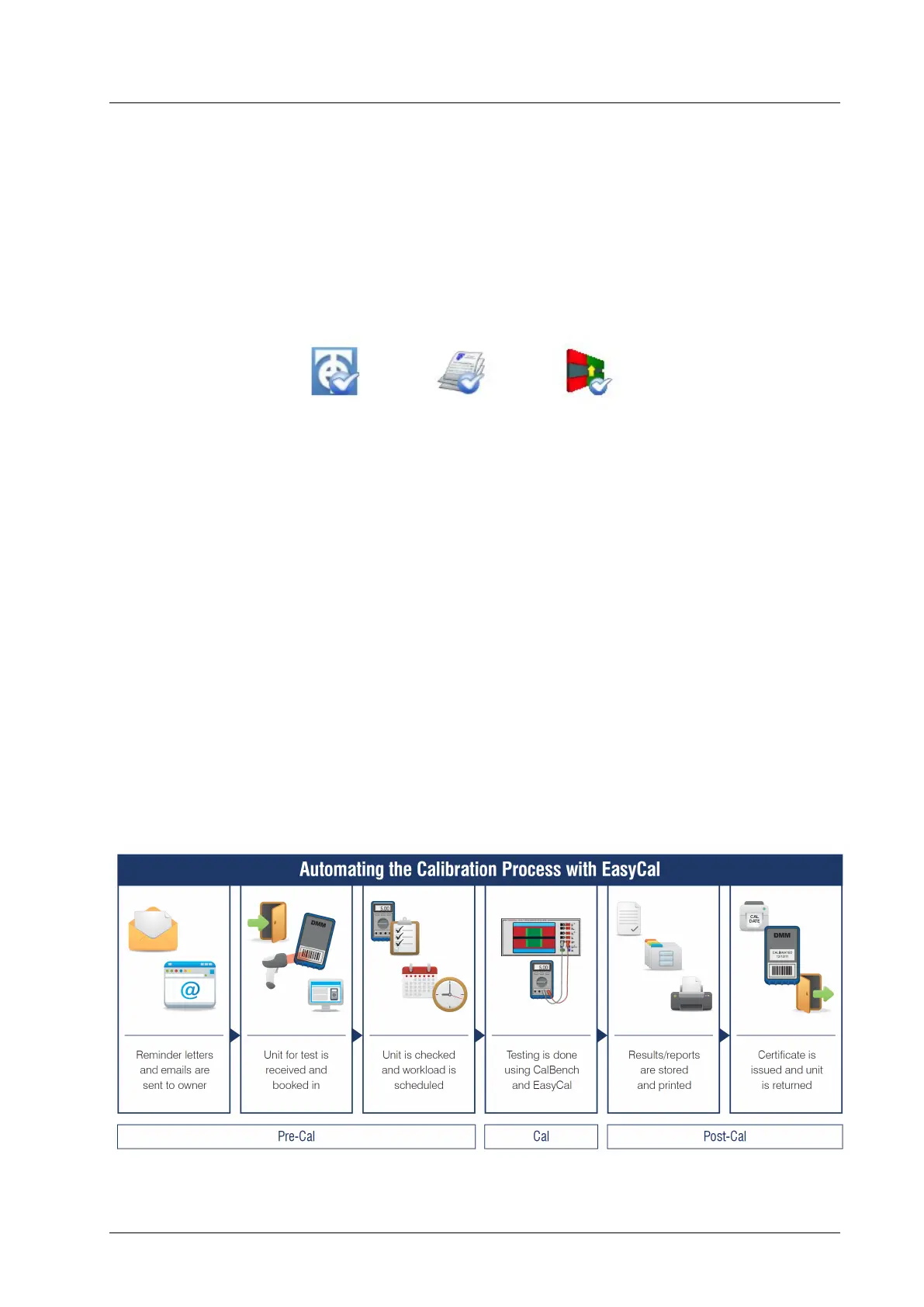
Example steps for using EasyCal to automate calibration work on the CalBench with xx51Plus.



 To Next Page