Time Electronics User Manual
5051 Plus and 7051 Plus Multifunction Calibrators v2.1
xx51+ Multifunction Calibrators Page 21 of 64
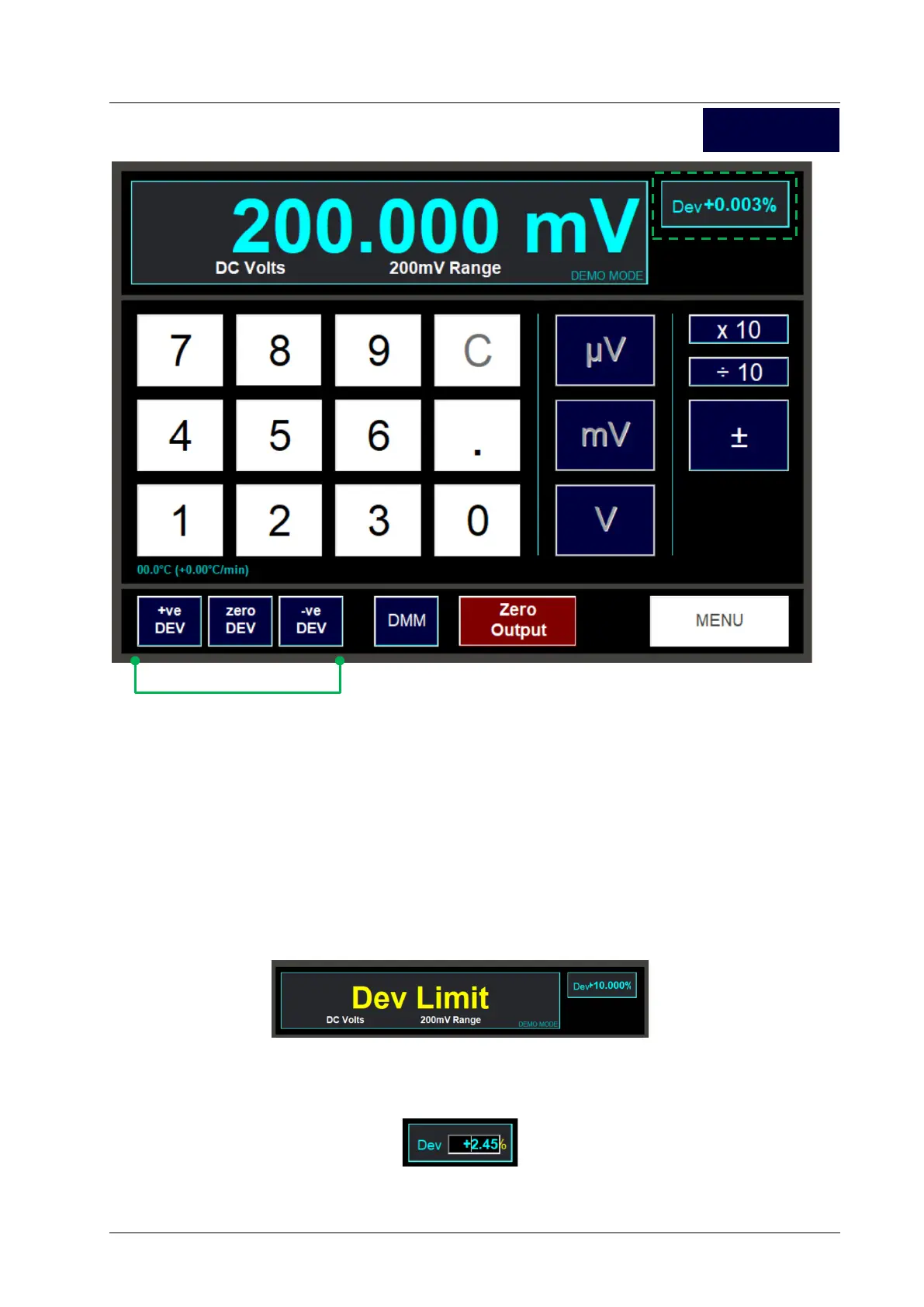
To apply a positive amount of deviation, use the + Dev button.
To apply a negative amount of deviation, use the – Dev button.
Clicking and releasing either button once will step the deviation by one count, i.e. +/-0.001%.
Alternatively, holding down either button will begin increasing or decreasing continuously. Release
the button when the amount of deviation required has been reached.
Use the Zero Dev button to reset the amount of deviation to zero.
Note, if you try to set the amount of deviation to more than the deviation limit of +/-10%, you will see
this message:
As an alternative to using the plus and minus deviation buttons, you may enter a deviation value
directly using the keyboard. To do this, first click on the deviation value. An entry box will appear:
Enter a value between -9.999 and +9.999 using your keyboard’s numeric keys and then press the
Enter key. The new deviation will be set.
DC V



 To Next Page