3-71
Chapter 3
INSTALLATION AND SETTING PROCEDURES (HARDWARE)
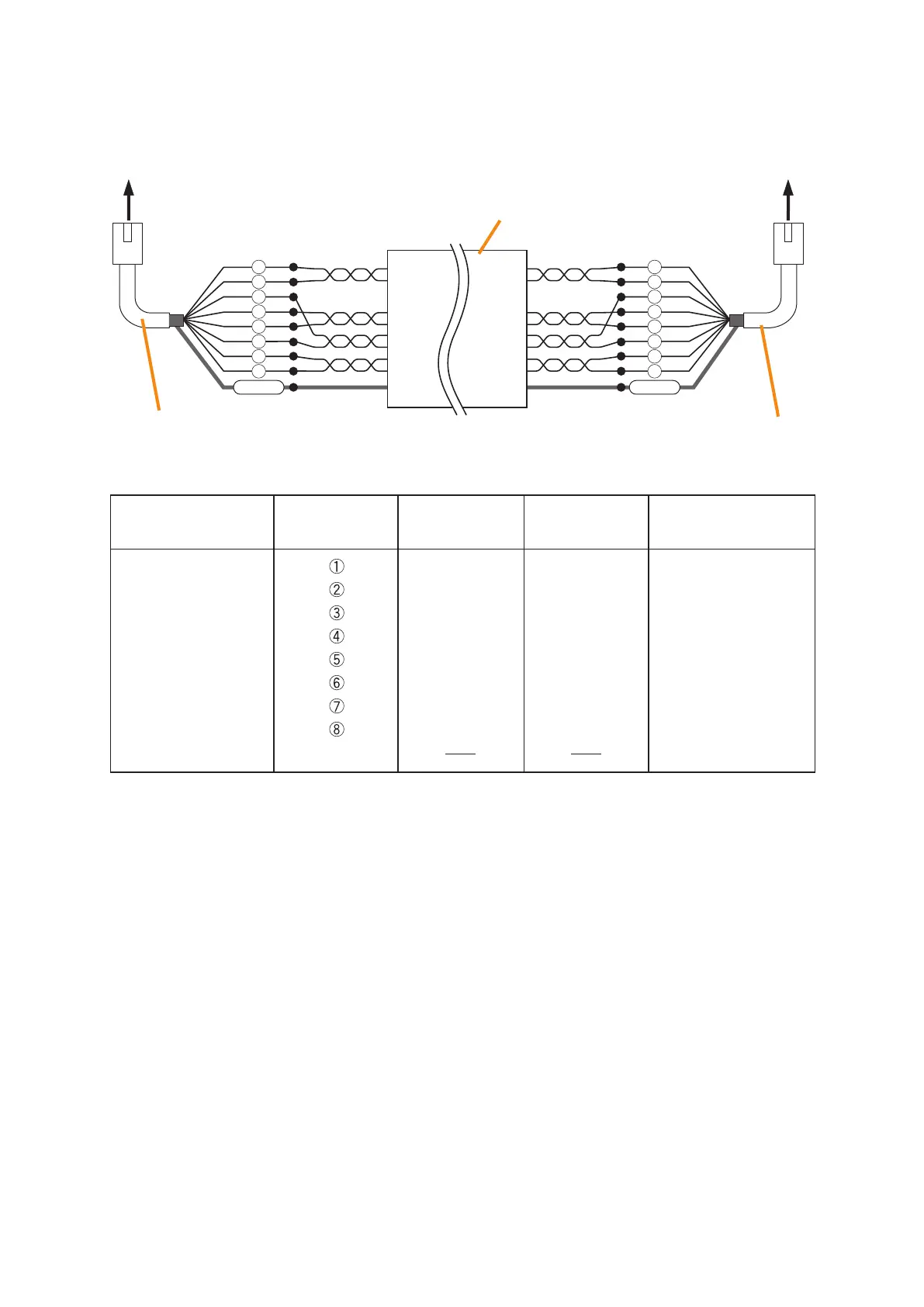
• When using a shielded CPEV cable but not the RM-200RJ, connect the cable to STP Category 5 straight
cable (with RJ45 connectors) as follows.
Pair 1 with 2, 3 with 6, 4 with 5, and 7 with 8.
Monitor in (H)
Monitor in (C)
RM data (+)
Audio out (H)
Audio out (C)
RM data (–)
DC power in (+)
DC power in (–)
Shield
Shield
Orange/White
Orange
Green/White
Blue
Blue/White
Green
Brown/White
Brown
Green/White
Green
Orange/White
Blue
Blue/White
Orange
Brown/White
Brown
Monitor out (H)
Monitor out (C)
RM data (+)
Audio in (H)
Audio in (C)
RM data (–)
DC power out (+)
DC power out (–)
Shield
RM-300X or RM-500
RJ45 connector
pin No.
Cable color
(T568B type)
Cable color
(T568A type)
VX-3000F
Over 4-pair shielded
CPEV cable (main cable)
STP Category 5 straight cable
(with an RJ45 connector)
STP Category 5 straight cable
(with an RJ45 connector)
RJ45 connector
pin No.
RJ45 connector
pin No.
To VX-3000F
To RM-300X or RM-500
1
2
5
6
3
4
7
8
Shield
1
2
5
6
3
4
7
8
Shield



 To Next Page