3-25
Chapter 3
INSTALLATION AND SETTING PROCEDURES (HARDWARE)
Menu
Operation setting
Maintenance/Volume setting
BACK
1
2
Exit3
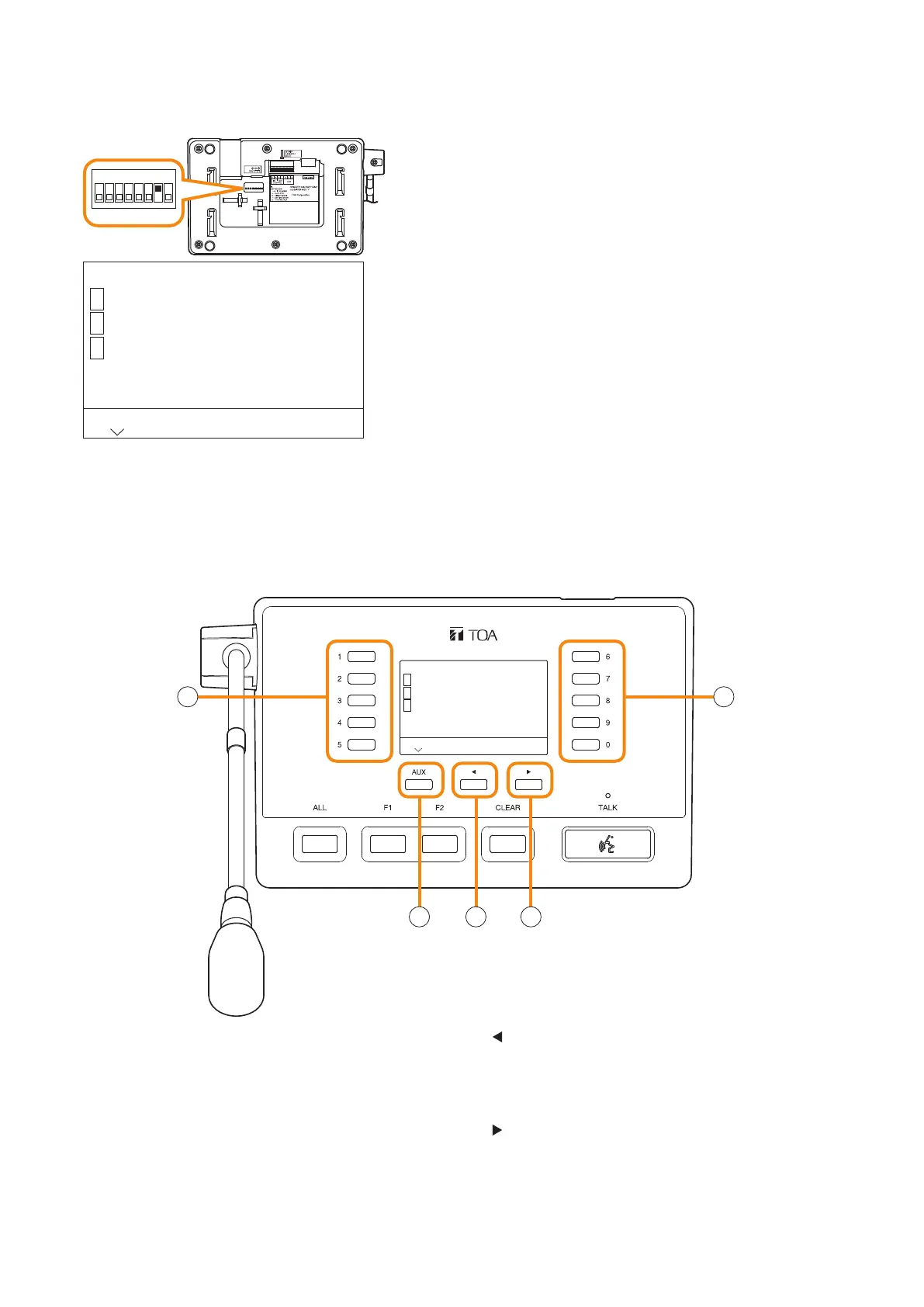
RM-500 bottom
1
ON
2 3 4 5 6 7 8
Step: Set Switch 7 of the setting switch on the RM-500’s
bottom panel to the ON position.
Notes
• Do not touch the setting switch while broadcast is in
progress using this unit.
The screen will not move to the menu screen even if
you operate the setting switch during broadcast.
• Broadcast cannot be made from this unit while the
menu screen is displayed.
A menu is displayed on the RM-500’s LCD screen.
6.3.2. Entering the menu screen
Menu
Operation setting
Maintenance/Volume setting
BACK
1
2
Exit3
11
2
3 4
RM-500 top
1. Numeric keys
Used to enter the numbers of selection items or
options.
2. AUX key
Allows operation according to the display when
pressed while a guide indication is present at the
lower left on the menu screen.
3.
key
Allows operation according to the display when
pressed while a guide indication is present at the
lower center on the menu screen.
4. key
Allows operation according to the display when
pressed while a guide indication is present at the
lower right on the menu screen.
6.3.3. Keys used on the menu screen
The keys described below are used on the Menu screen.



 To Next Page