3-27
Chapter 3
INSTALLATION AND SETTING PROCEDURES (HARDWARE)
Menu
Operation setting
Maintenance/Volume setting
BACK
1
2
Exit3
2 Maintenance/Volume setting
Level meter
Status
BACK
1
2
RM-500 reset3
HOME
Please adjust the volume control
within the proper range of the meter.
AUX
BACK
MIC
Please adjust the volume control
within the proper range of the meter.
BACK
AUX (MIC)
6.3.5. Adjusting input sensitivity
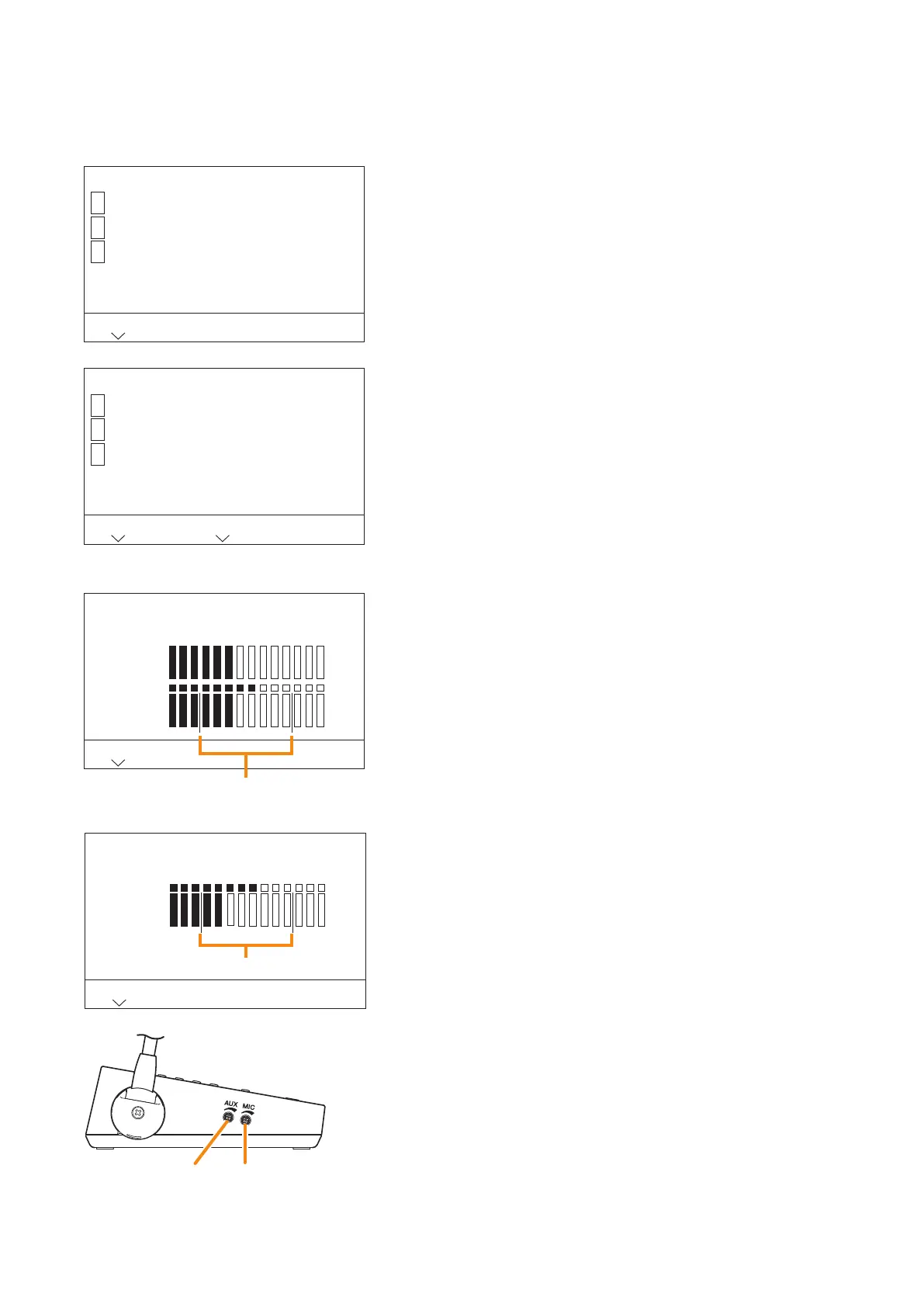
Adjust the microphone input sensibility of the RM-500 conrming the peak level on the LCD screen.
Step 1. Press the [2] key on the menu screen.
The Maintenance item selection screen is displayed.
Step 2. Press the [1] key.
The input levels of the microphone input and the AUX input
are displayed in 14 steps.
The upper meter of the microphone volume shows the peak
level, and the lower meter the current level.
Tip
When the AUX microphone setting is set to "Use," only the
input level of the microphone connected to the AUX input
terminal is displayed.
Step 3. Speak into the microphone.
Step 4. Adjust the microphone input sensitivity with the microphone
volume control or AUX volume control so that it is kept in
the appropriate level range.
(When AUX mic. setting is set to "Not use")
(When AUX mic. setting is set to "Use")
AUX volume control
RM-500 left side
Microphne volume control
Appropriate level range
Appropriate level range



 To Next Page