3-44
Chapter 3
INSTALLATION AND SETTING PROCEDURES (HARDWARE)
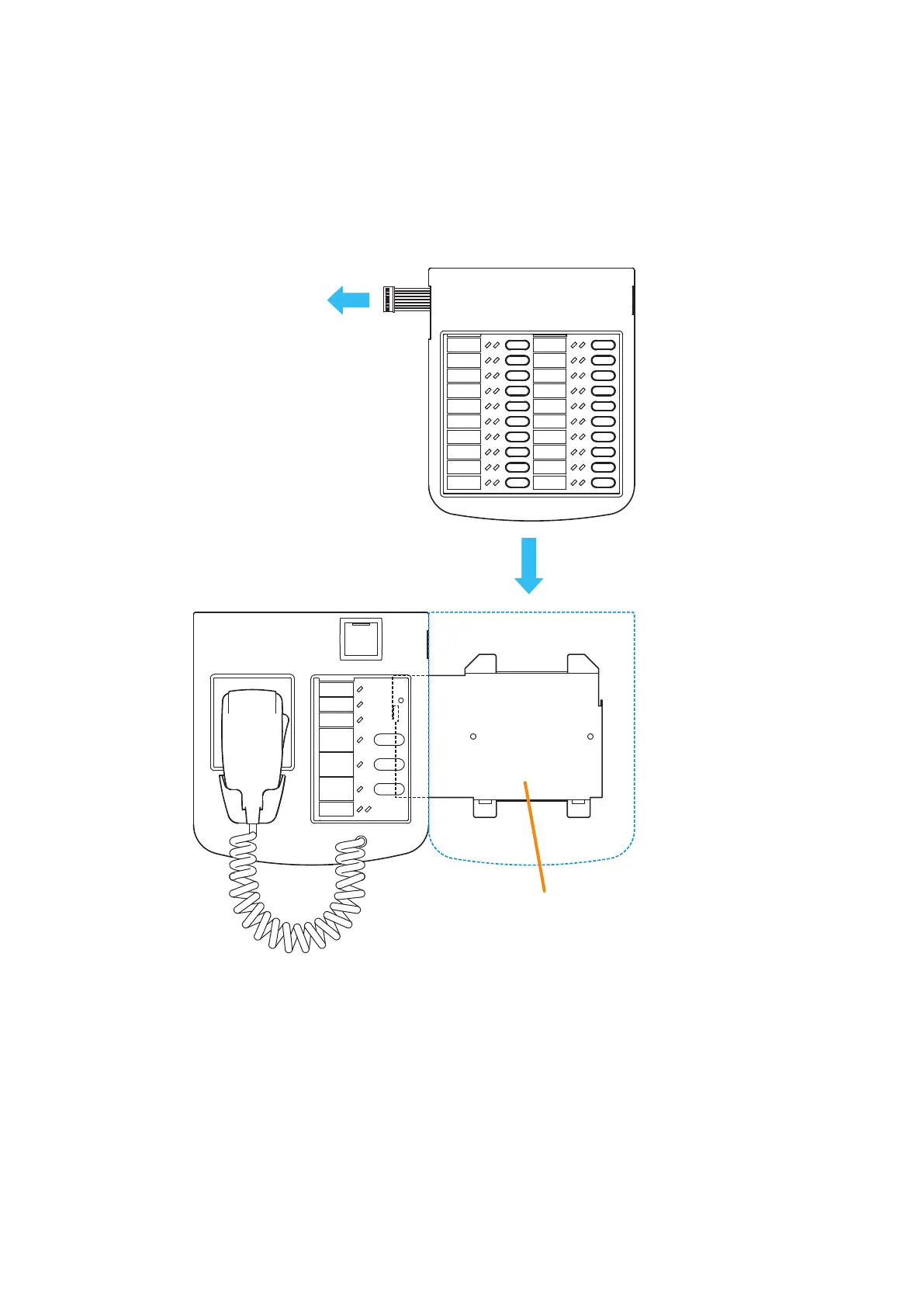
Step 3. Attach the RM-200SF to its wall mount bracket unit. (See p. 3-42, Steps 3 and 4.)
Step 4. Connect the RM-320F's cable to the extension connector on the RM-200SF's side.
Step 5. Install the RM-320F to its wall mount bracket sliding it in close contact with the RM-200SF as shown
below.
[RM-200SF]
[RM-320F]
Slide in close contact with
the RM-200SF.
Connect to the extension
connector on the
RM-200SF’s side.
Wall mount bracket
for the RM-320F
4
5



 To Next Page