15. DISTANCE MEASUREMENT
85
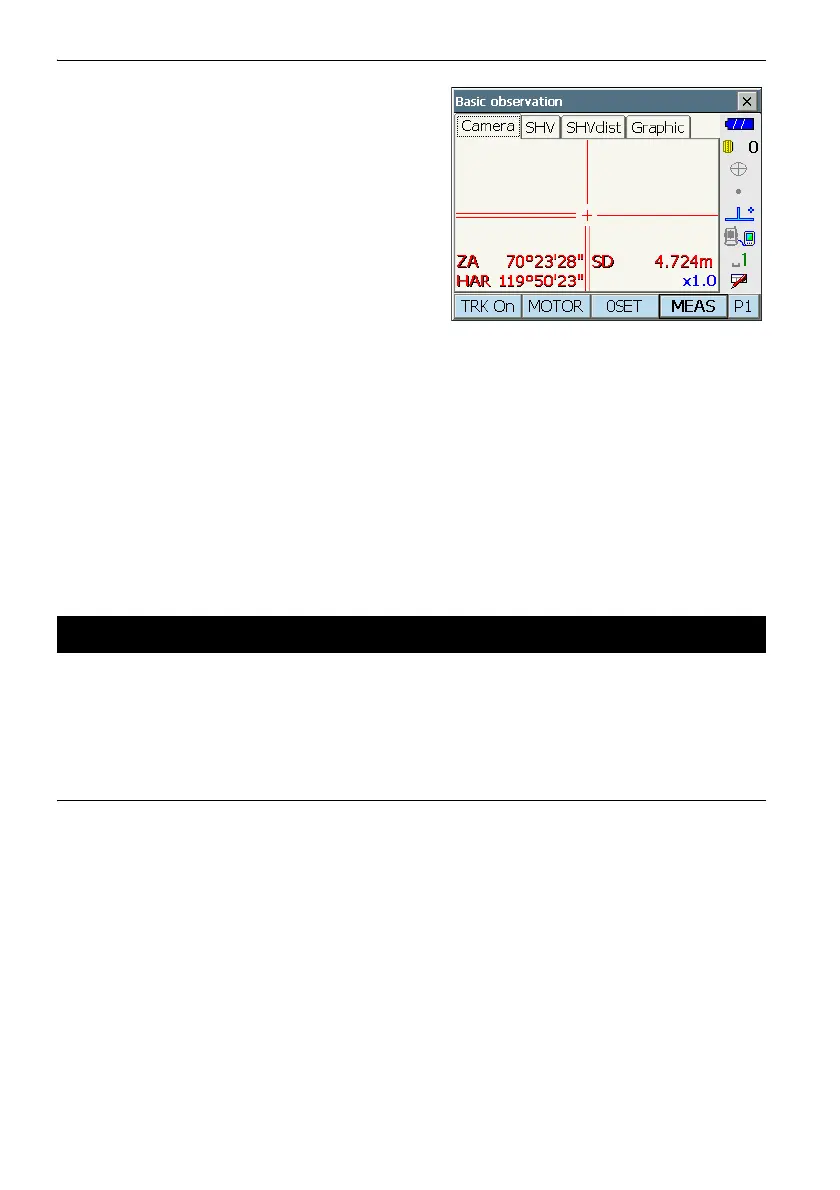
The measured distance data (SD), vertical angle
(ZA), and horizontal angle (HAR) are displayed.
3. Press [STOP] to quit distance measurement.
• If the single measurement mode is selected, measurement automatically stops after a single
measurement.
• During fine average measurement, the distance data is displayed as SD1, SD2,... to SD9. When the
designated number of measurements has been completed, the average value of the distance is
displayed in the "SDA" line. In Camera tab, shorter expressions are adopted for the average value.
• The distance and angle that are most recently measured remain stored in the memory until the
power is off and can be displayed at any time by pressing [CALL].
Allocating [CALL]: "22.6 Allocating Key Functions"
The following explains distance measurement and the features used to output measurement data to
a computer or external devices.
"9. CONNECTING TO EXTERNAL DEVICES", Communication cables: "27. OPPTIONAL
ACCESSORIES". Output format and command operations: "Communication manual"
PROCEDURE
1. Connect instrument and external device.
2. Sight the target point.
3. Press [HVDOUT-T] or [HVDOUT-S] to measure
the distance and output the data to the external
device.
4. Press [STOP] to stop outputting data and return
to Observation Mode.
15.3 Distance Measurement and Outputting the Data



 To Next Page