Using the Bluetooth Manager
GMS-2 Operator’s Manual
5-12
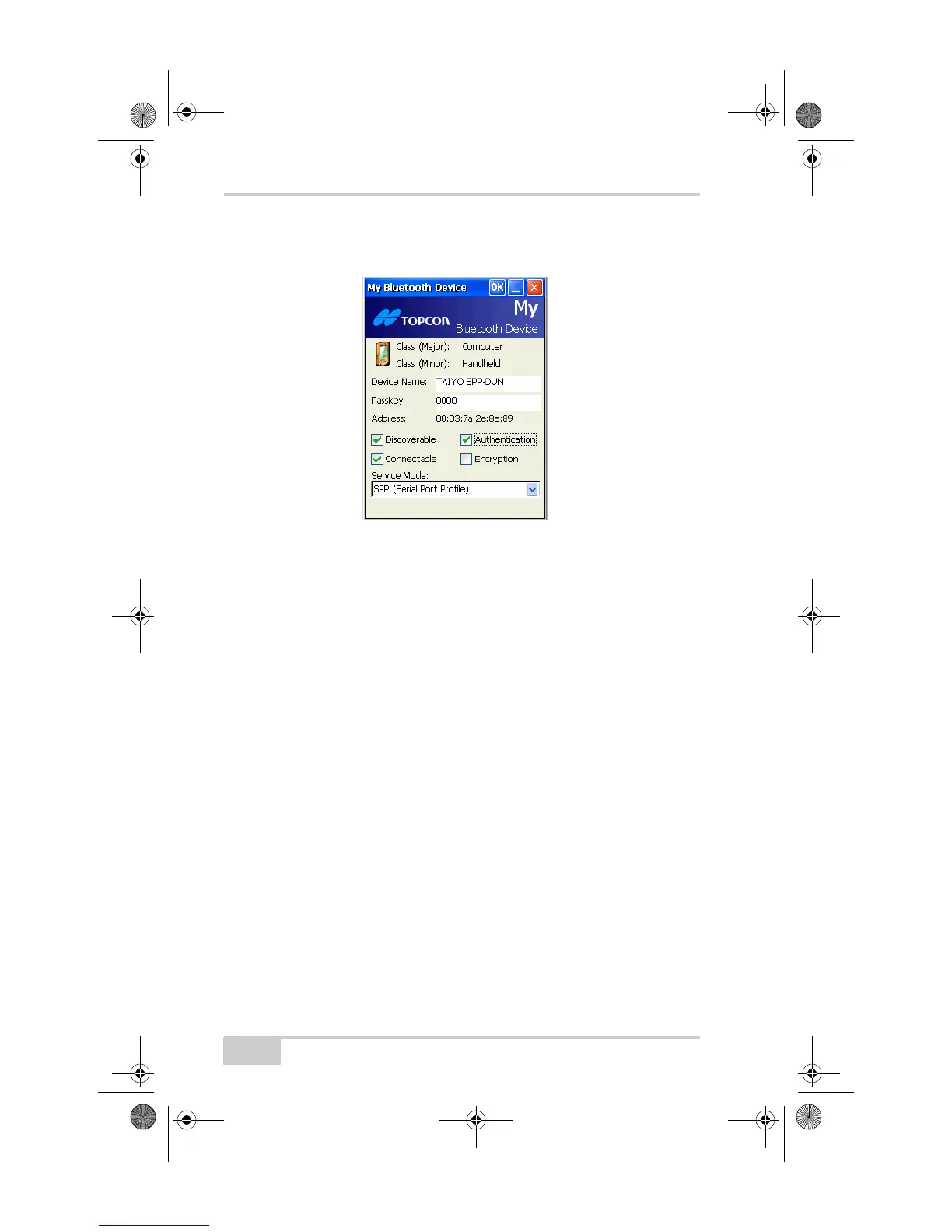
To access the My Bluetooth Device screen, tap DeviceMy
Bluetooth Device.
Figure 5-11. My Bluetooth Device
My Bluetooth Device always displays the following information:
• Class (major and minor)
• Name (Other devices use this name to identify the GMS-2.)
• Address
This screen also allows you to enable the following accessibility
options:
• Discoverable: allows other devices within range to find the
GMS-2.
• It is not necessary to enable this option when initiating a
connection from the GMS-2 and for most dial-up networking.
• When not in use, disable this option manually to save power.
• Connectable: allows other devices within range to connect to the
GMS-2.
• It is not necessary to enable this option when initiating a
connection from the GMS-2 and for most dial-up networking.
• Authentication: authenticates the identity of other devices. Select
this option if you want to require a passkey to connect with
another Bluetooth enabled device. If either or both devices use
GMS-2_OM_Book.book Page 12 Friday, December 28, 2007 1:47 PM



 To Next Page