61
SETTING AND CHANGING THE SOFTWARE
(4) Chart page registration menu function
Displays the command buttons to be used when registering the chart page.
Press the [Default] button, and the test parameters are set according to the already set chart.
• Default
Return all the chart pages to the default setting.
• Modify
You can edit the tests and functions related to the selected chart.
By arranging the customized charts on the chart page freely, you can register the Semi-Auto
course.
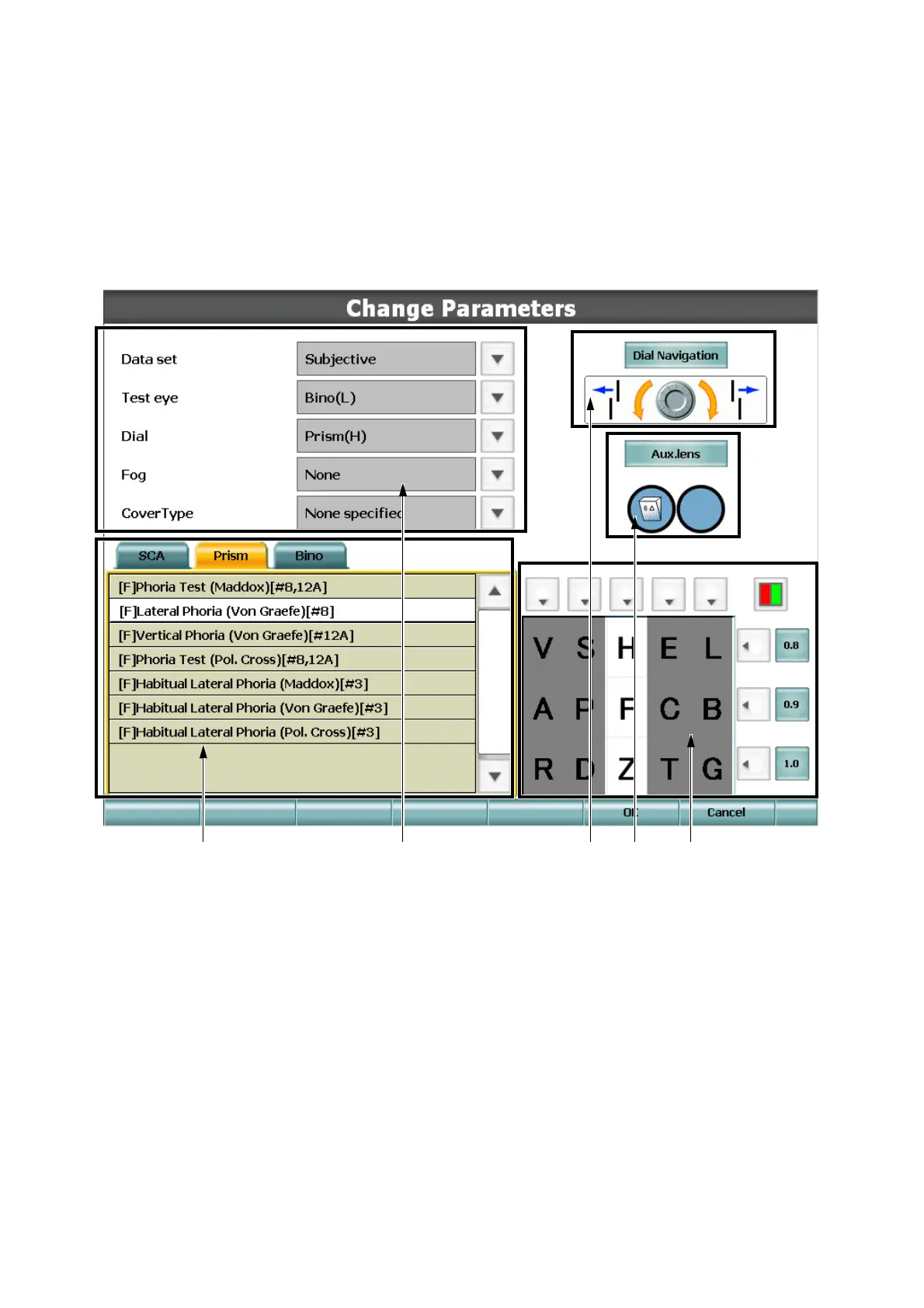
• (1) List of tests
Displays the list of tests.
Specify the test to be executed when touching the chart as changing the tab.
• (2) Setting the test information
Displays the parameters of the test to be executed when touching the chart.
Select parameters to be set.
• (3) Setting the dial information
Displays the dial information to be used in the test to be executed when touching the chart.
To change the dial information, touch the [Dial Navigation] button. Then, the list of the dial
information is displayed. Select the proper information.
(1) (2) (3)
(5)
(4)



 To Next Page