27
BASIC OPERATIONS
BASIC OPERATIONS
MEASUREMENT IN SEMI-AUTO MODE
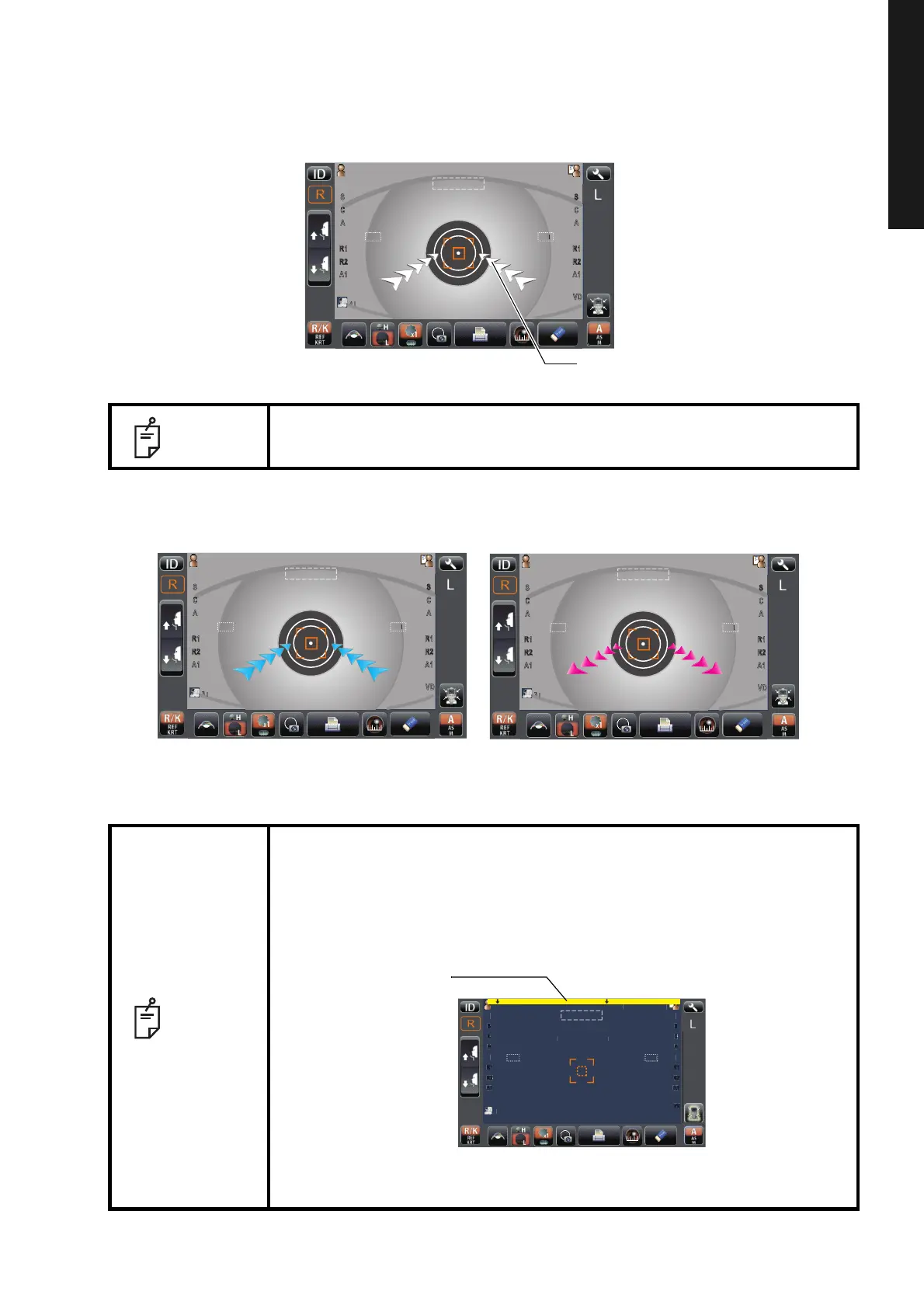
5 Keeping the alignment dot within the alignment mark, slowly move the main body toward the
patient. When the main body approaches the target eye, Z alignment arrows appear to the
control panel screen.
•
If the machine is too close to the patient's eye in comparison with the optimal alignment position,
outward Z alignment arrows appear in magenta (red purple) color, or it is too far the inward arrows
appear in cyan (blue) color.
6 Move the measuring head to the direction of the arrows indicated by operating the control
lever. The automatic alignment starts.
NOTE
Do not allow the eyelash and eyelid to cover outer alignment mark to ensure
stable measurement.
NOTE
When the measuring head has reached the limit of movement (vertical/
lateral directions), a yellow-colored limit mark appears on the control panel
corner, showing it is the movement limit in that direction and the message of
"MOVE *** TO AVOID LIMIT." displayed.
Move the measuring head or the chinrest to a position that aligning is
possible.
In the limit of depth direction, only the message "MOVE FORWARD
(BACKWARD) TO AVOID THE LIMIT." is displayed.
P
tientI
PatientID
0/3
0/3
0/3
0/3
12.
12.
0/3
0/3
0/3
0/3
1
R
R
S
K
R1
R2
A1
R
R
K
R1
R2
A1
VD
mm
T
PC
N
TAR
TOPCONTAROU
mm
Semi Auto
P
tientI
PatientID
0/3
0/3
0/3
0/3
12.
12.
0/3
0/3
0/3
0/3
PC
NTAR
P
tientI
PatientID
0/3
0/3
0/3
0/3
12.
12.
0/3
0/3
0/3
0/3
PC
NTAR
PatientI
PatientID
㪮㪜㪩㩷
㪟㪠㪥㩷㪩㪜
㪭
㪠㪛 㪫㪟㪜 㪣㪠㪤㪠㪫㪅
㪣㪦㪮㪜㪩㩷㪚㪟㪠㪥㩷㪩㪜㪪㪫
㪫㪦㩷㪘㪭㪦㪠㪛㩷㪫㪟㪜㩷㪣㪠㪤㪠㪫㪅
0/3
0/3
0/3
0/3
12.
12.
0/3
0/3
0/3
0/3
1
R
S
C
A
K
R1
R2
A1
R
S
C
A
K
R1
R2
A1
VD
mm
TOPCON
TOPCONTAROU
mm
Semi Auto



 To Next Page